As a UX contractor on Google's Android Dialer team, I was brought in to rethink the In-Call UI — three of fifteen concepts are shared here, each representing a distinct stage in the design's evolution.
Role: UX Designer (Contractor)
Client: Google
Type: Interaction Design, UX
Year: Nov 2018 – Dec 2019
Tools: Sketch
In late 2018, I joined Google's Dialer team as a UX contractor, collaborating closely with the product manager, UX manager, engineering, and legal teams. The engagement centered on rethinking the In-Call UI — with a particular emphasis on multi-tasking, call recording, and surfacing contextual intelligence during a live call. Over the course of the project, I delivered fifteen distinct interaction model explorations. Three are shown here.
The Design Challenge
The native Android dialer had long treated phone calls as isolated, single-purpose moments. The opportunity was to rethink the In-Call UI as a more capable surface — one that could surface contextual information, support multi-tasking, and introduce call recording in a legally compliant, user-friendly way. The challenge was doing all of this without overwhelming the user or breaking the fundamental simplicity of a phone call.
Exploration 5 — Near Term (Dec 2018)
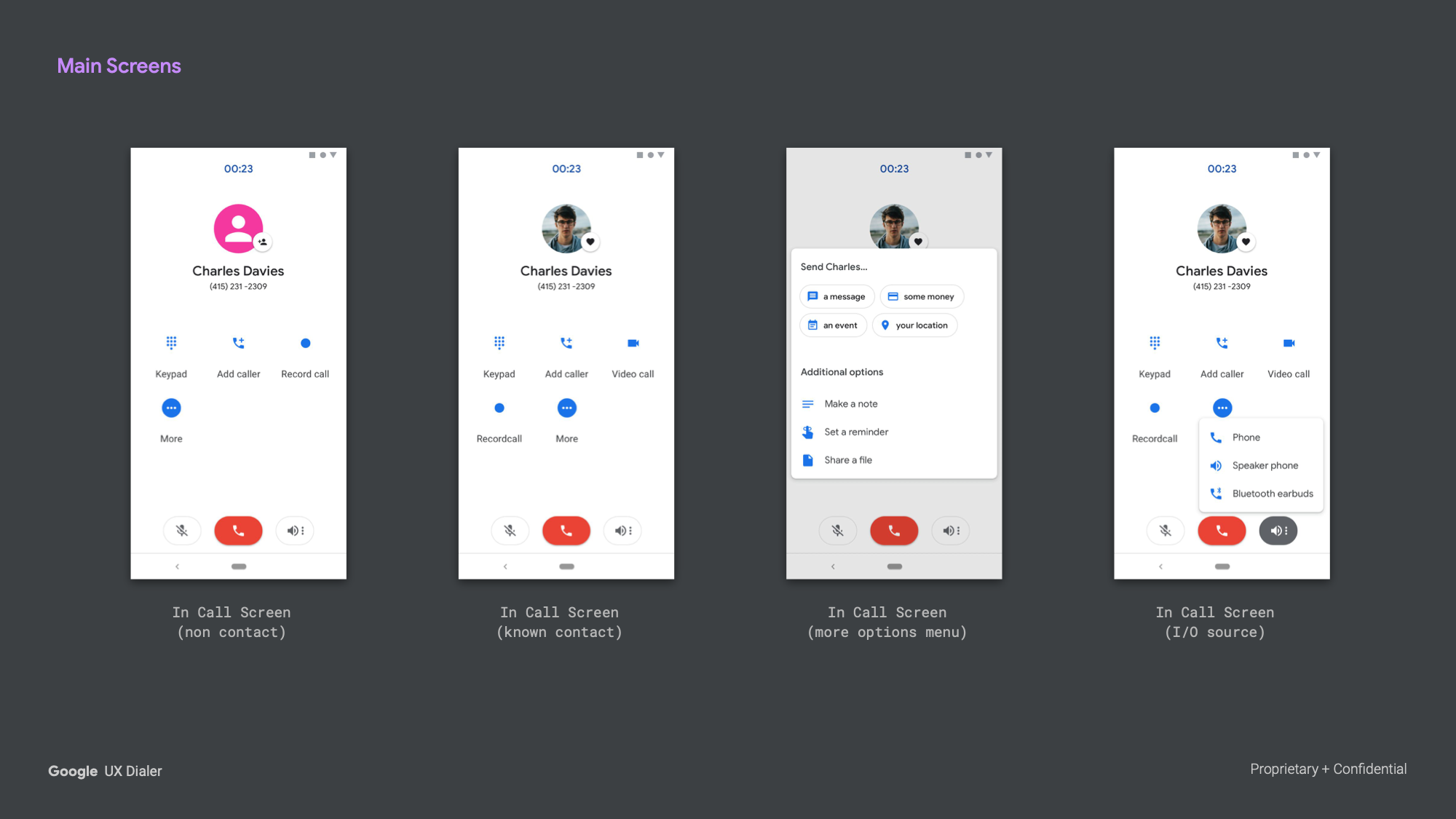
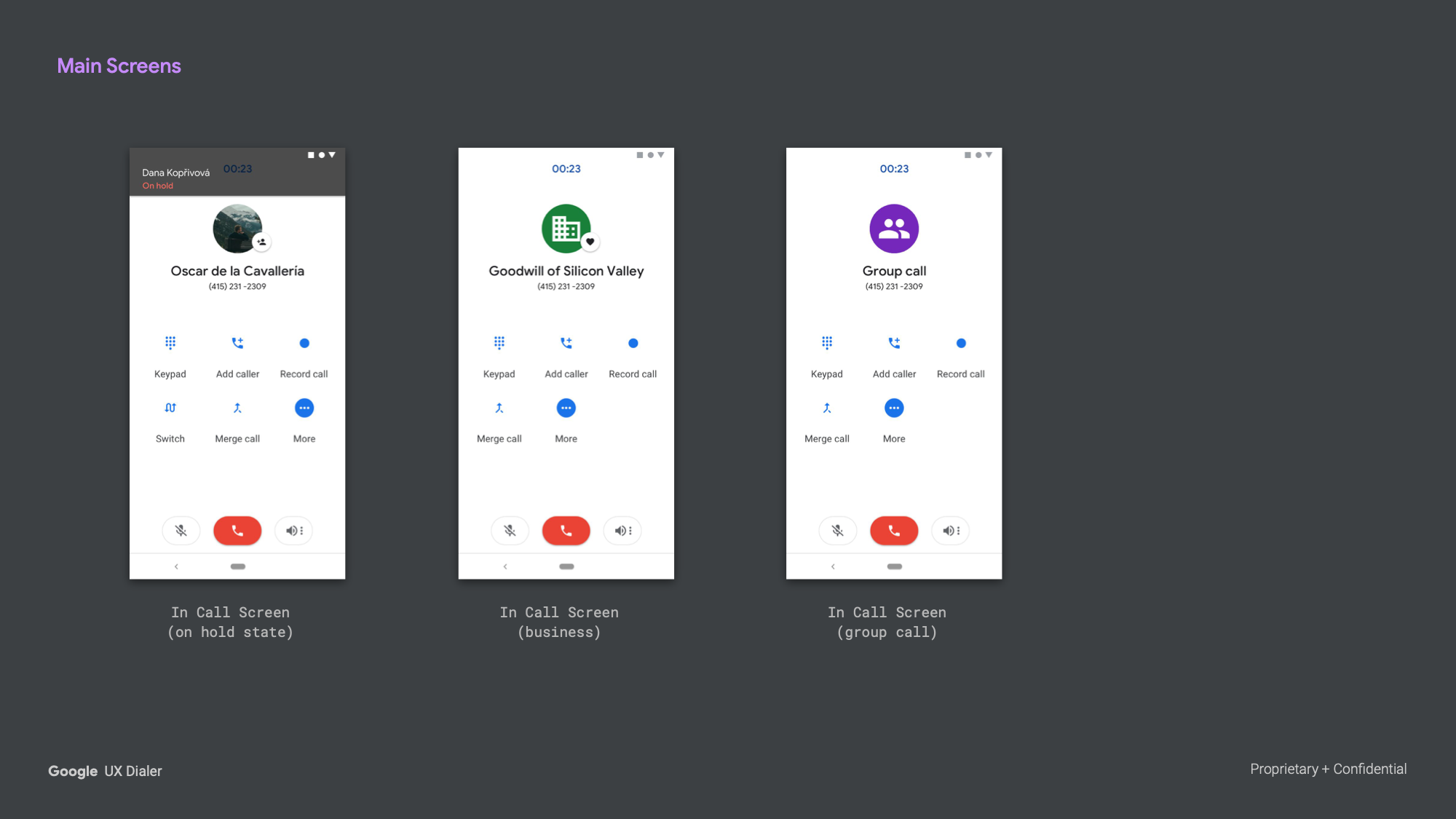
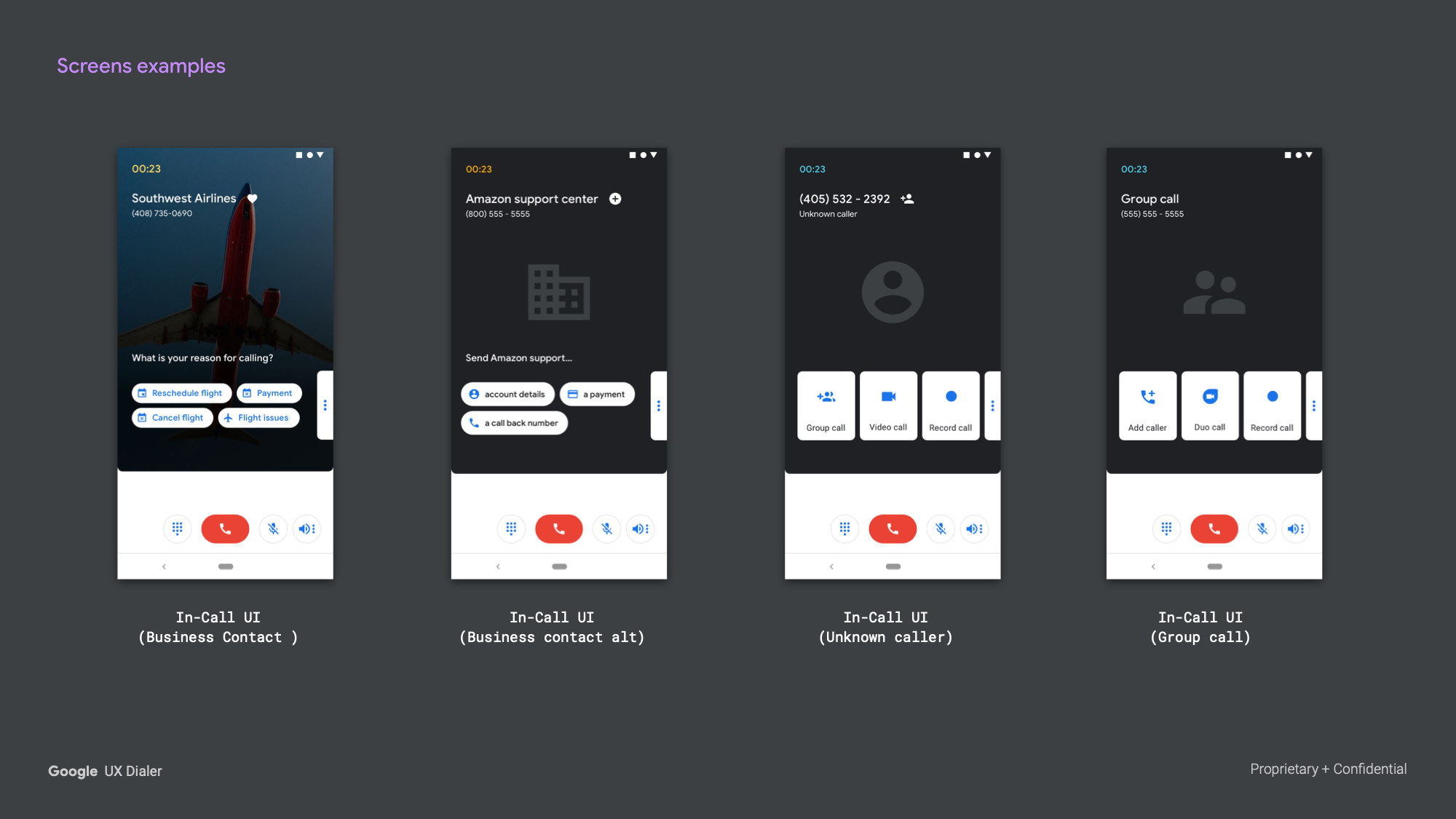
The first exploration worked within the constraints of the existing system, focusing on what was achievable in the near term. The layout retained a familiar structure while introducing key new capabilities across five distinct caller contexts — unknown numbers, known contacts, business contacts, conference calls, and an expanded options menu — each surfacing a different set of actions appropriate to that context.
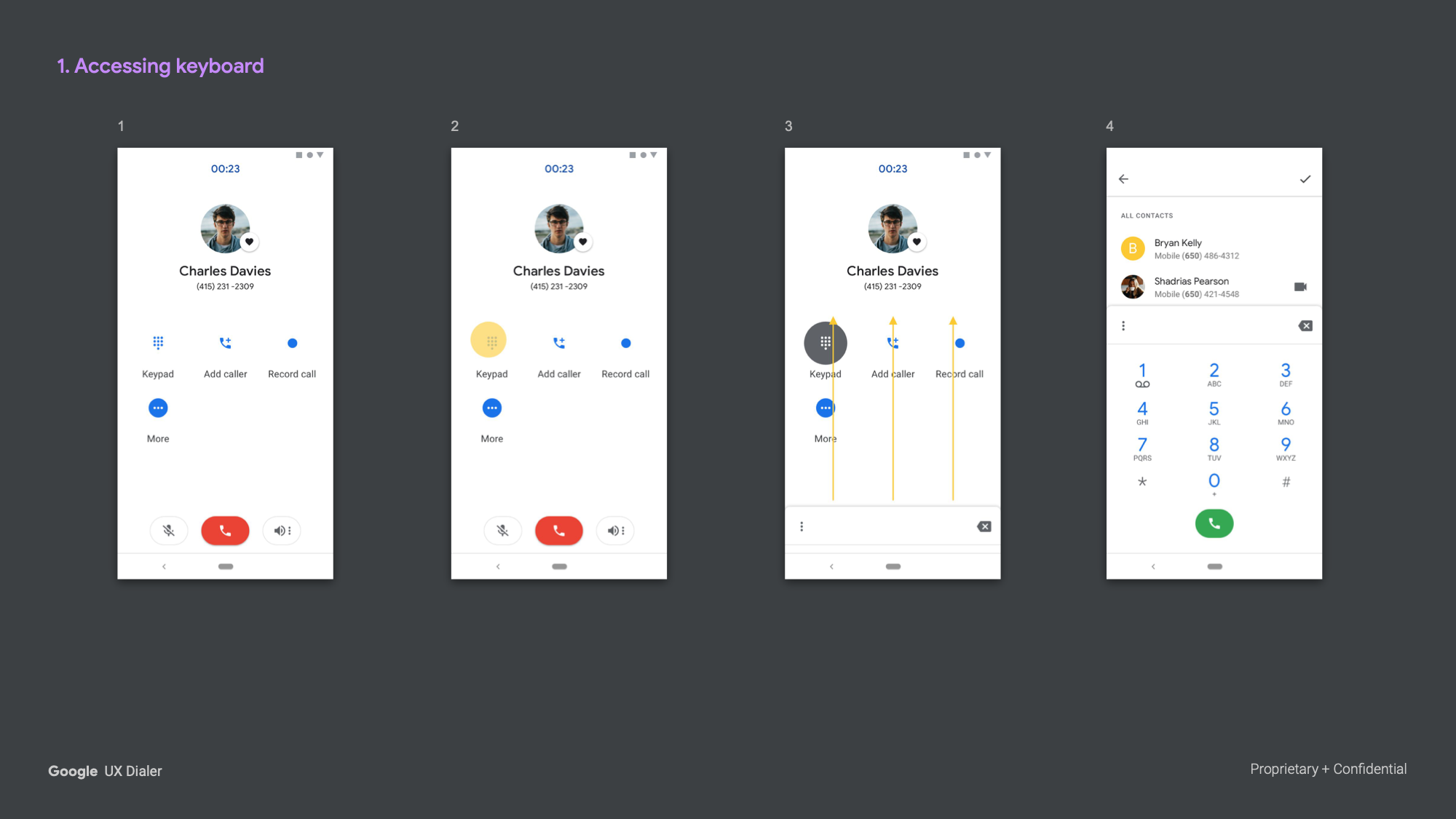
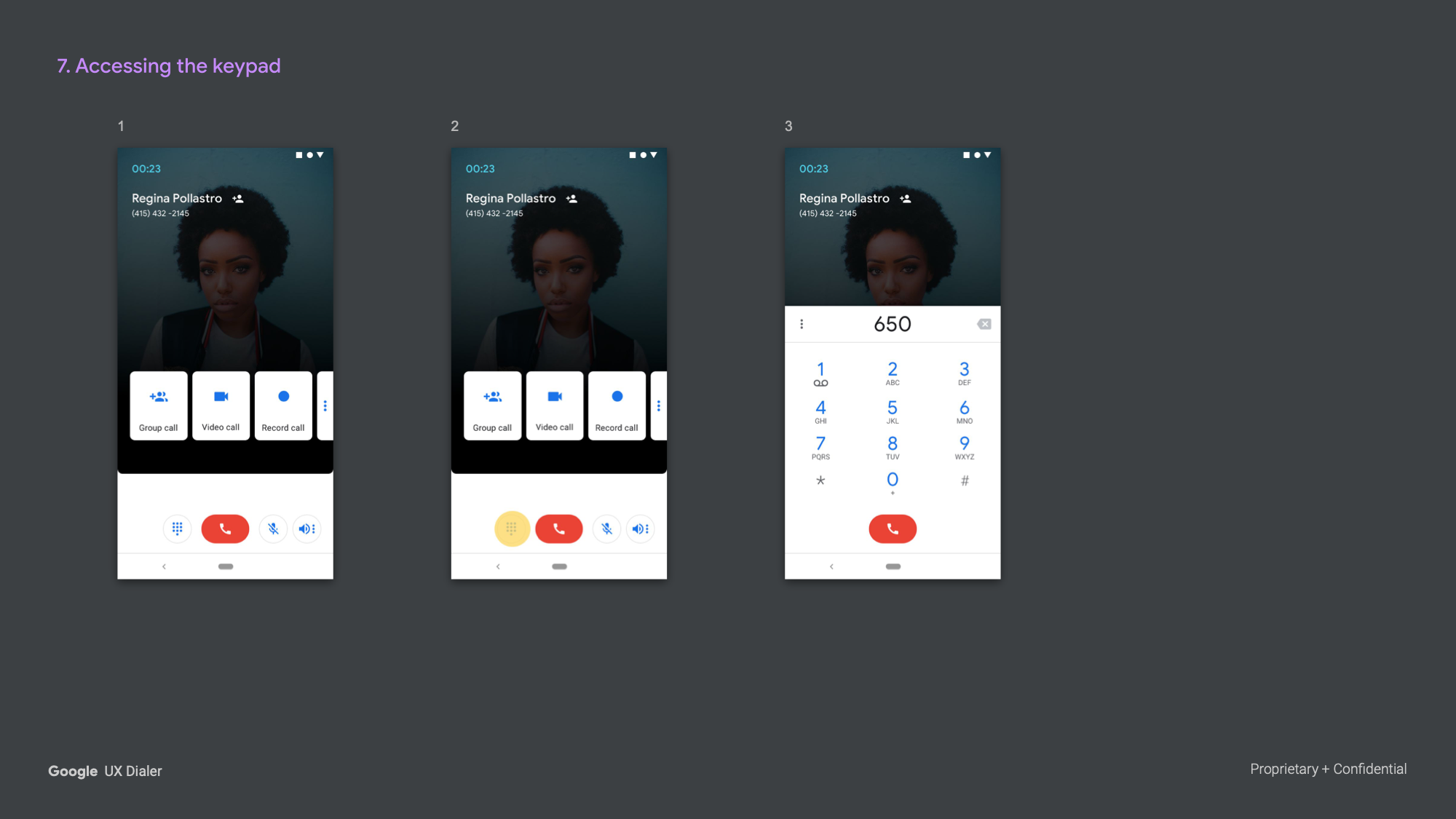
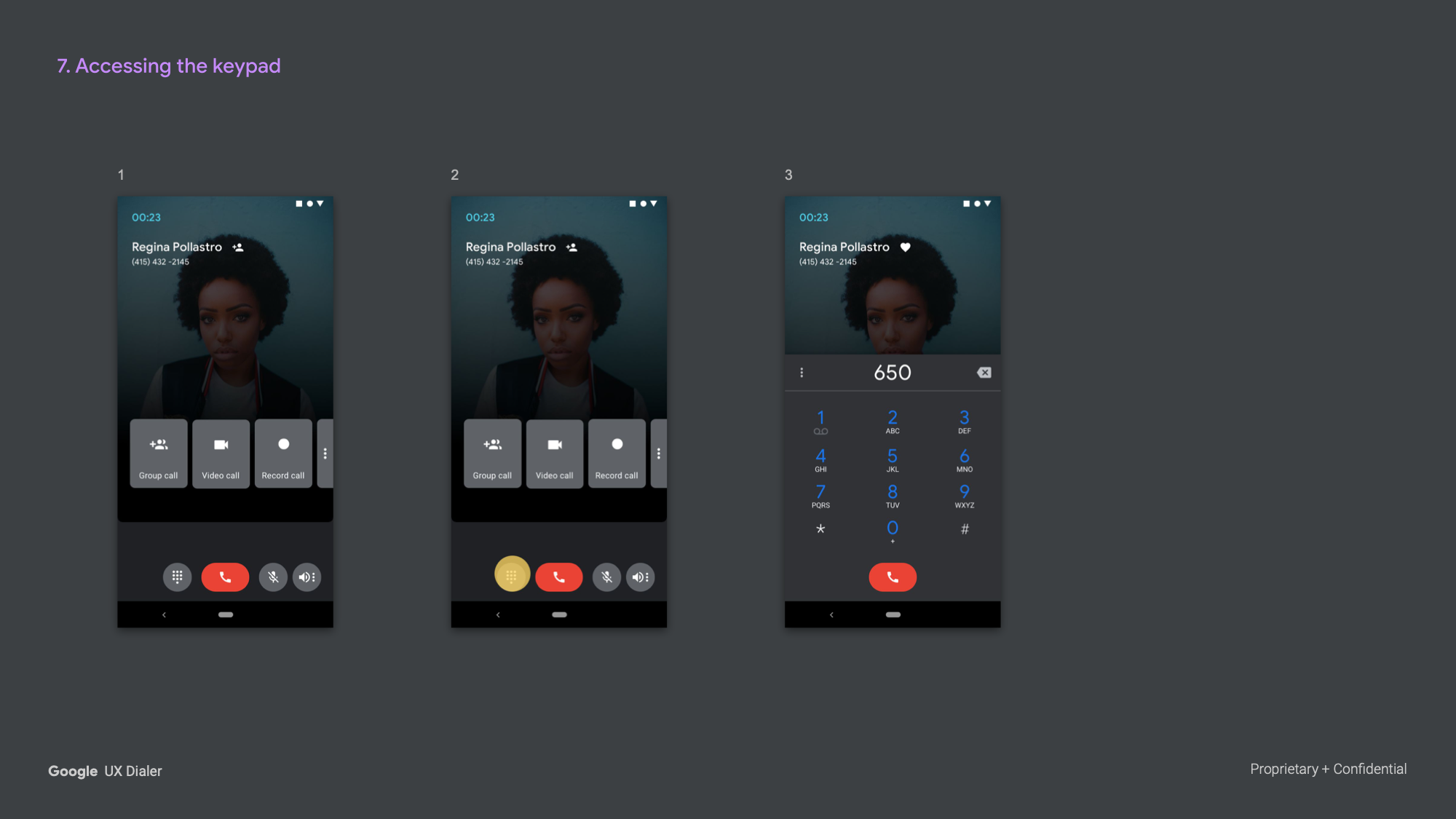
Accessing the Keypad
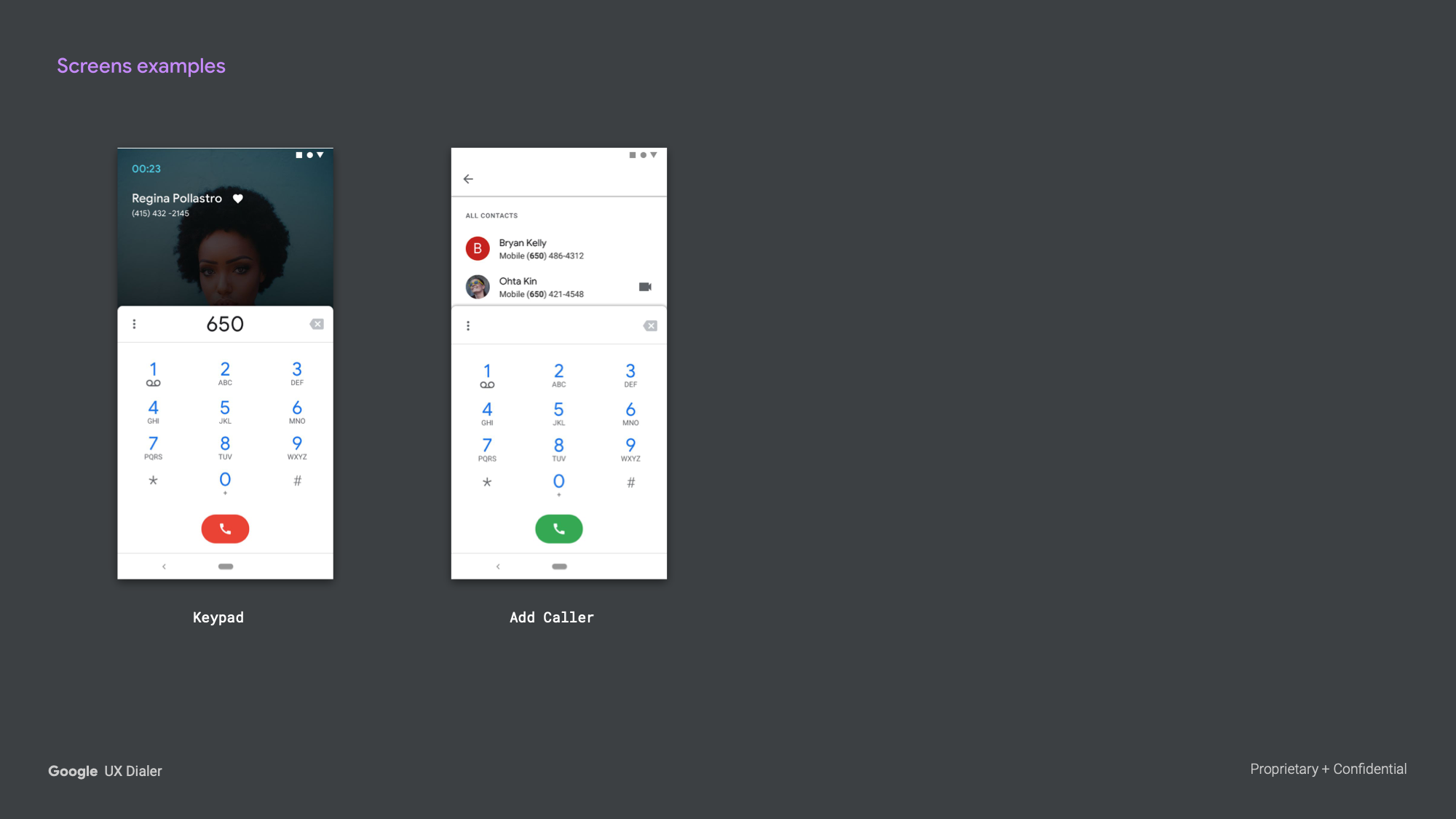
The keypad was redesigned to feel less disruptive. Rather than replacing the call screen, it transitioned through a set of animated states, pulling up inline without breaking the caller context. A gesture-driven reveal reduced the friction of entering DTMF tones mid-call.
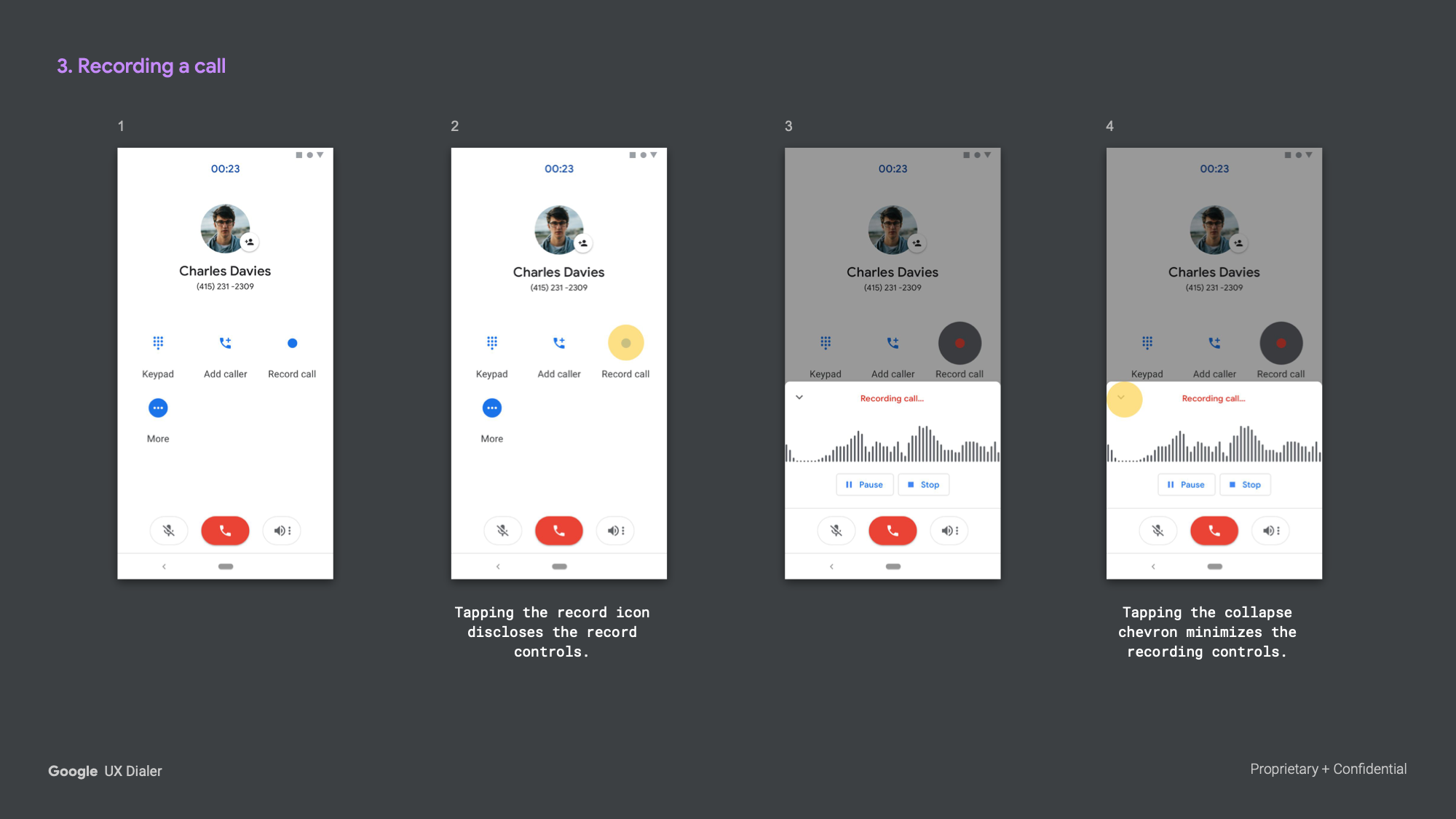
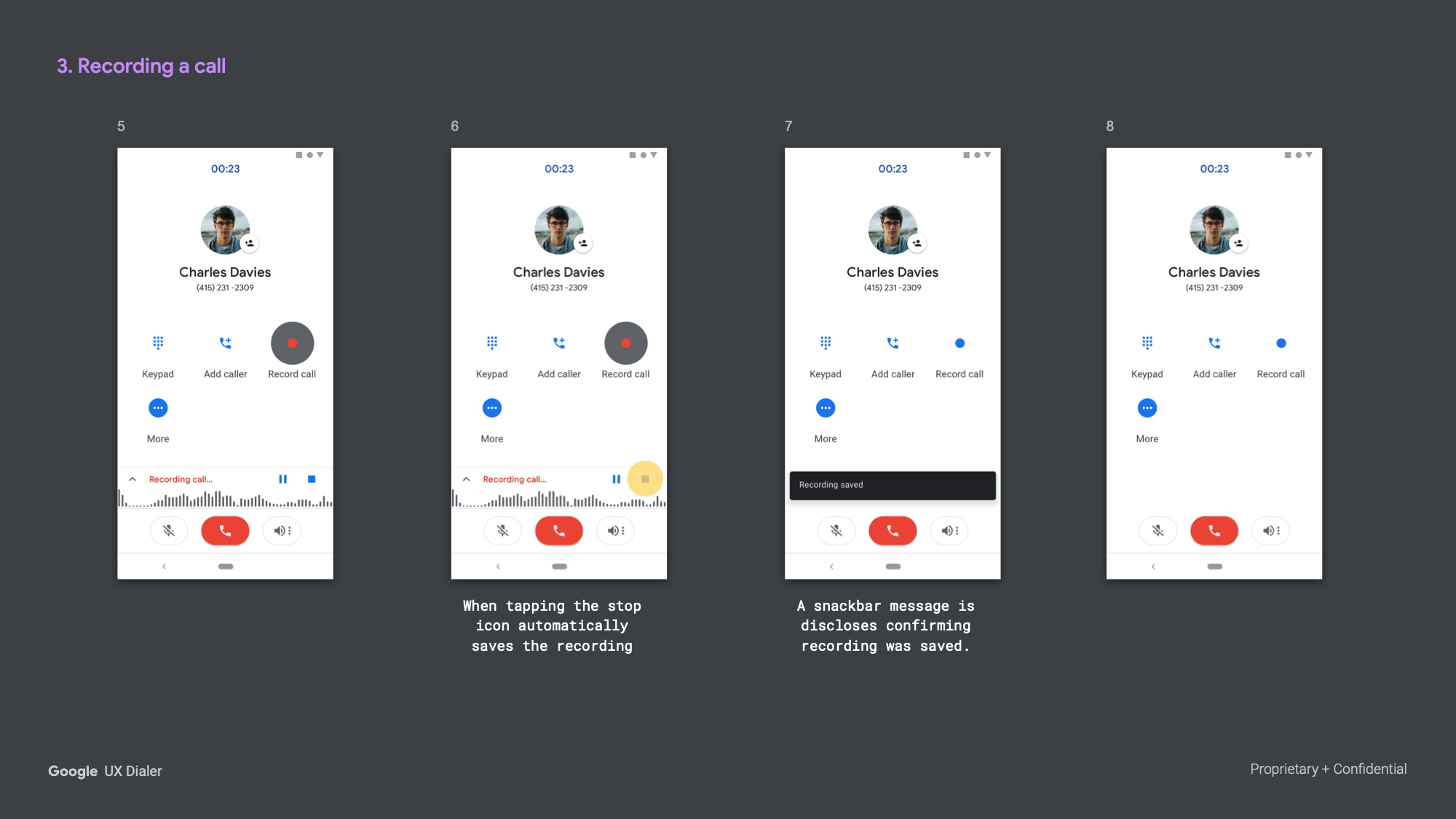
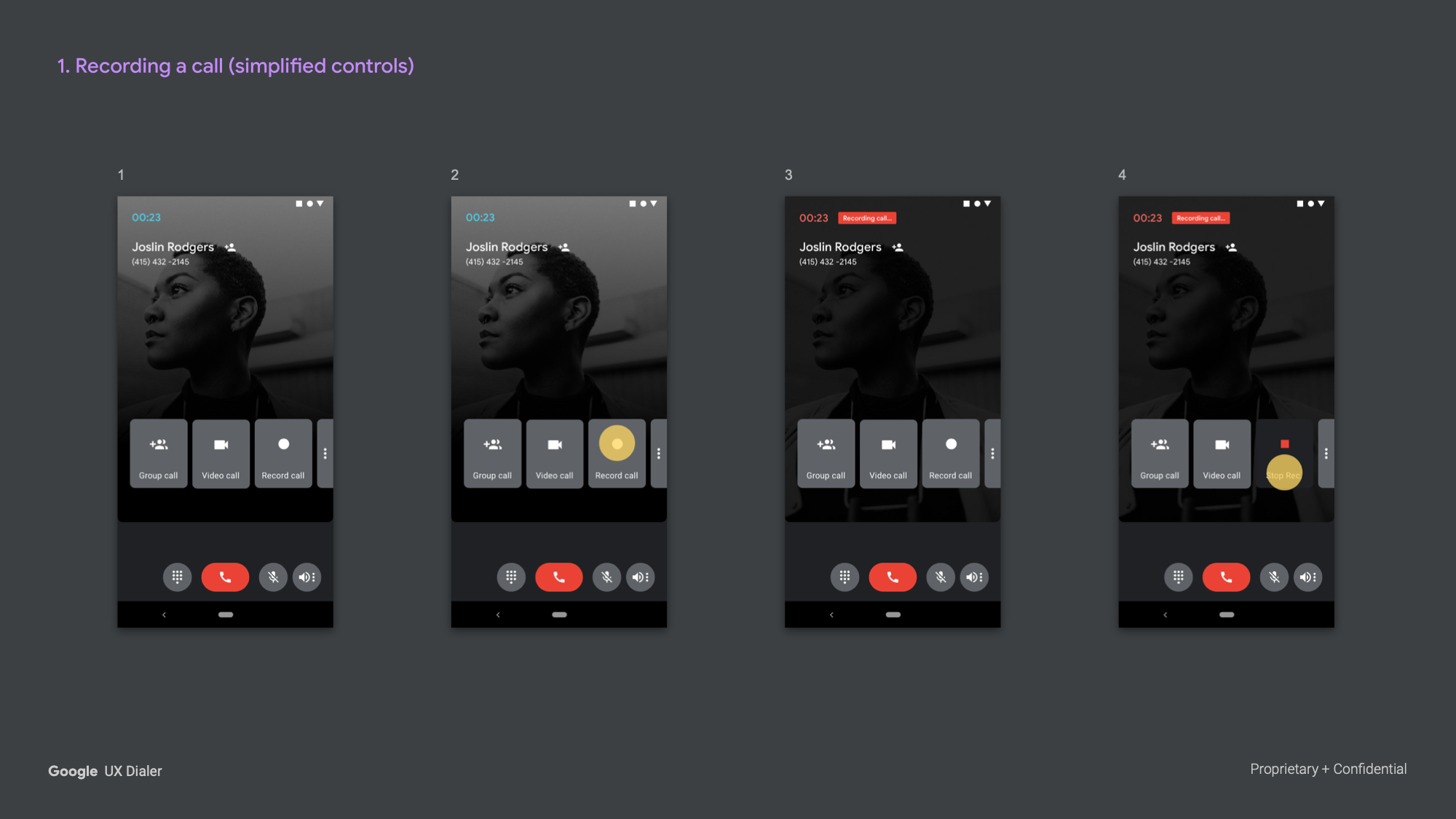
Record a Call
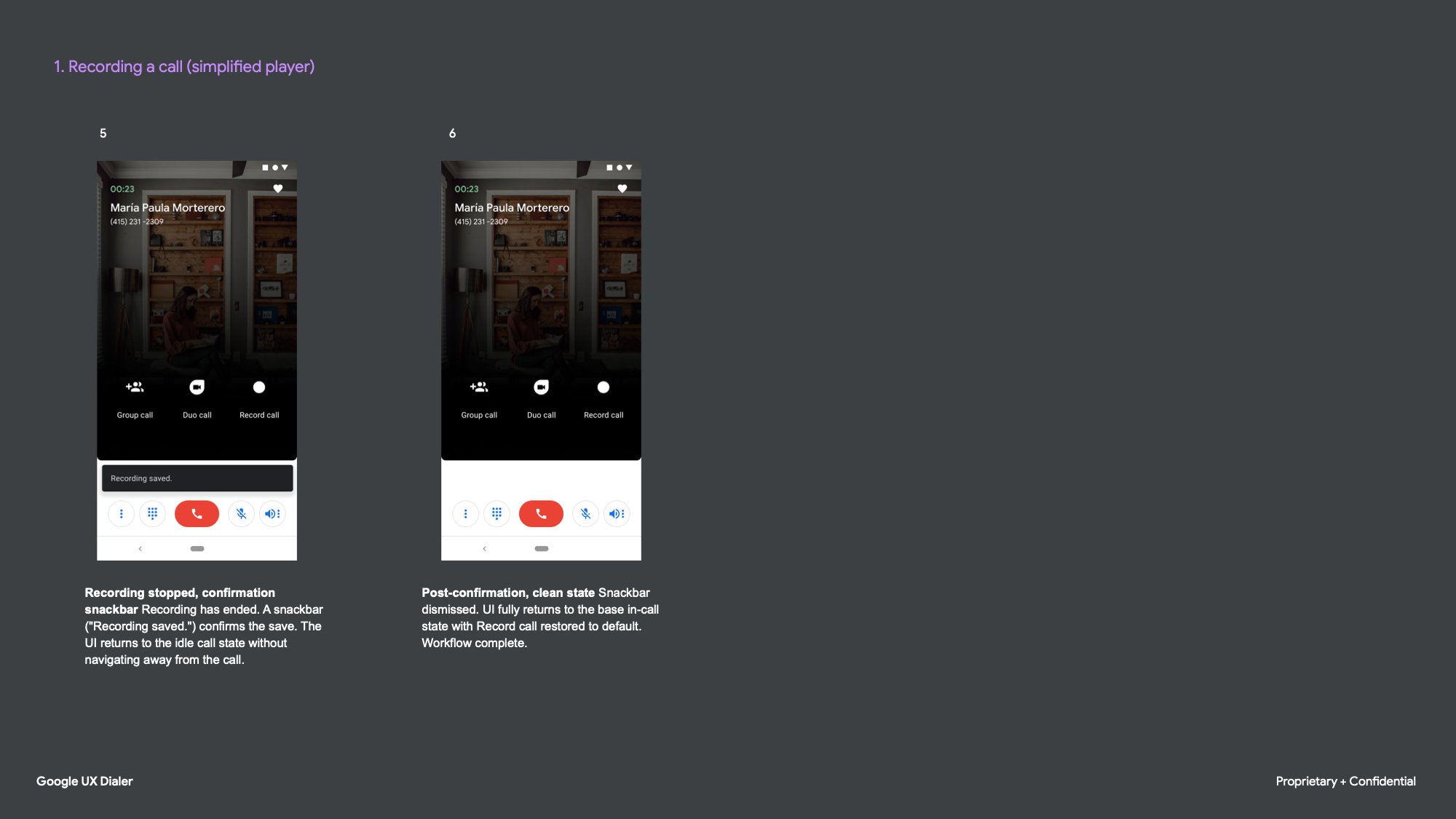
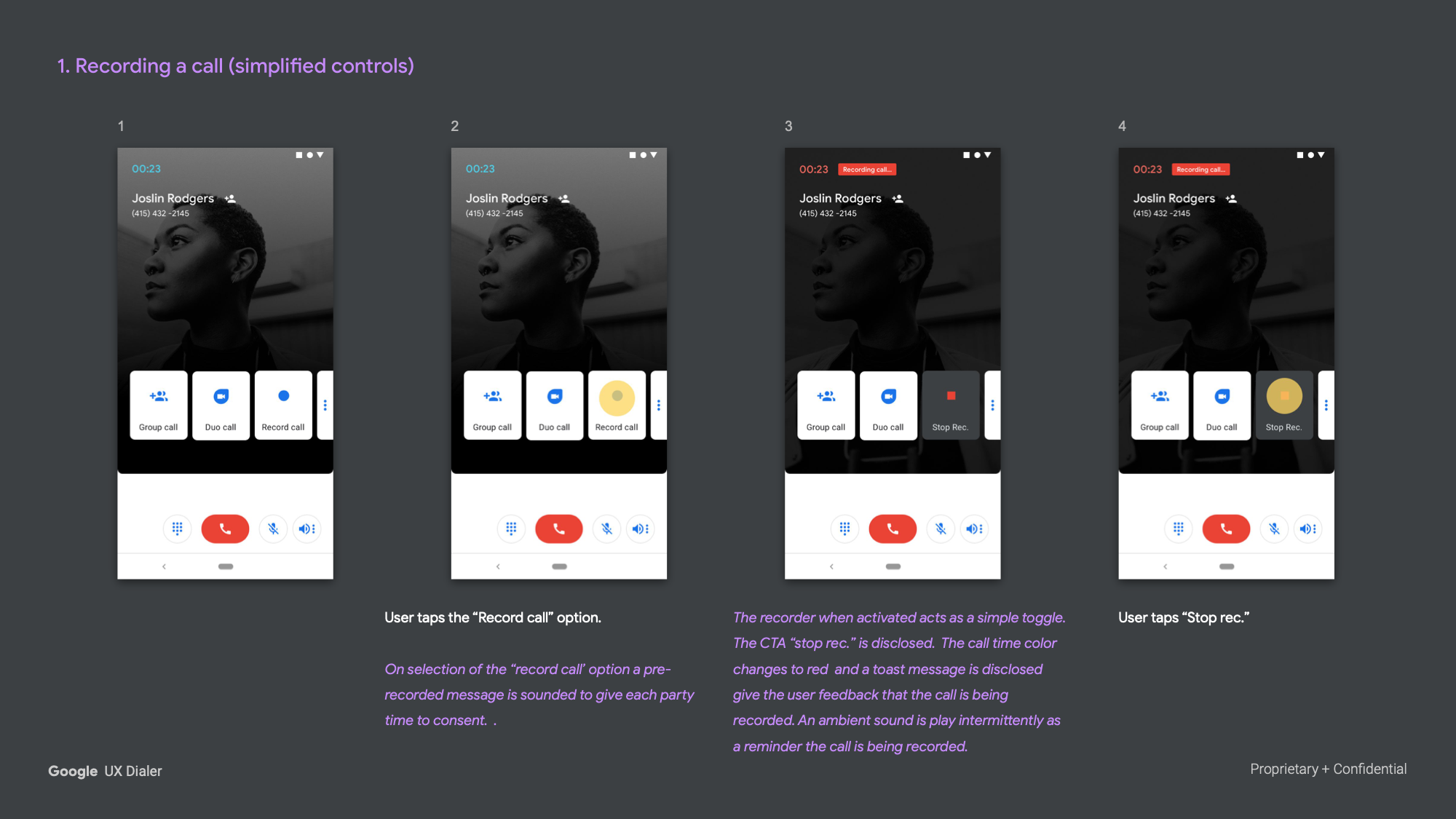
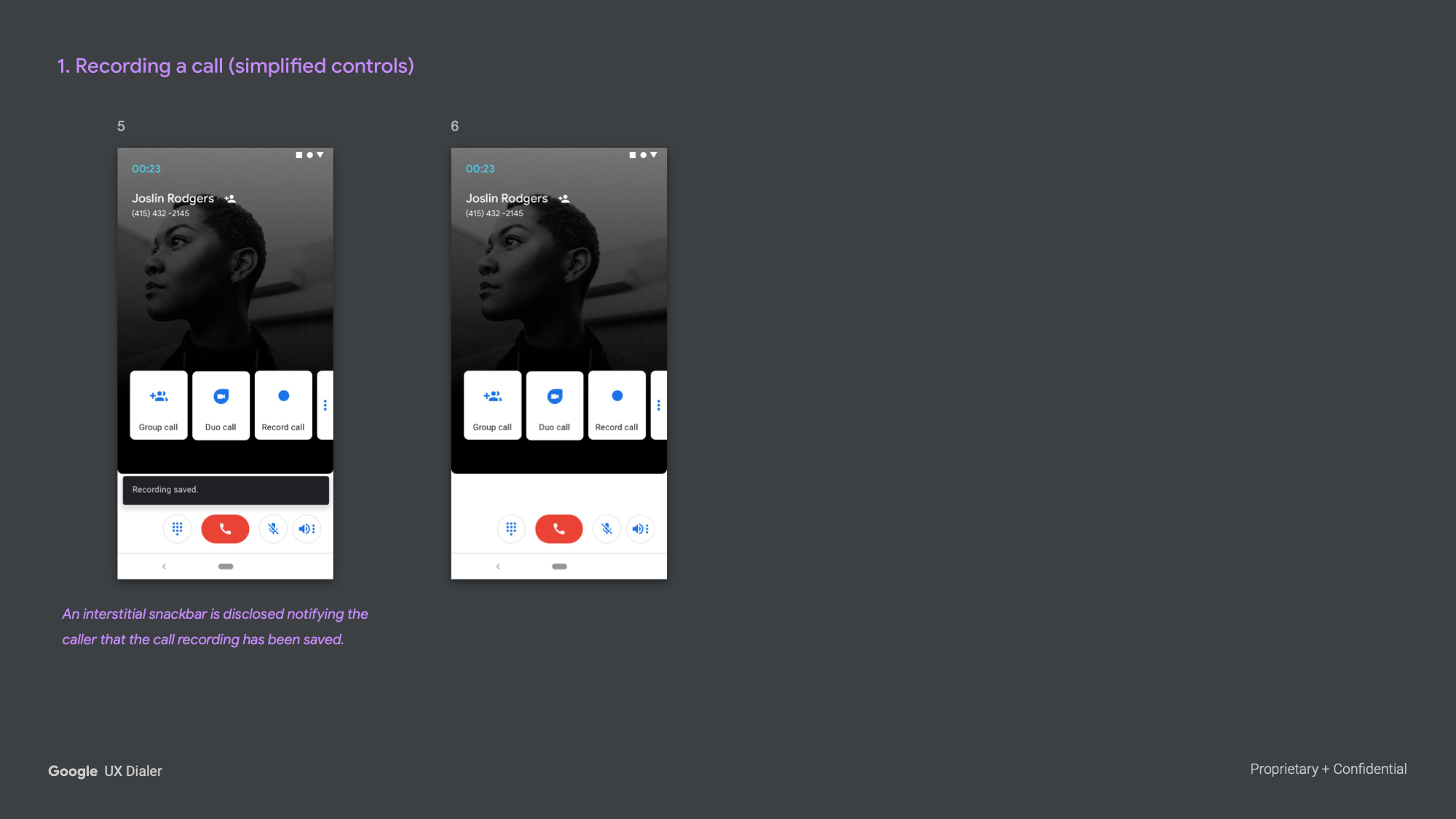
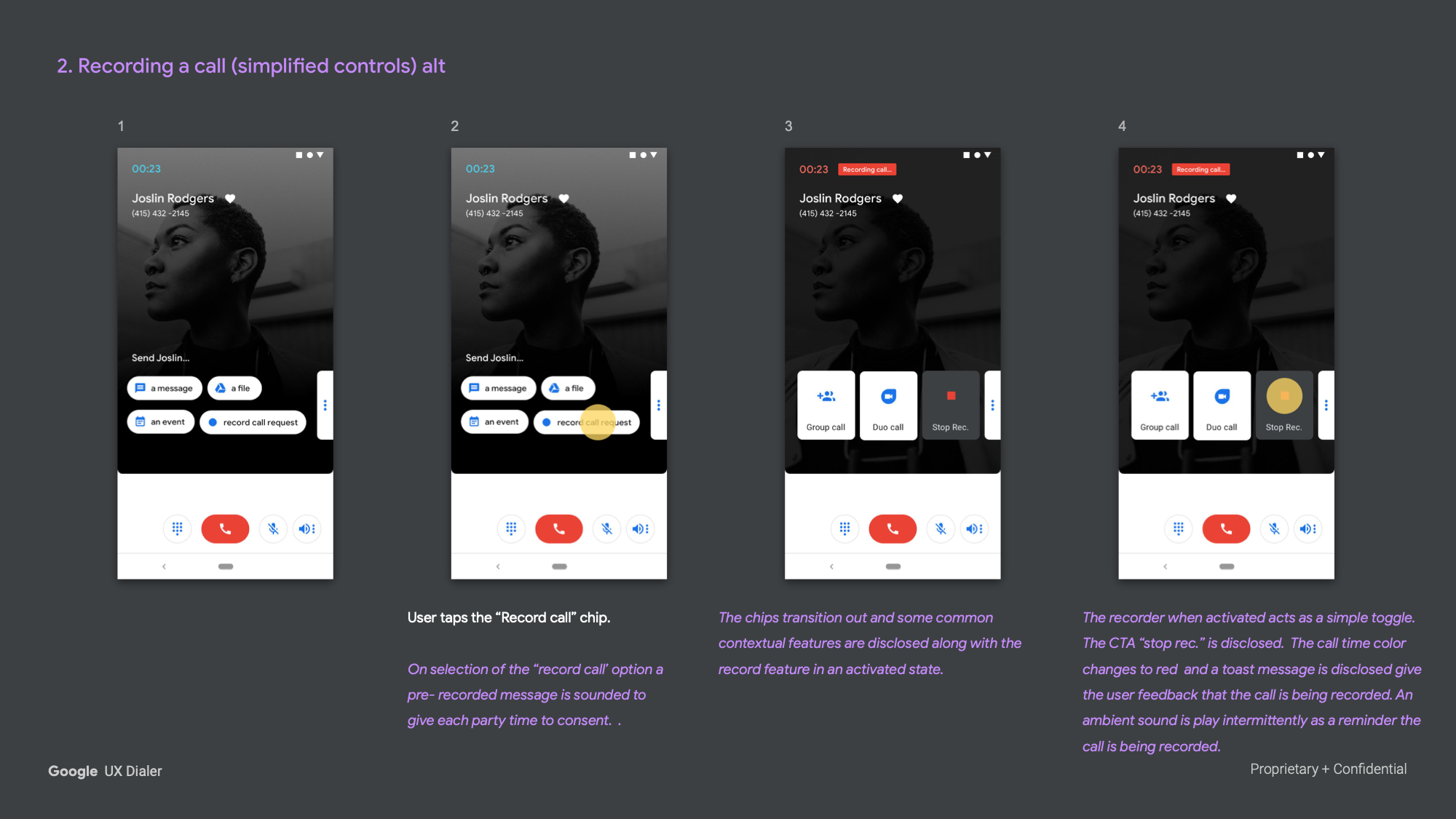
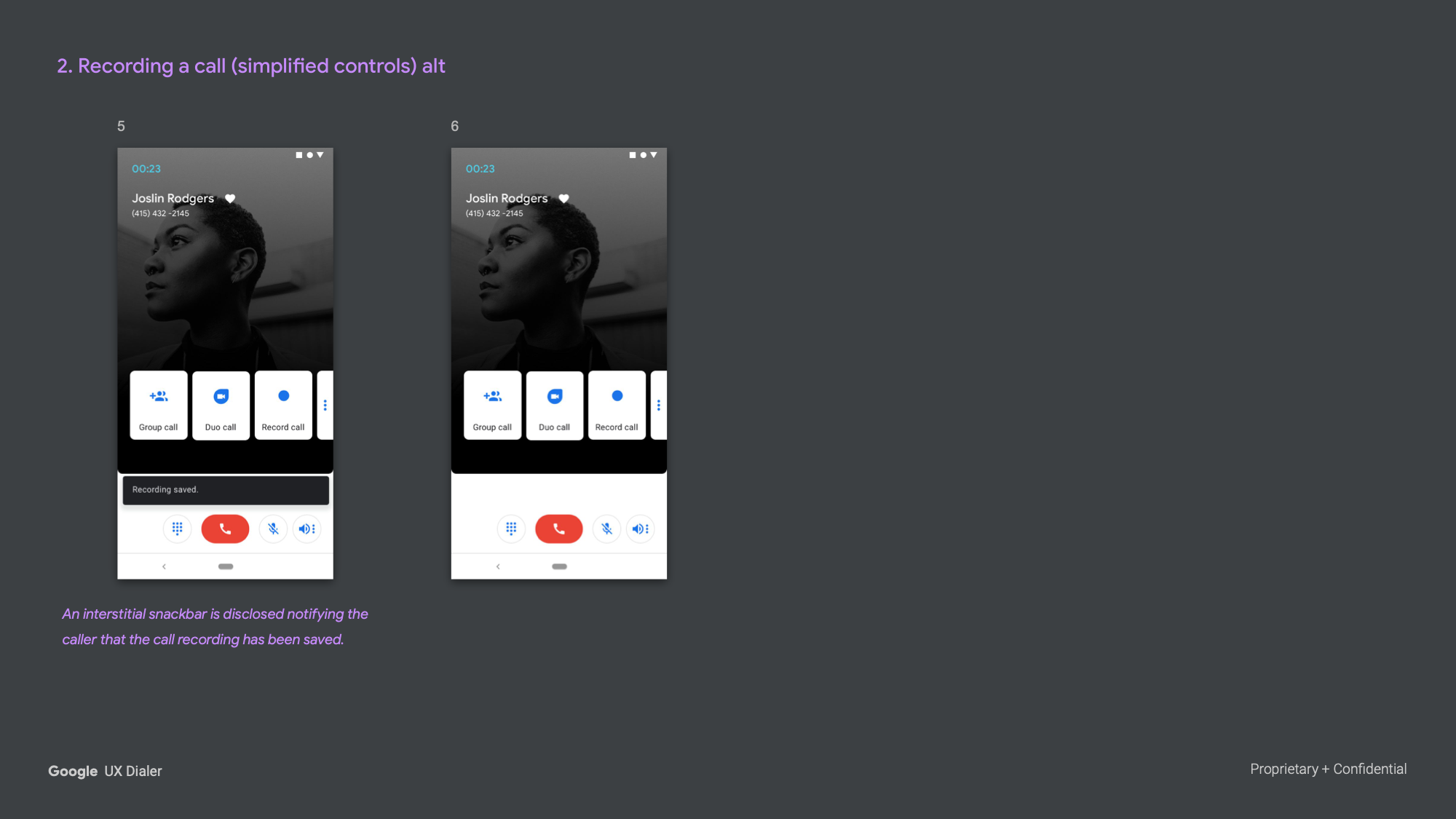
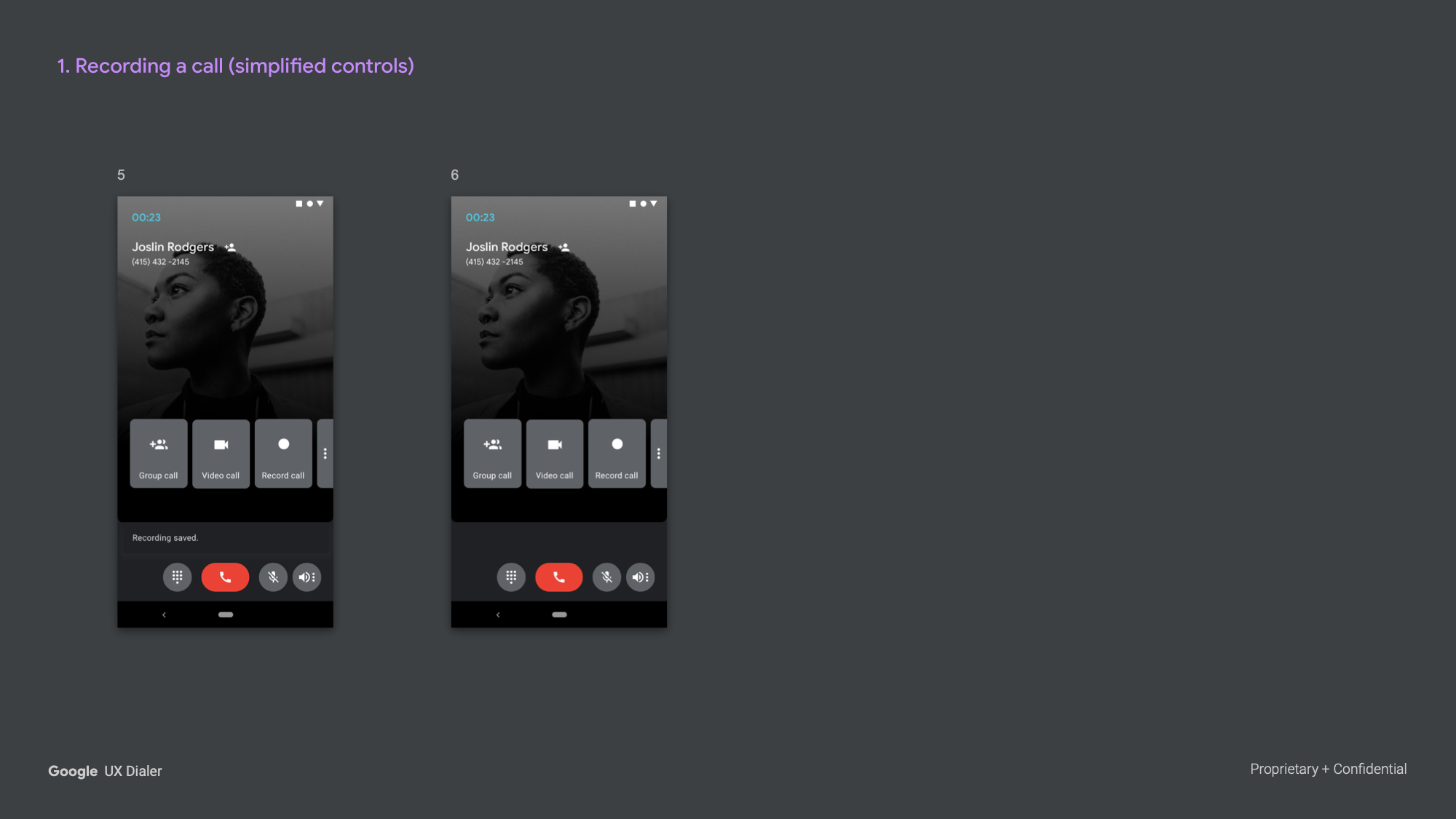
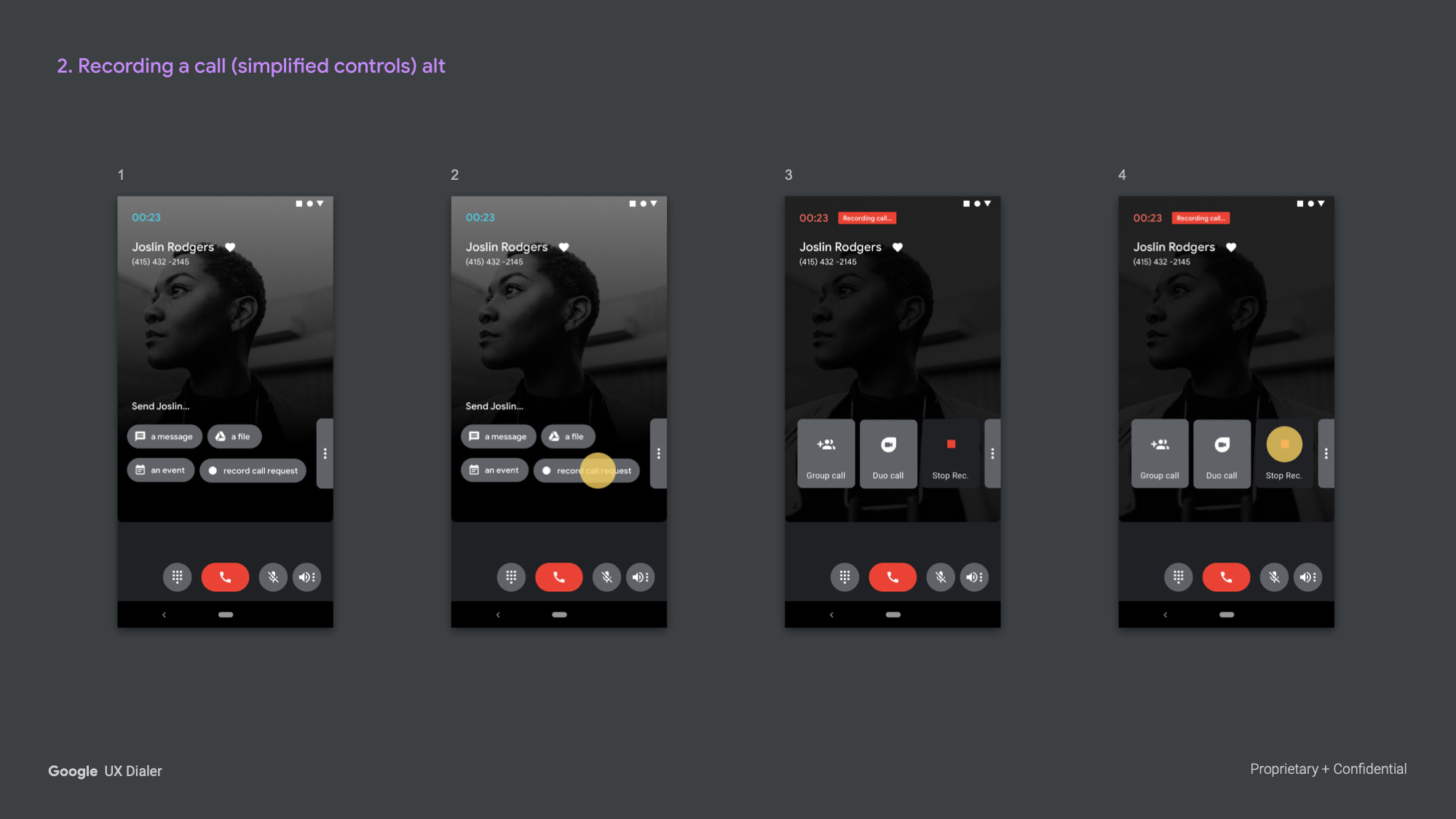
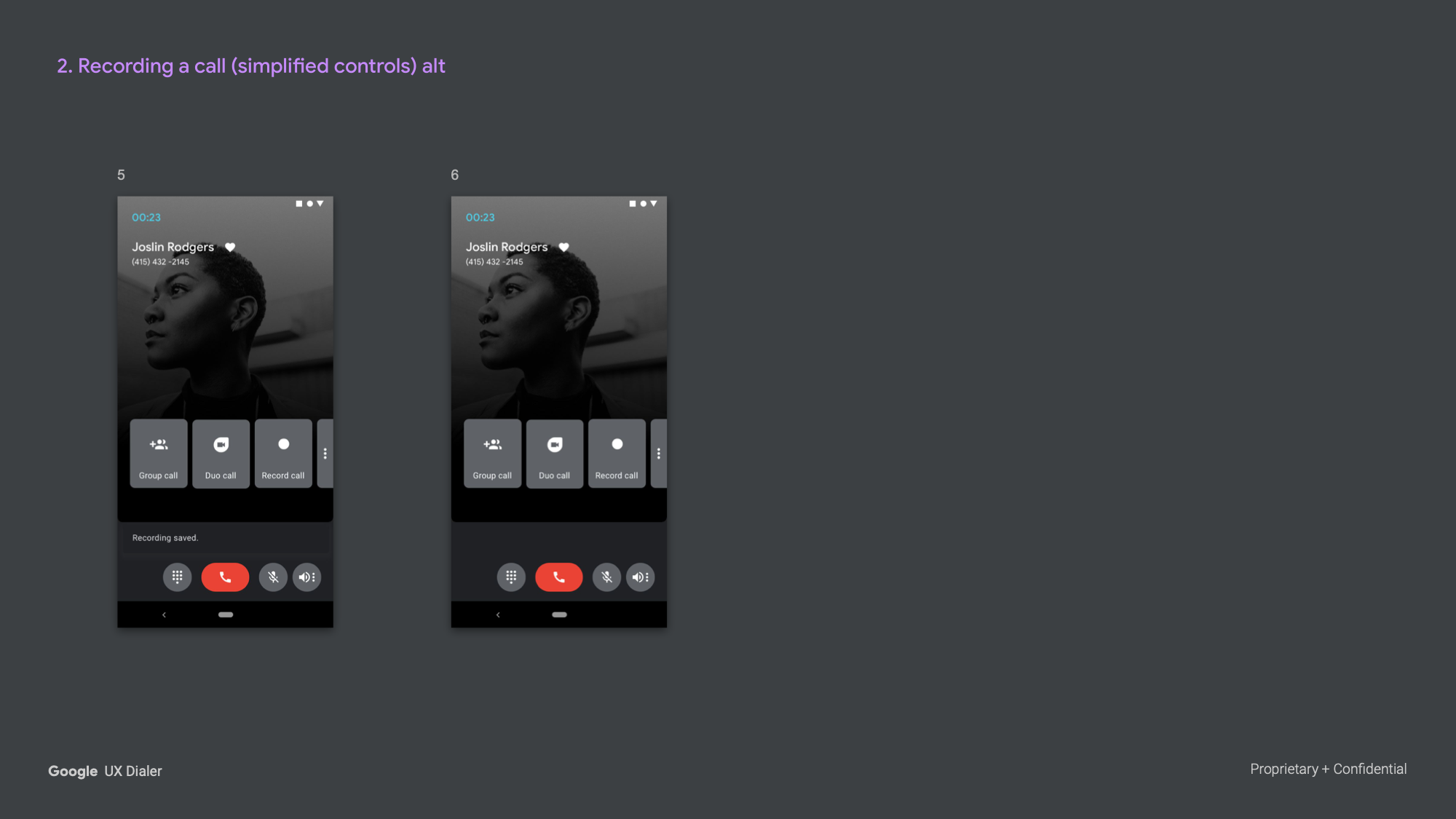
Call recording was treated as a simple toggle. Tapping record triggered an audio disclosure to both parties, giving them time to consent or hang up. While recording, the CTA shifted to "Stop recording." Stopping automatically saved the file, confirmed via a snackbar. The interaction was intentionally simple — no complex controls, no ambiguity.
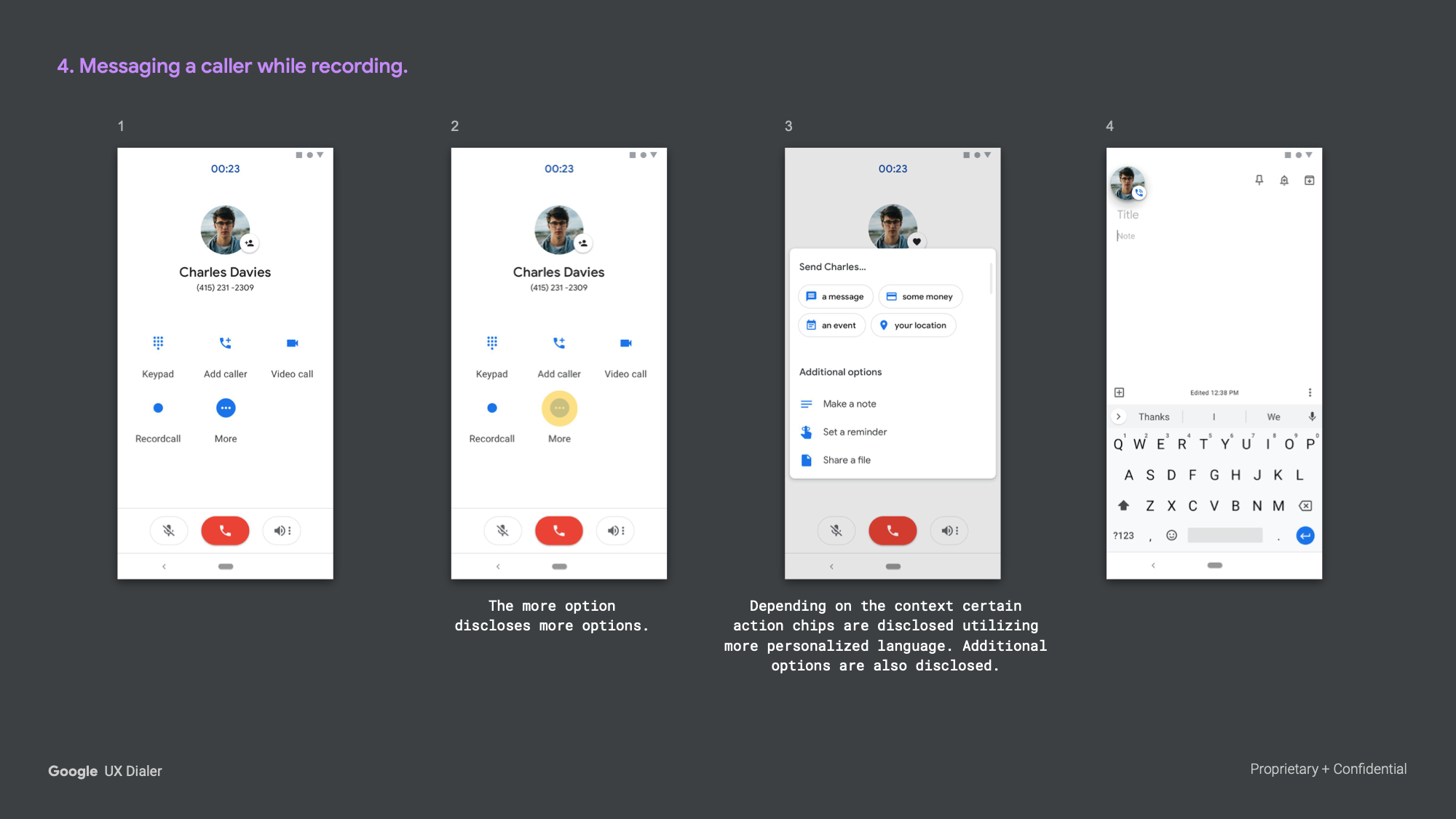
Messaging While Recording
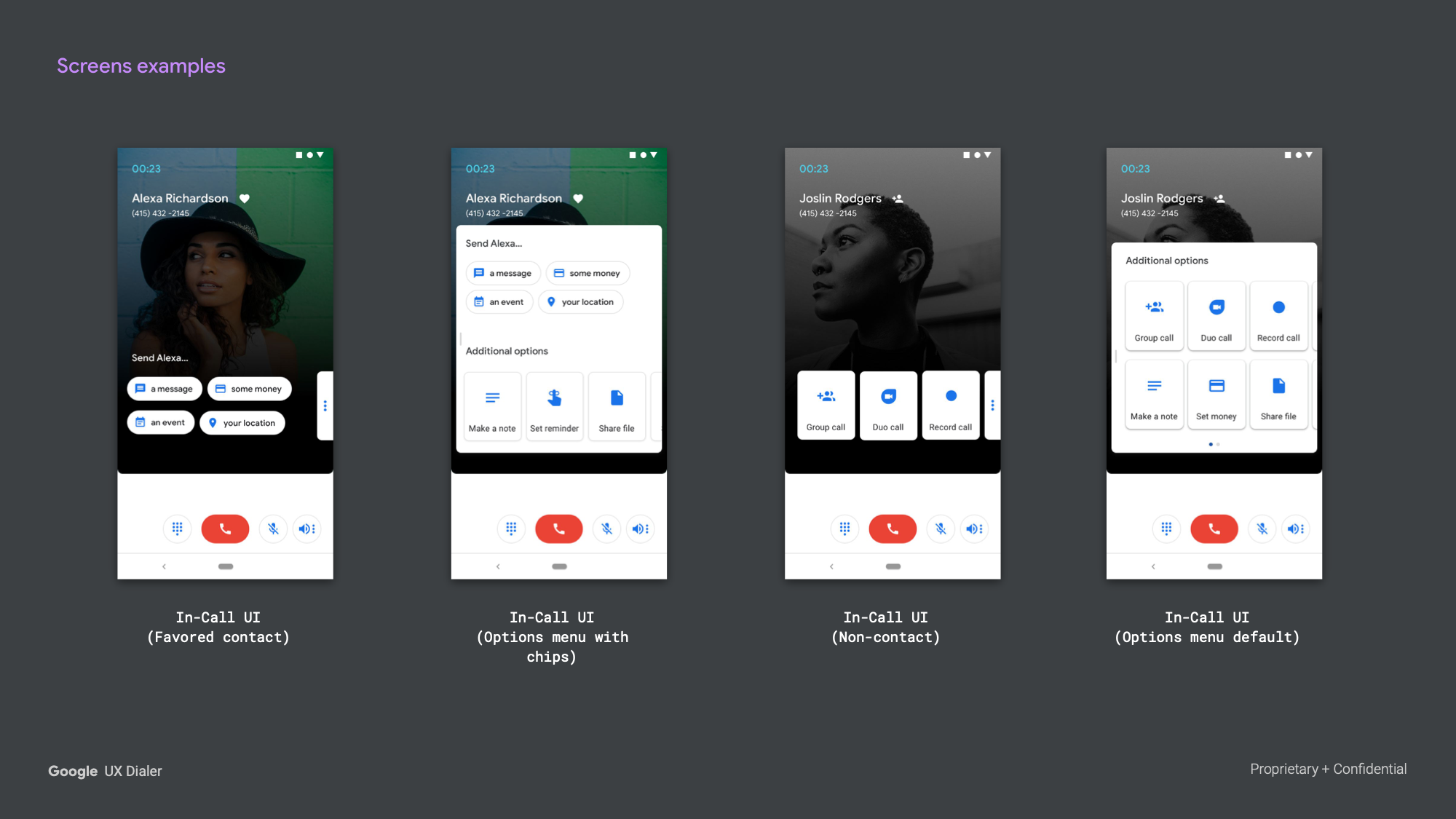
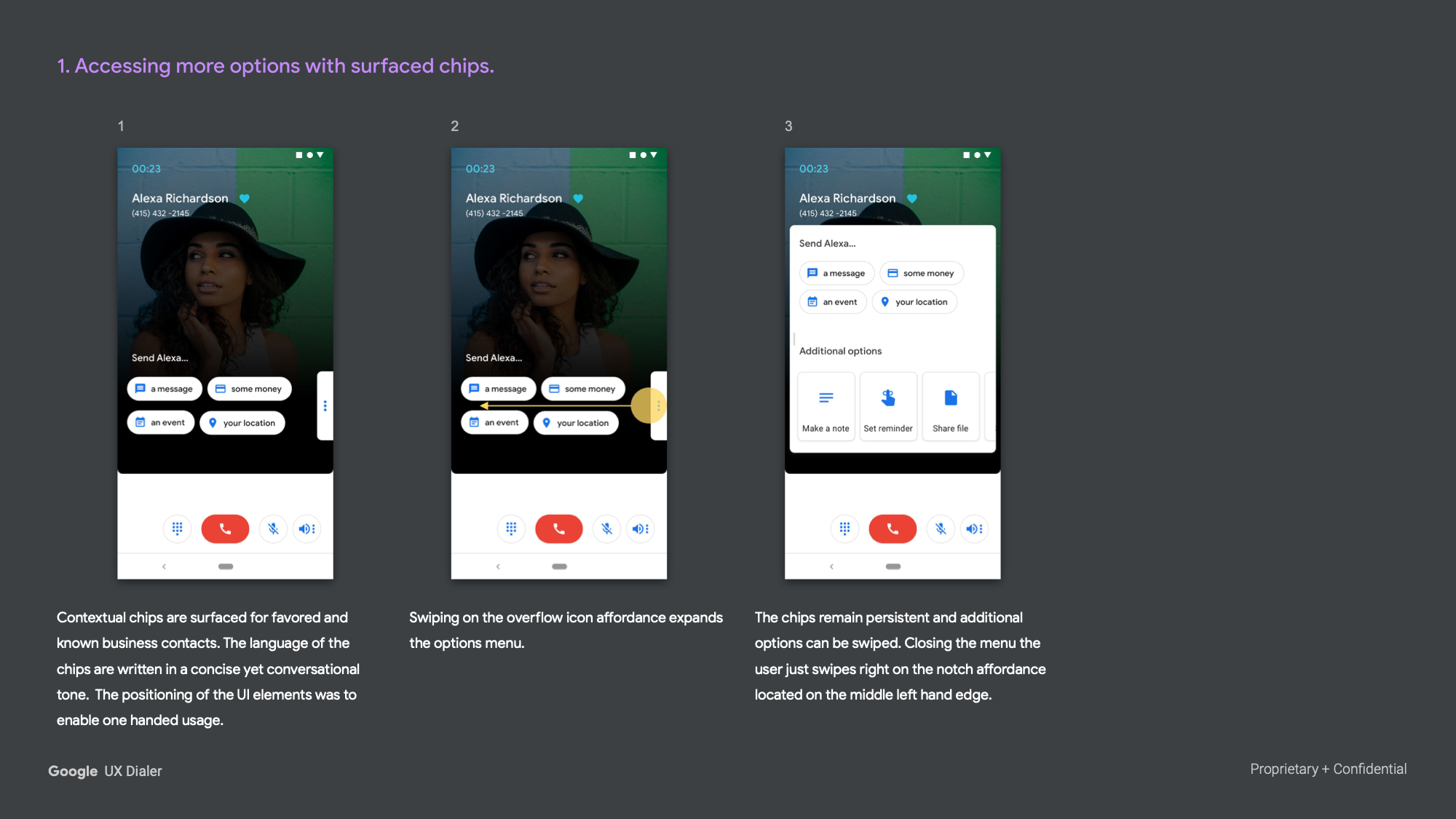
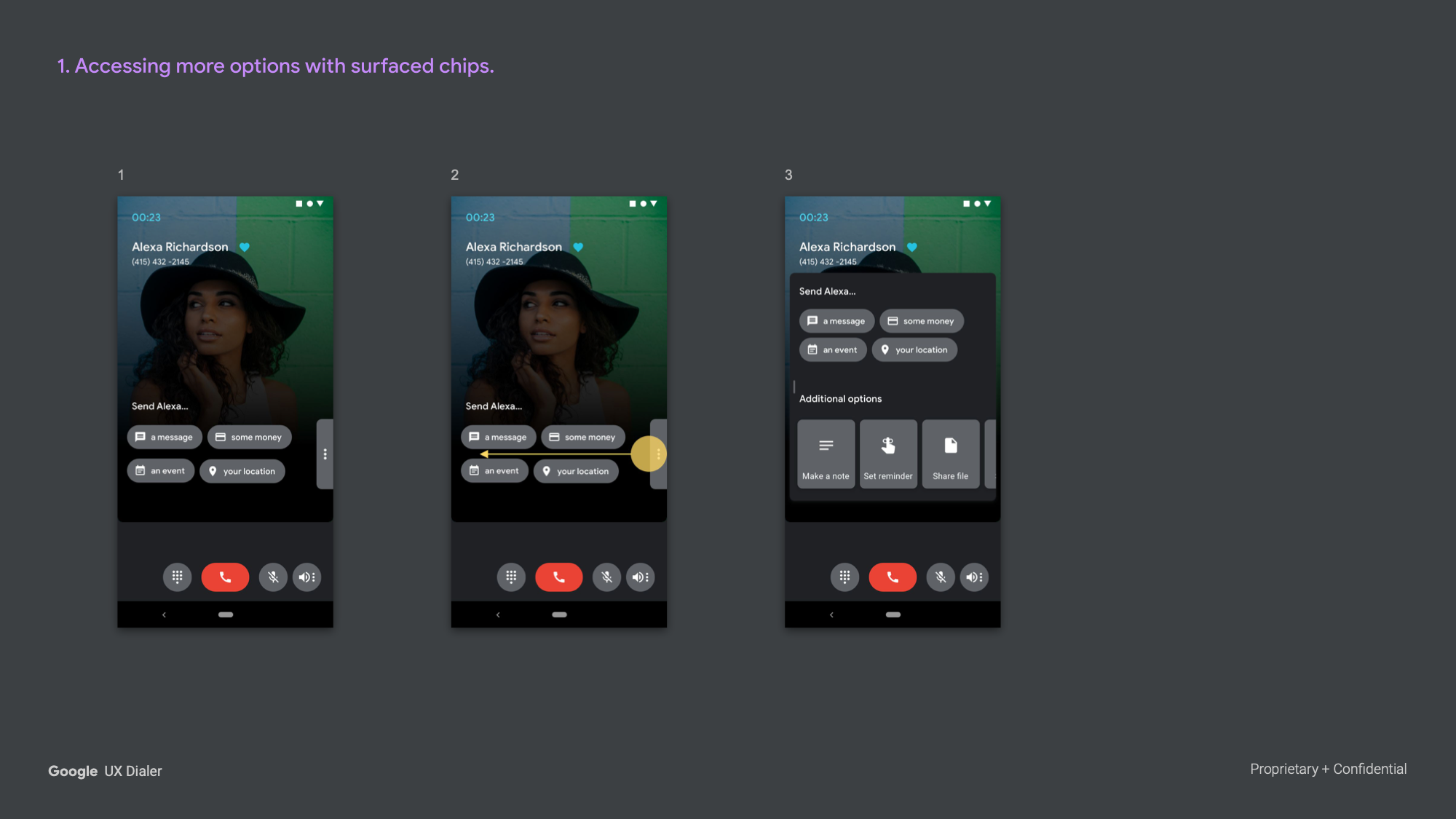
Tapping the overflow menu during a recording surfaced contextual action chips tailored to the contact. For known contacts, chips used personalized language and surfaced options like sending a message, money, location, or making a note — all without leaving the call.

Exploration 11 — Bifurcated Layout (Jan 2019)
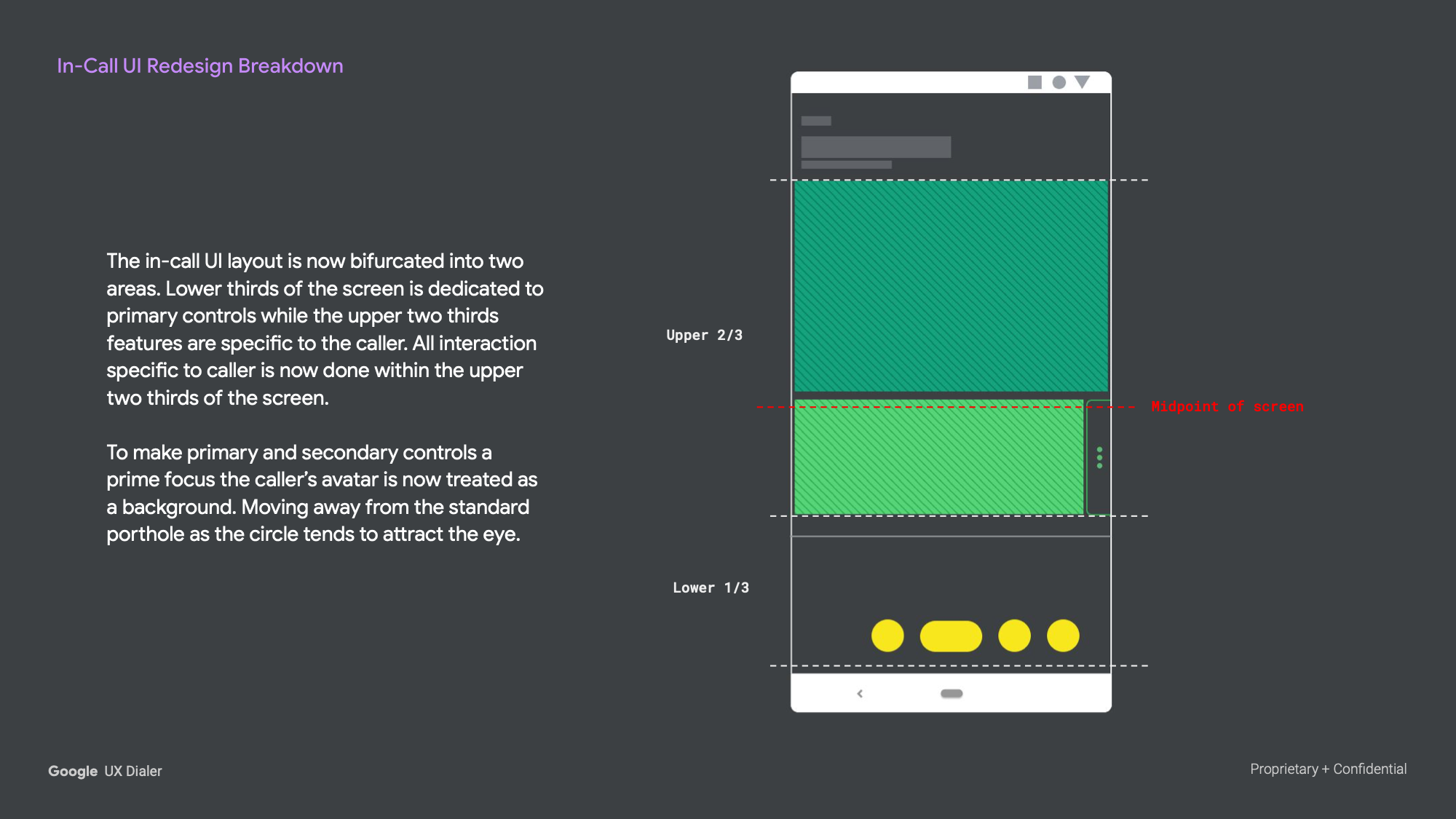
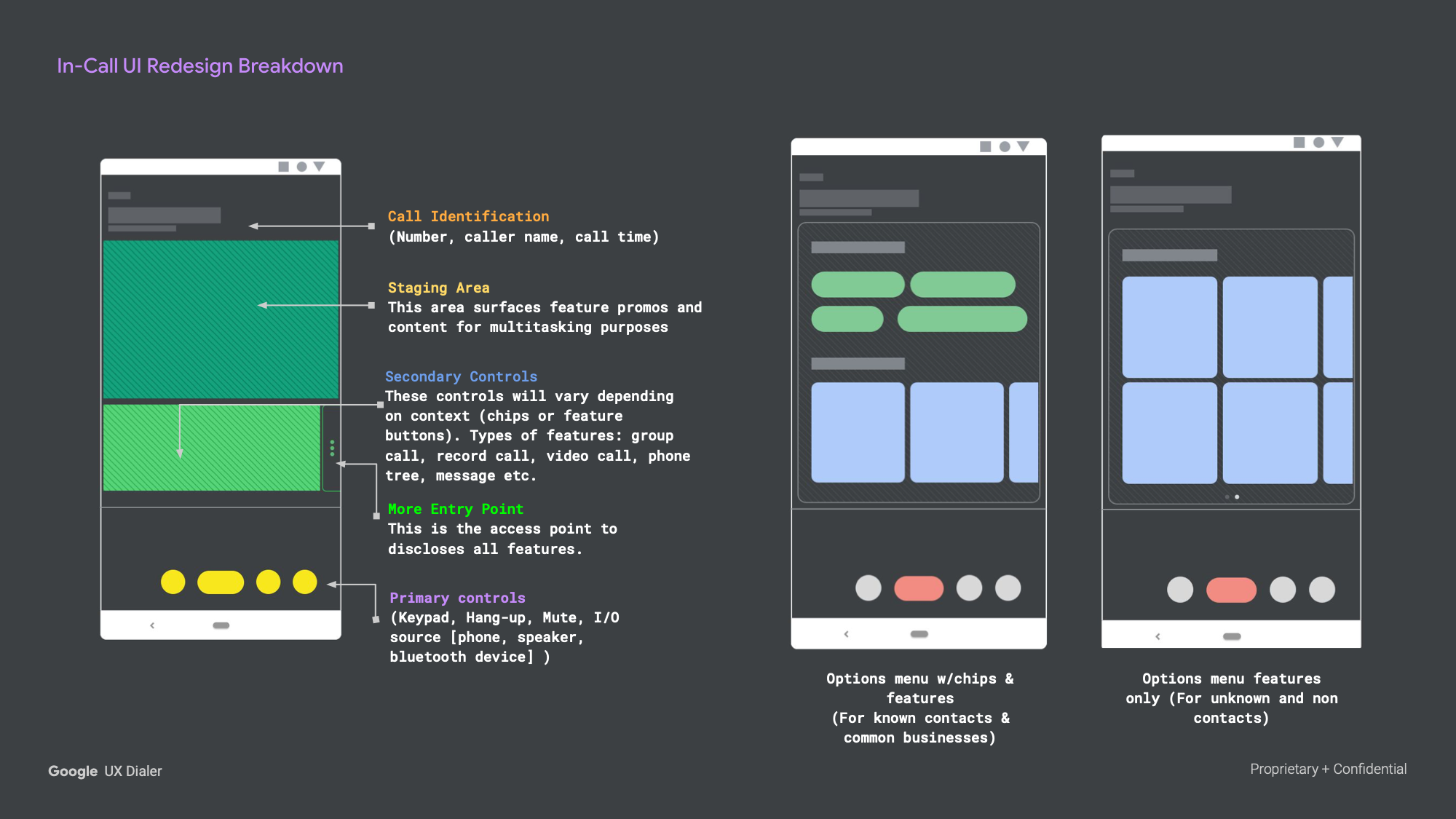
The eleventh exploration introduced a more fundamental structural rethink of the In-Call UI. The screen was split into two distinct zones: the upper two-thirds dedicated to the caller context, and the lower third anchoring primary controls. The caller's avatar was expanded to fill the upper zone as a full background — moving away from the circular porthole format, which tended to pull visual attention away from the controls.
This bifurcation created a cleaner separation of concerns: everything related to who you're talking to lived in the upper zone, and everything you needed to do during the call lived in the lower zone.
Contextual Chips (Known Contacts)
For favored and known business contacts, contextual action chips were surfaced directly in the staging area using concise, conversational language. The layout was designed specifically for one-handed use, with all primary actions reachable by thumb.
Contextual Chips (Unknown Contacts)
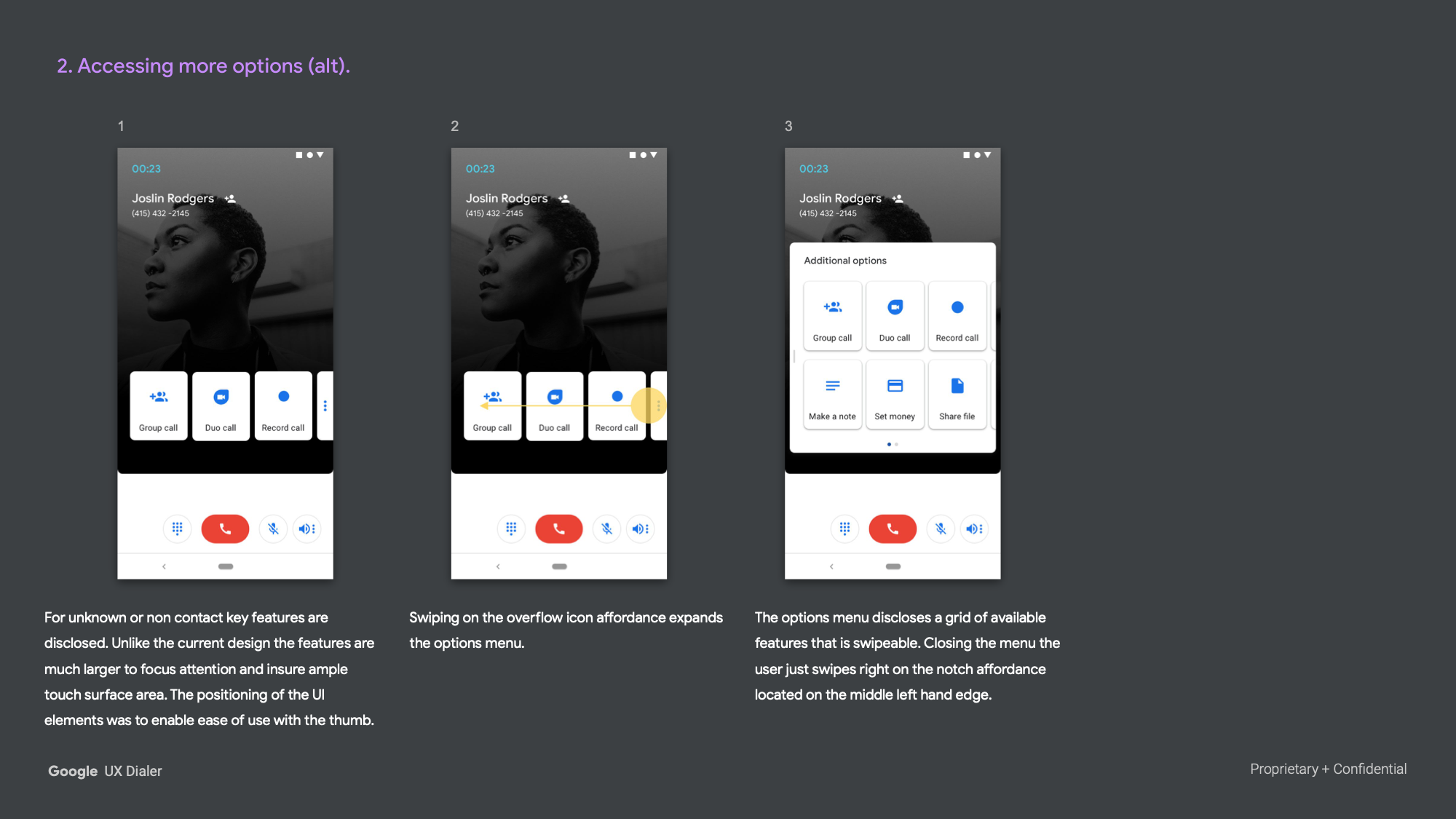
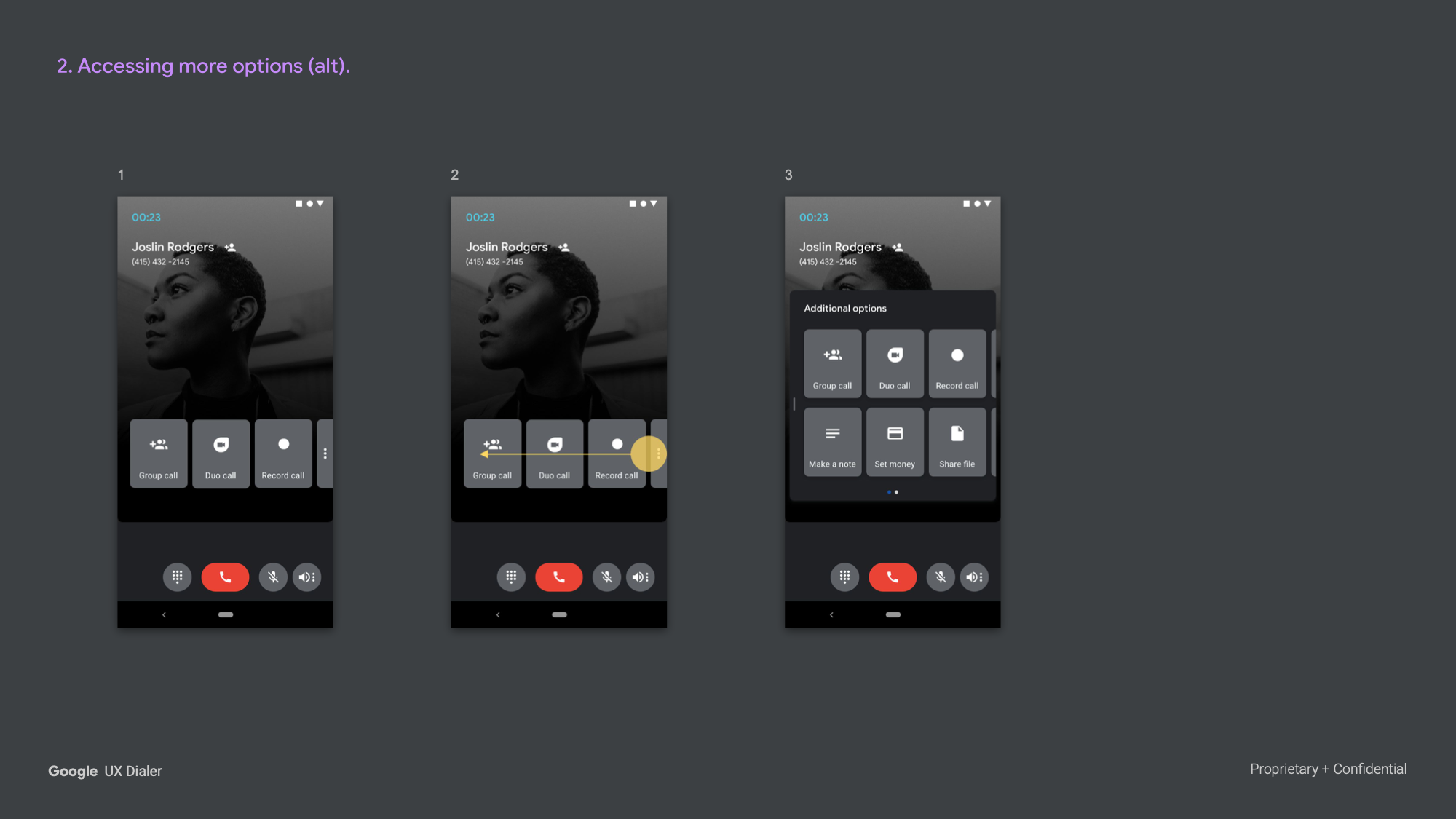
For unknown numbers, larger feature buttons replaced personalized chips — group call, video call, record call — with generous touch targets to reduce errors. The overflow expanded to a swipeable grid of additional options.
Resolving a Flight Issue
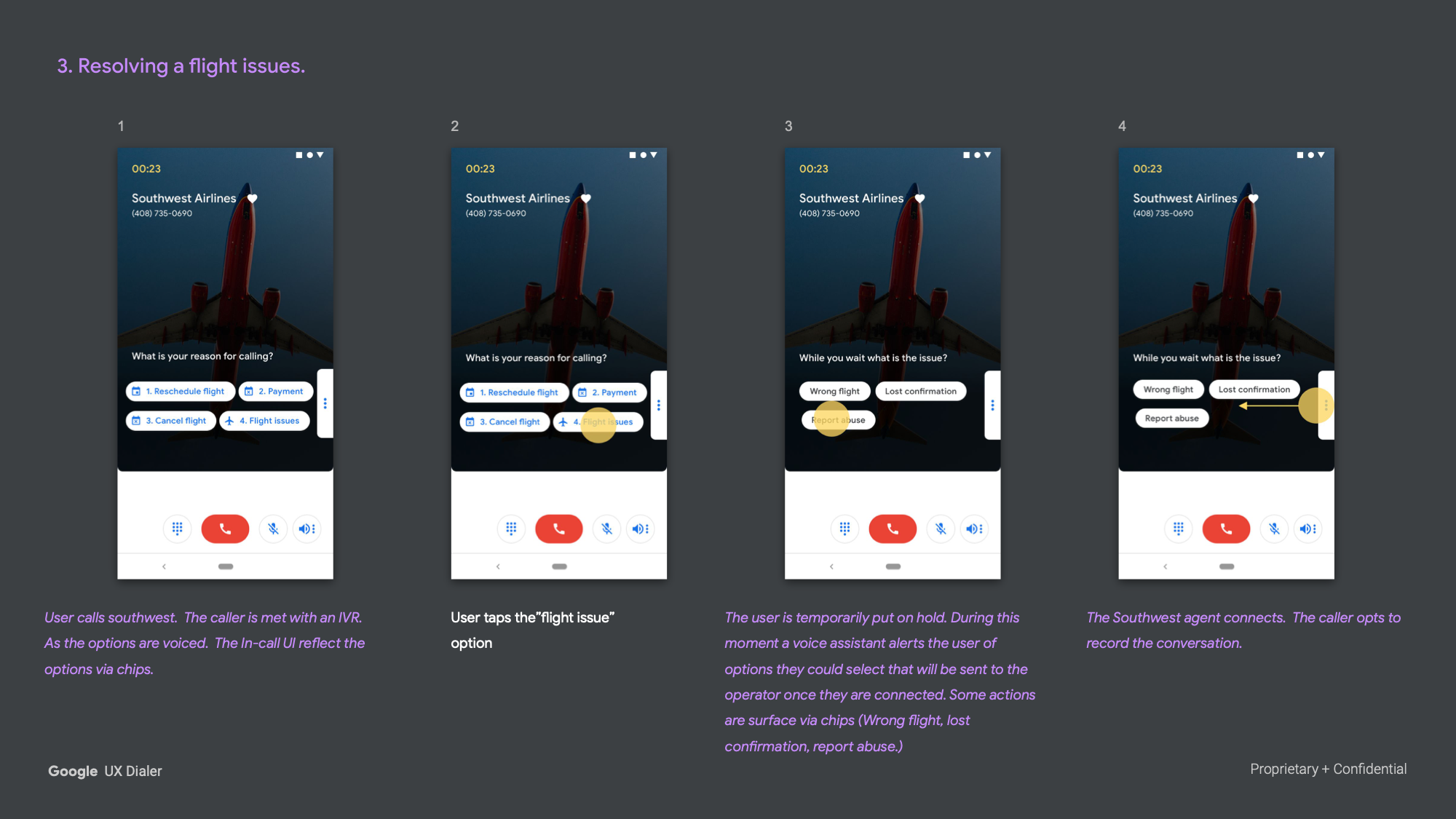
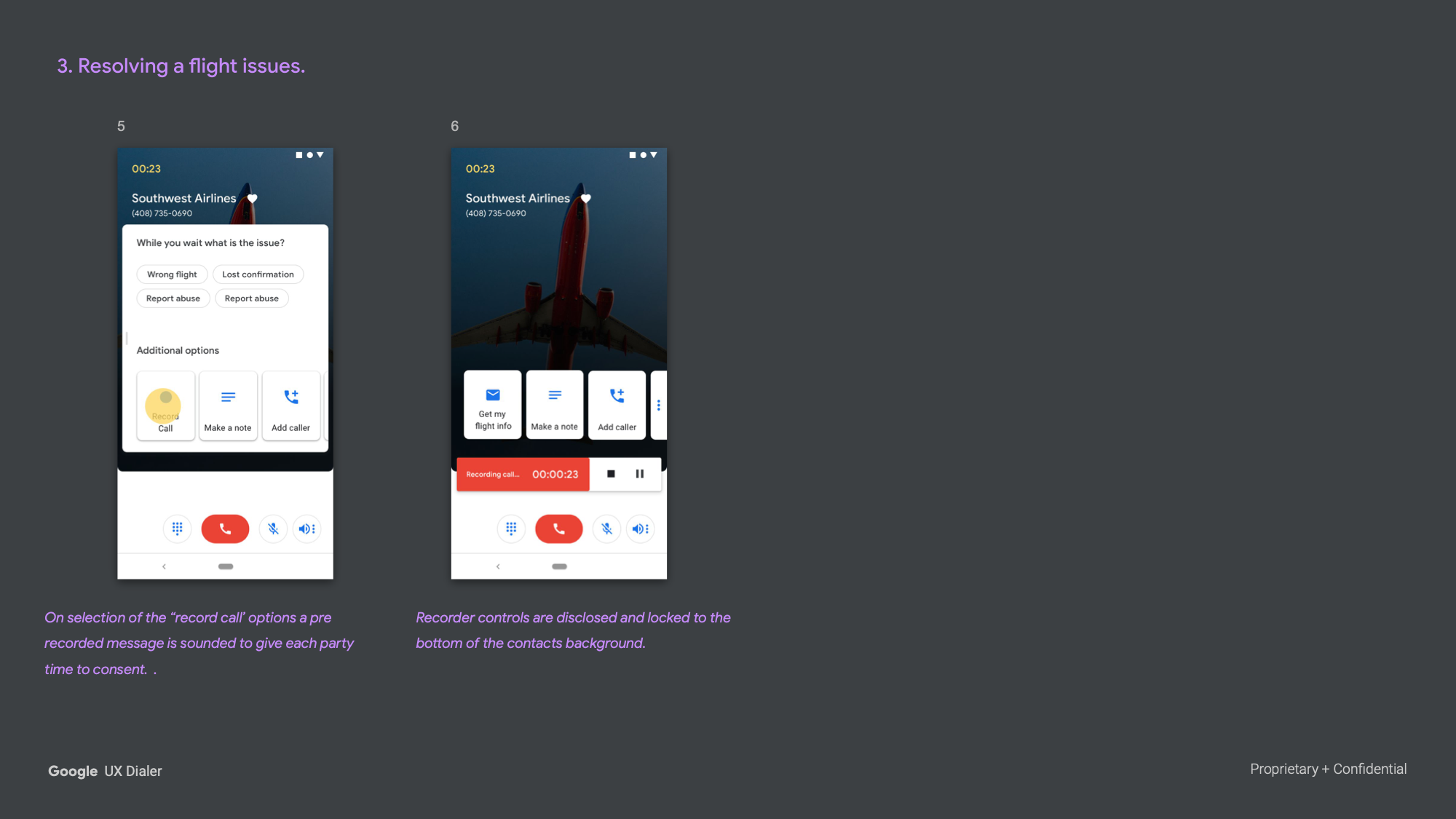
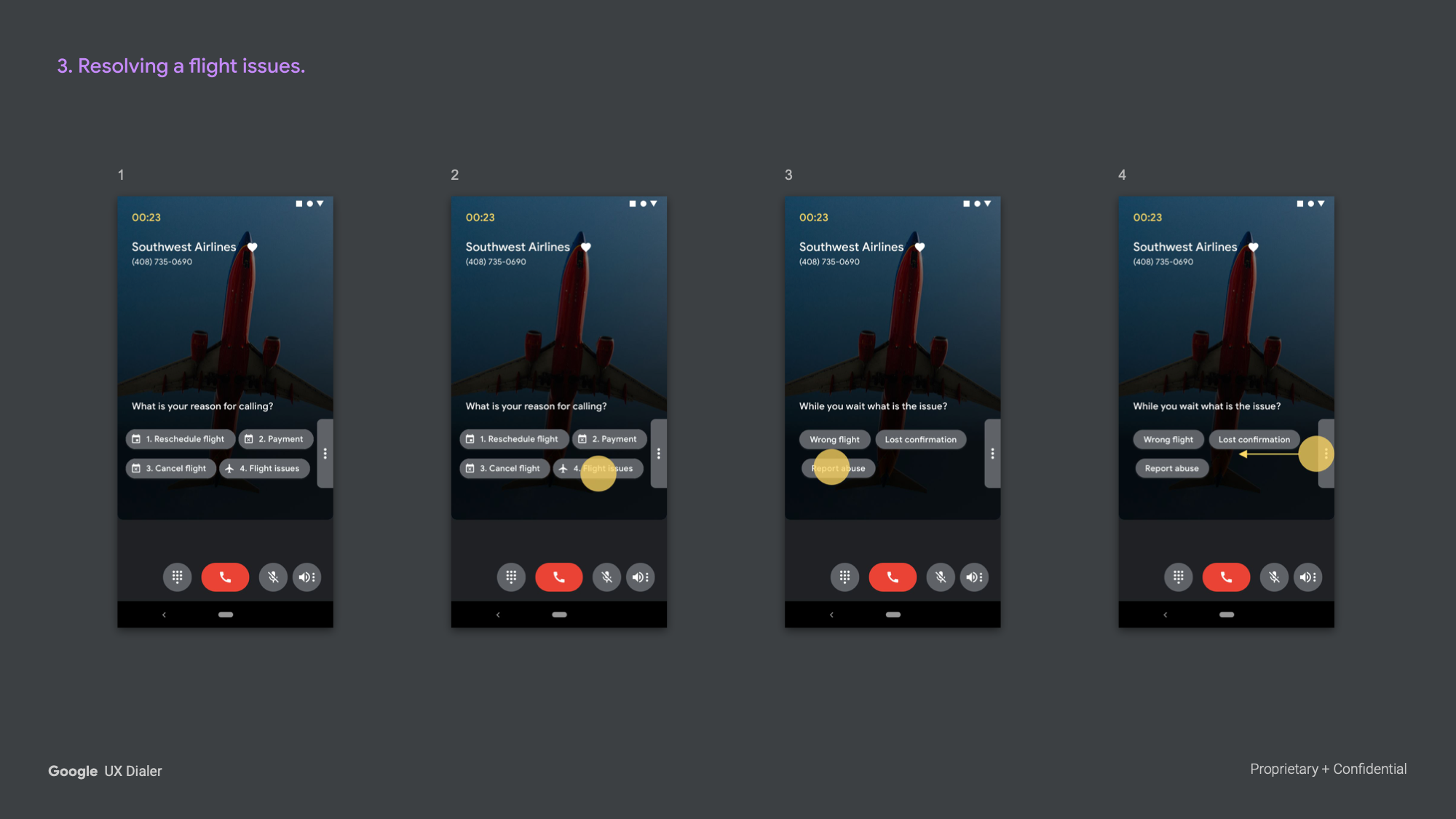
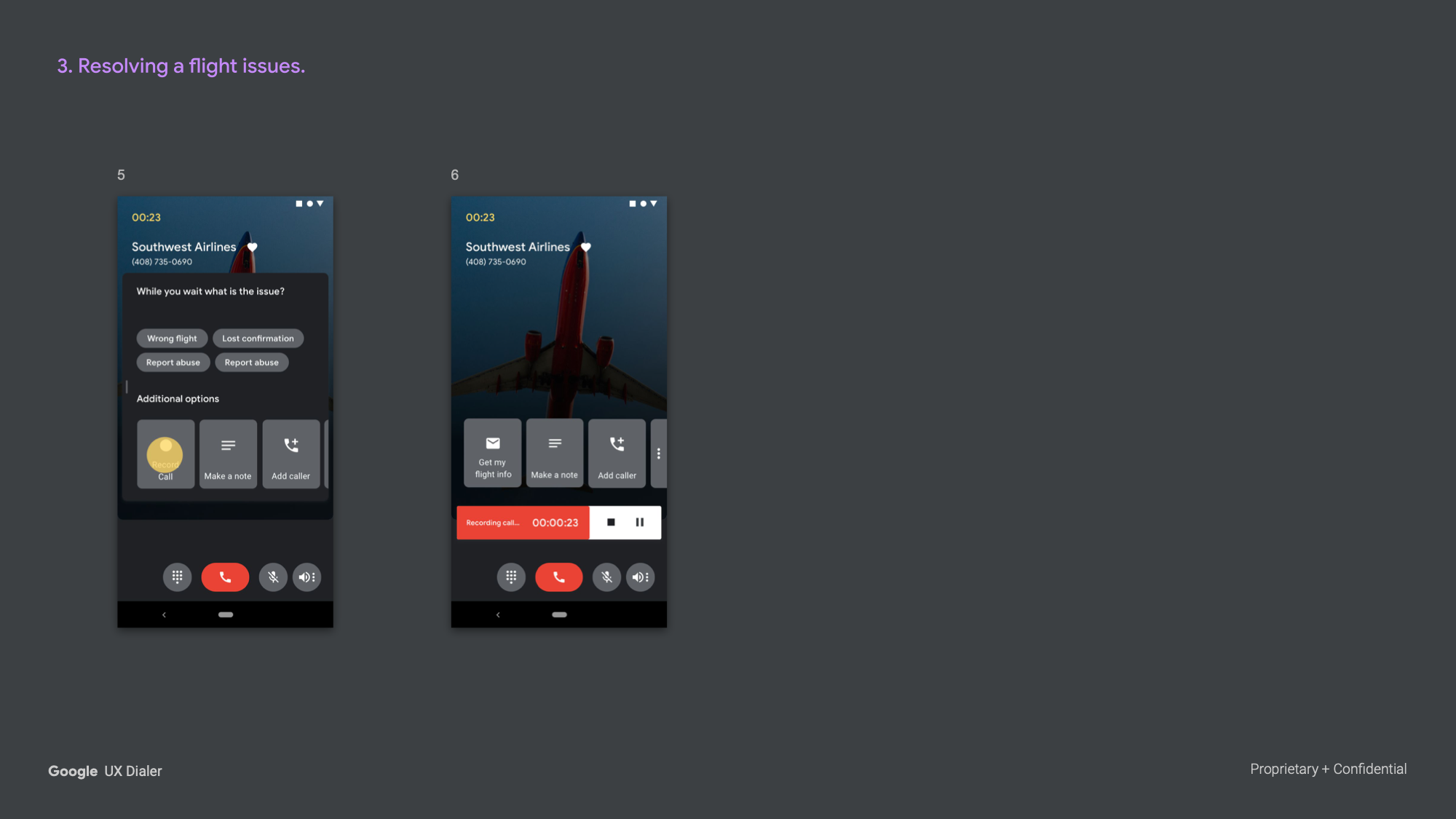
When a user called an airline, IVR prompts were mirrored visually as chips, so the user could navigate the menu by tapping rather than listening and waiting. During hold, contextual options surfaced for the likely issue, and once the agent connected, the user could initiate recording with a single tap — a pre-recorded consent message playing automatically to both parties.
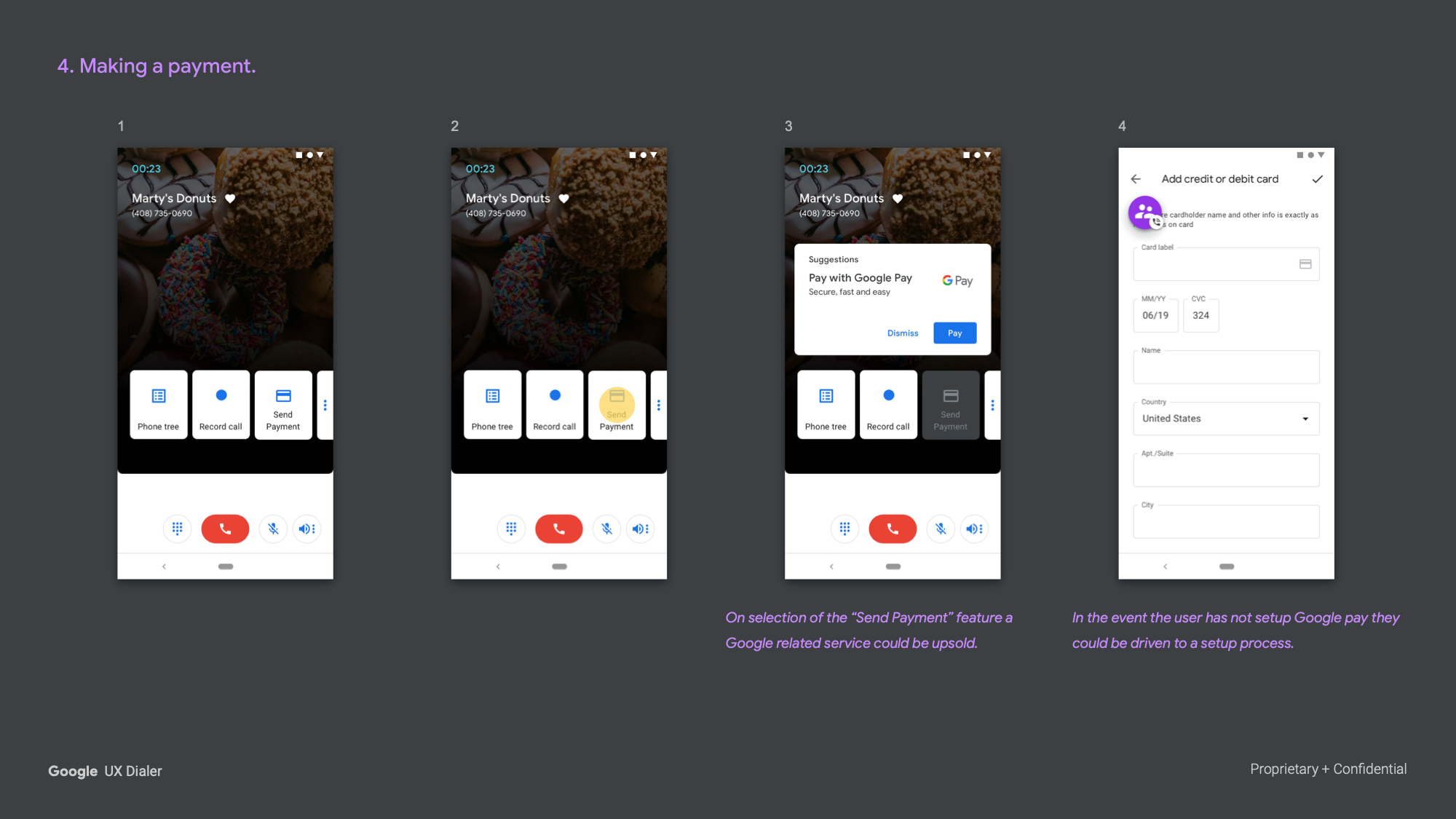
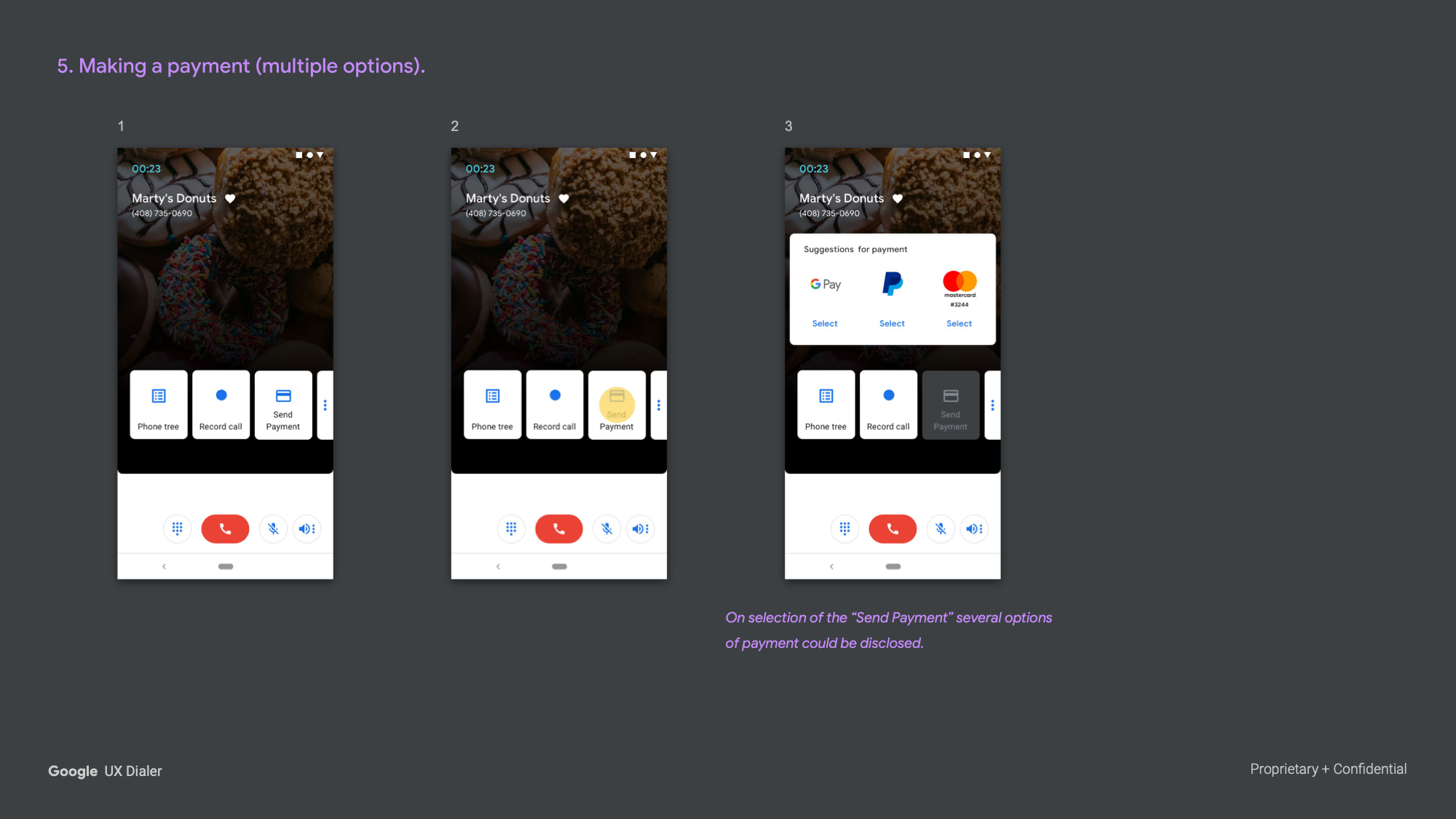
Making a Payment
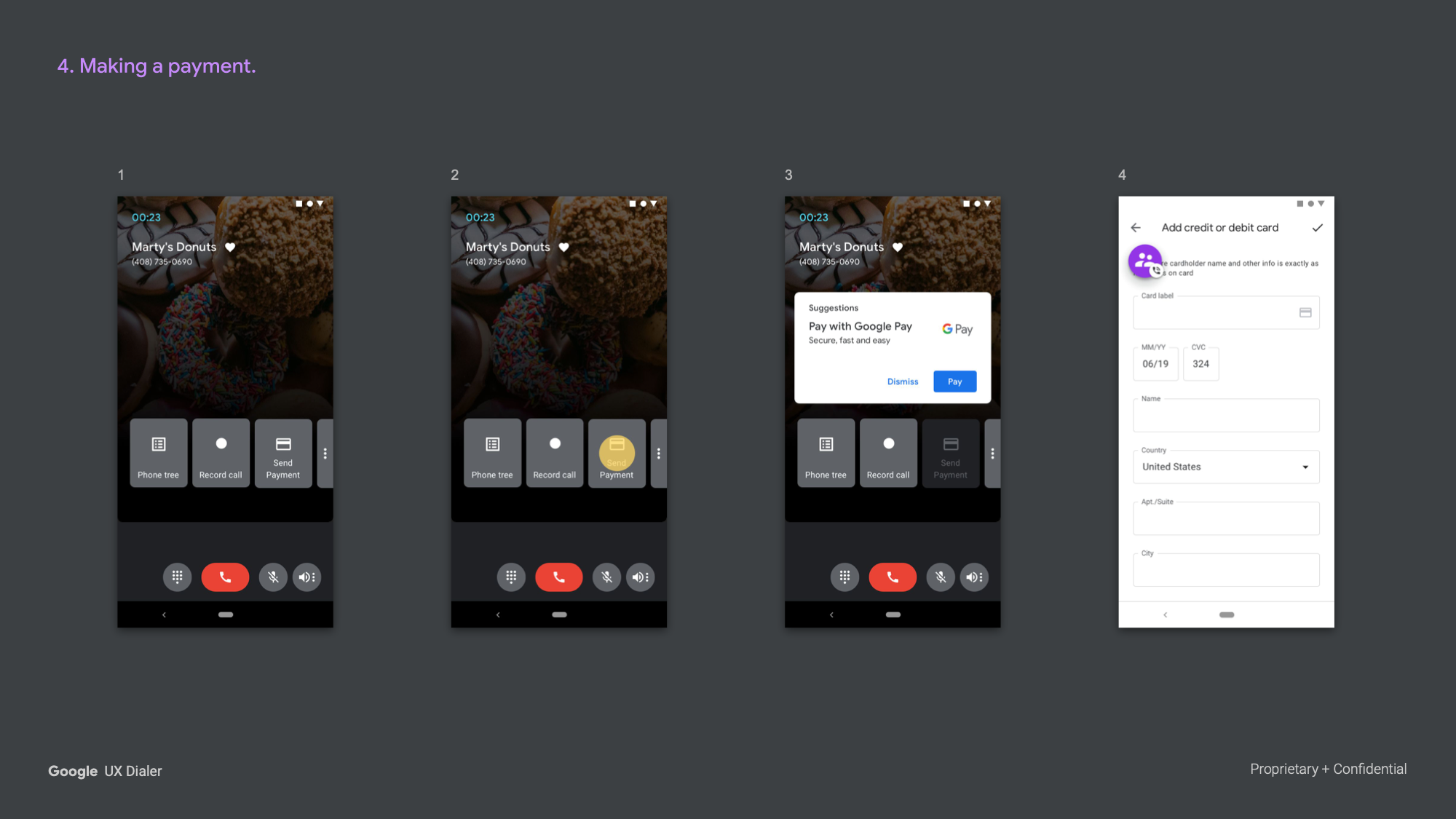
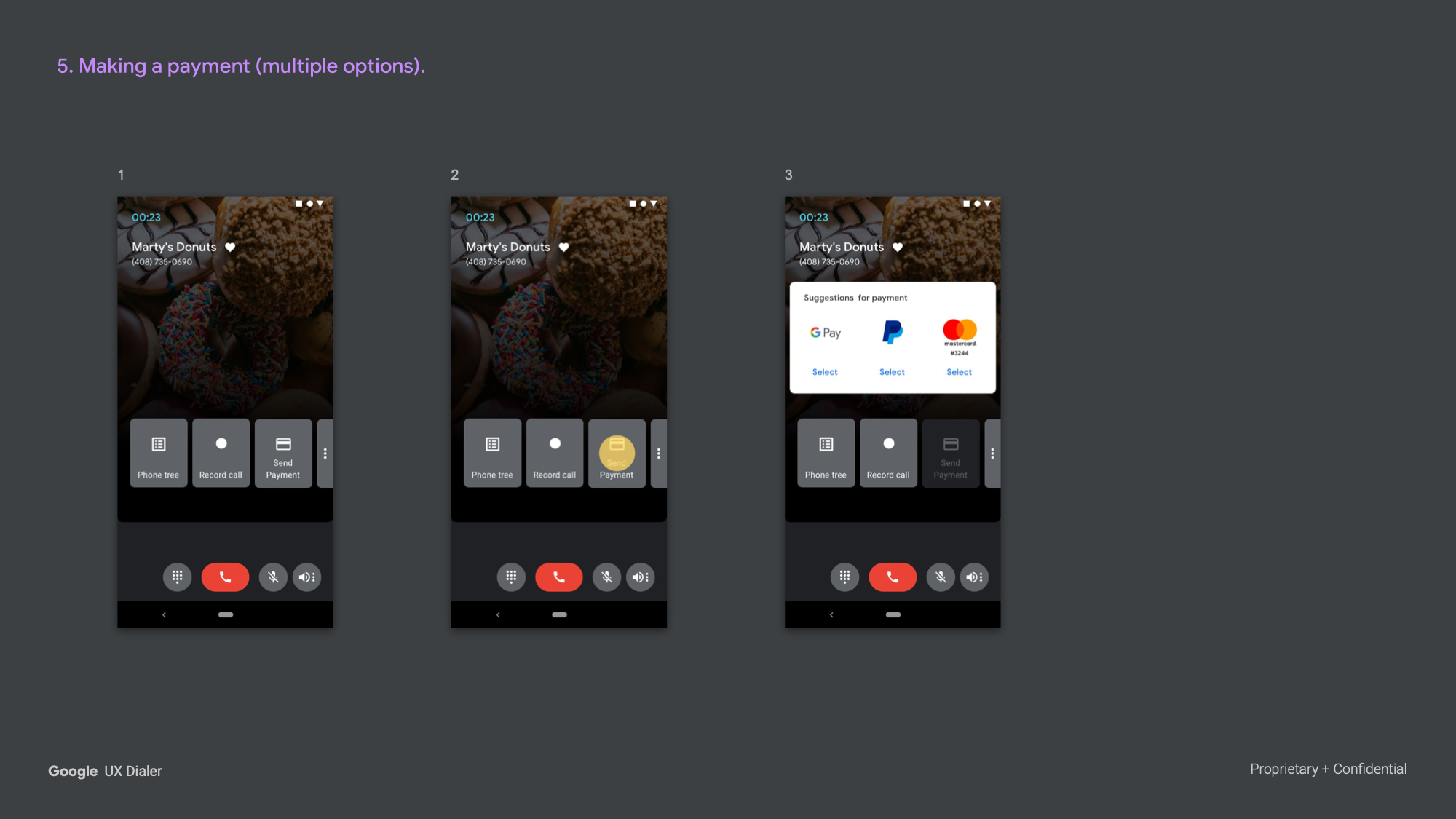
Tapping the "Send Payment" chip surfaced a Google Pay suggestion card directly within the call overlay. An alternate version surfaced multiple payment options simultaneously — Google Pay, PayPal, and a saved card — letting the user choose without leaving the call.
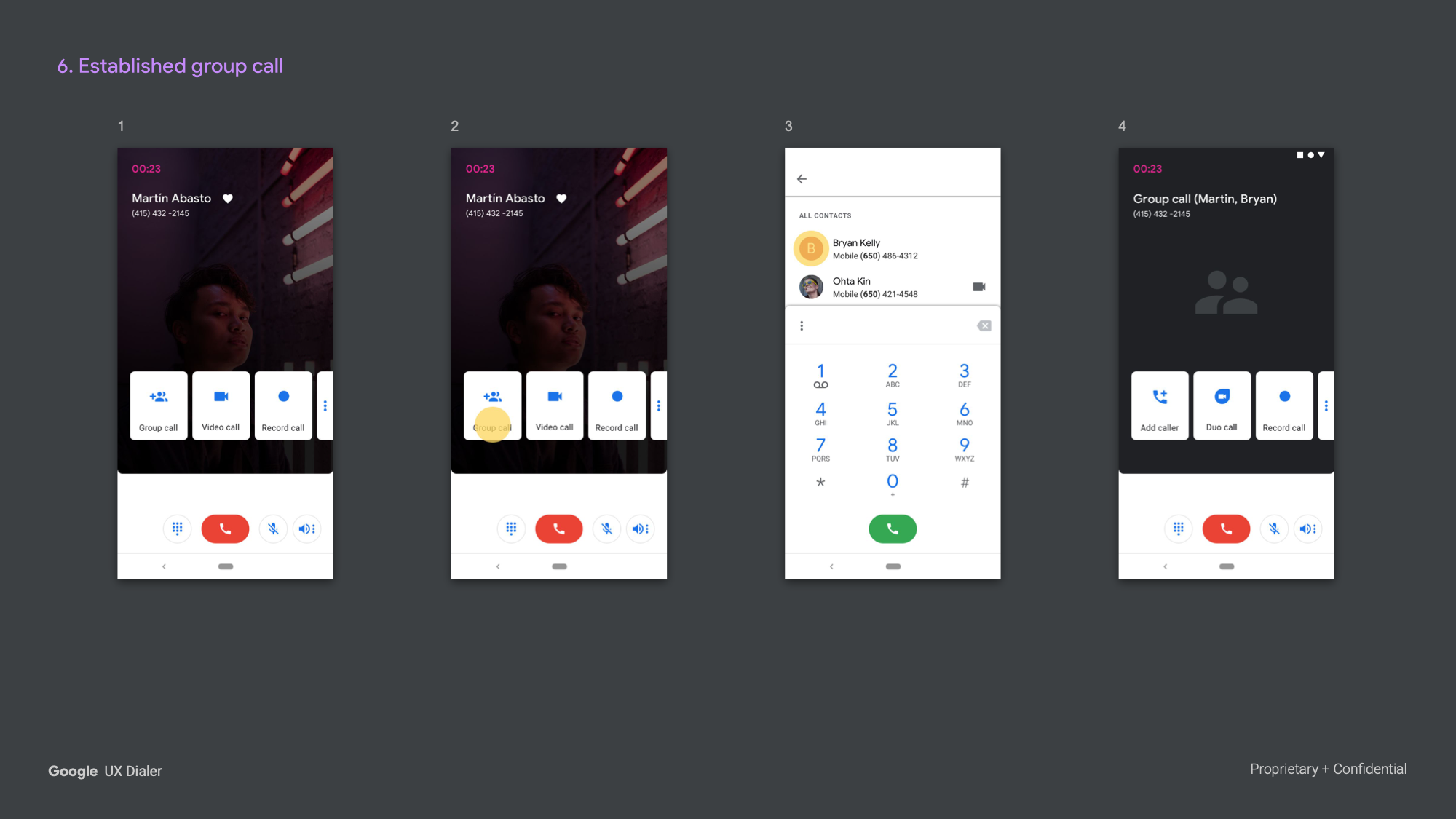
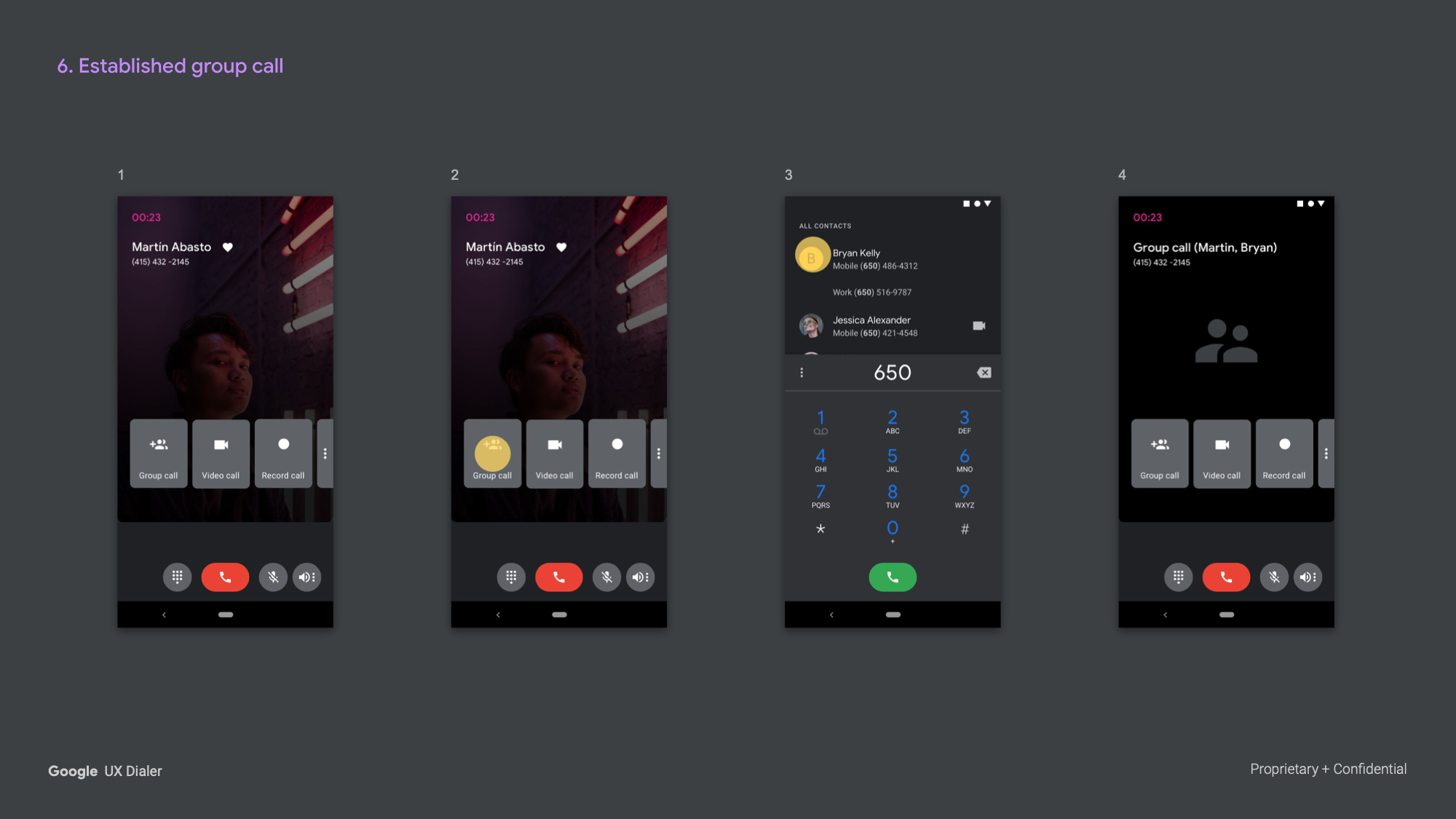
Established Group Call
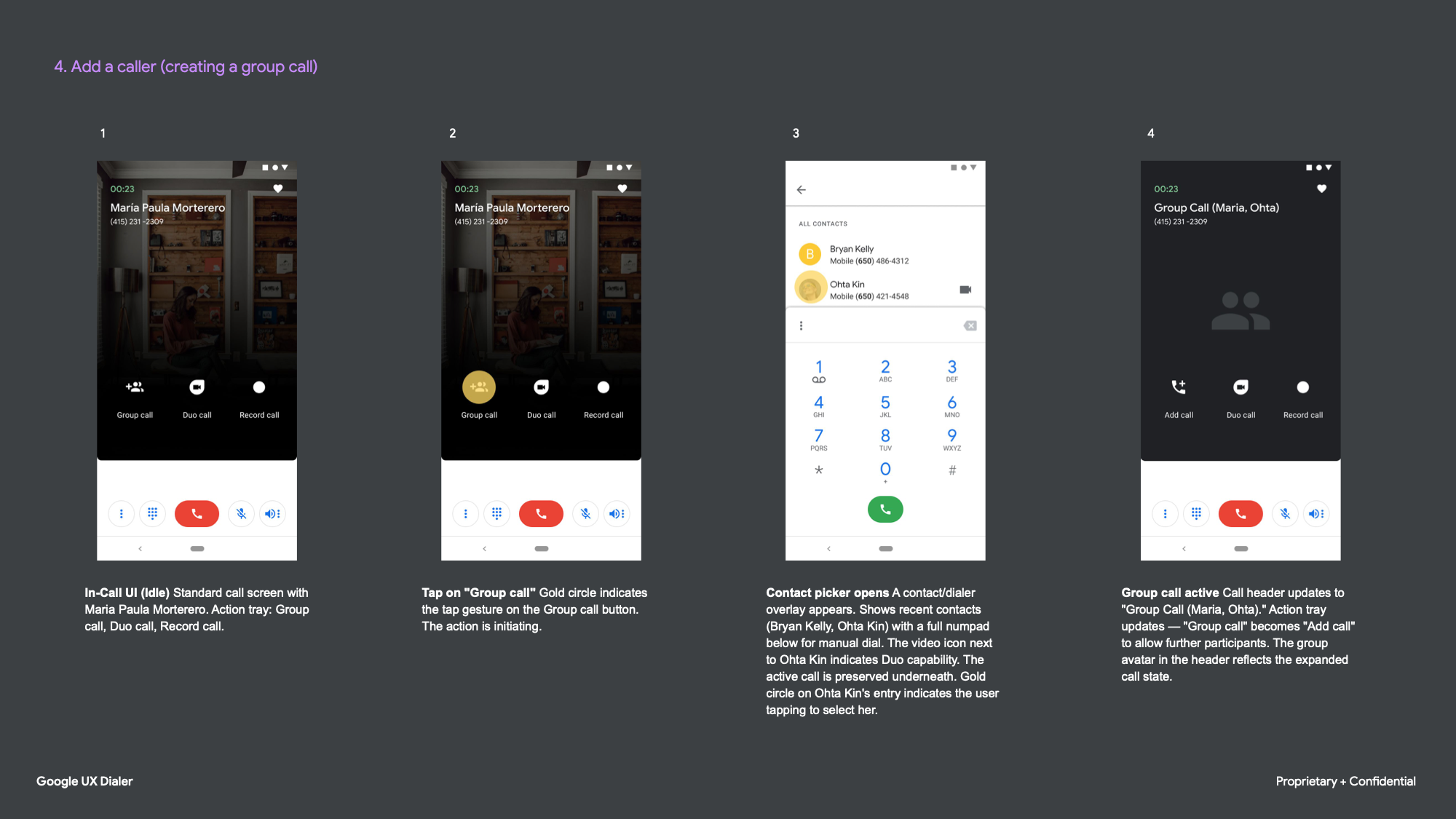
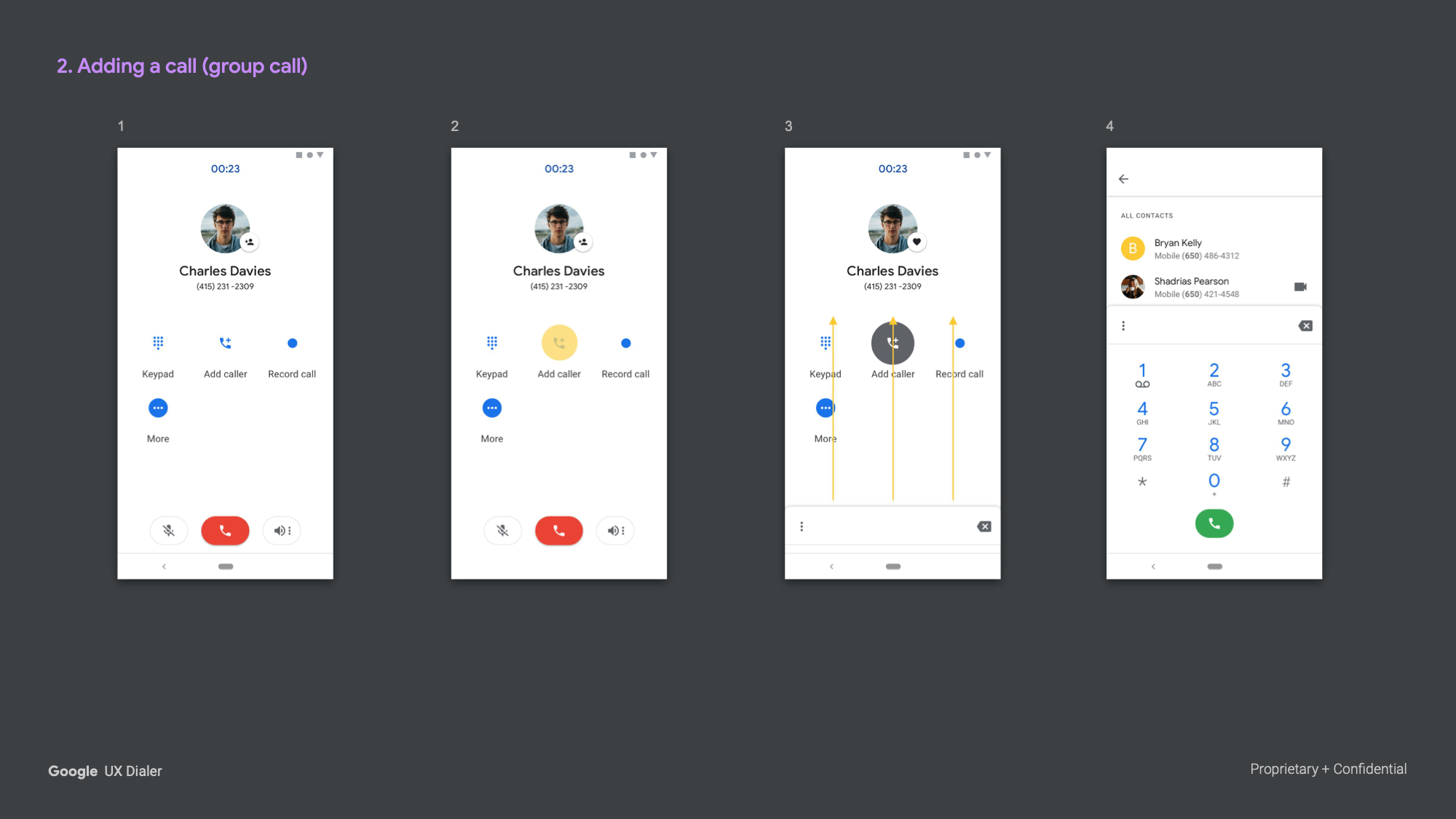
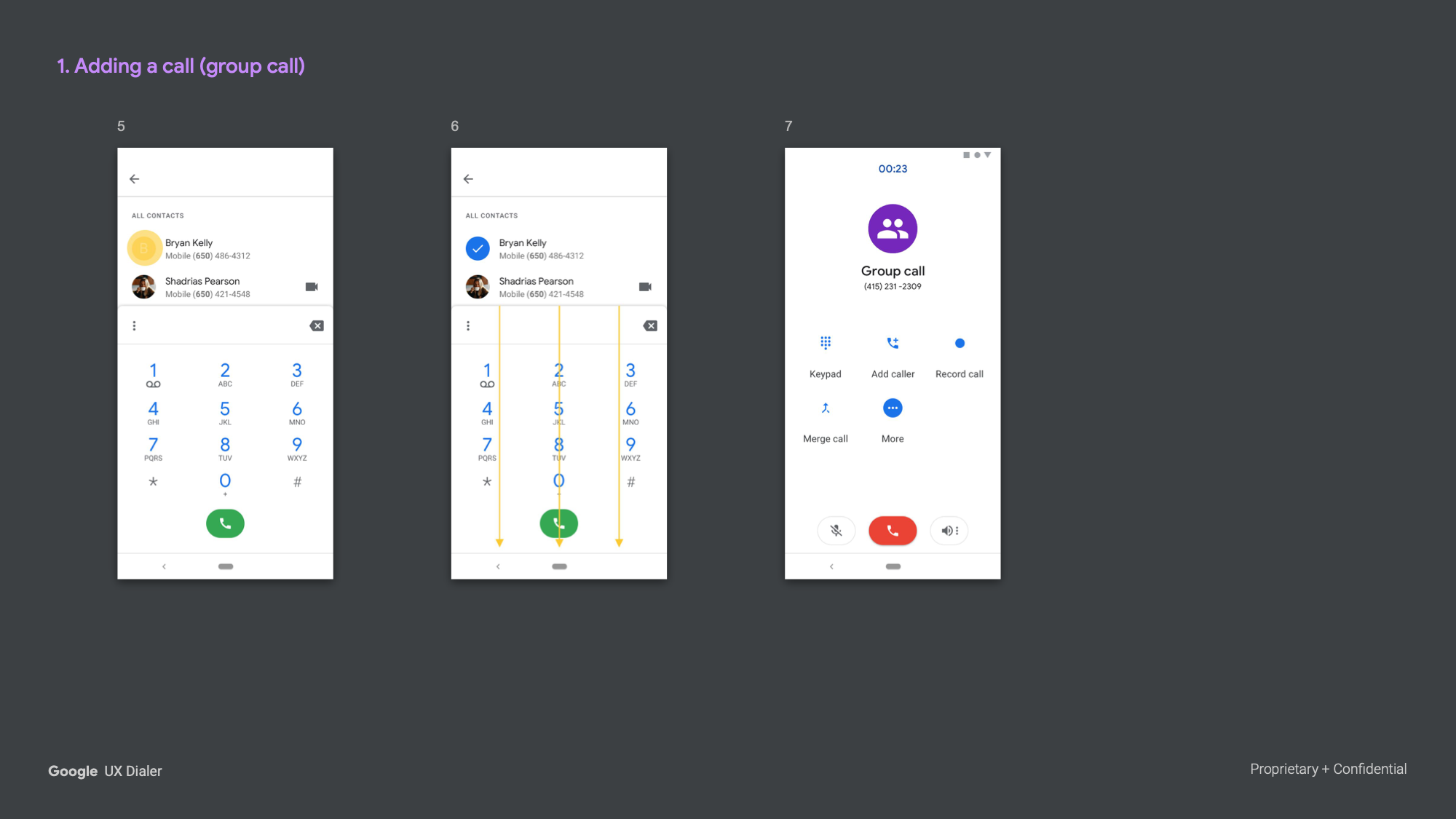
Adding a caller was handled through a contact picker overlay that preserved the active call underneath. Once a second caller joined, the header and action tray updated dynamically to reflect the group state.
Call Recording
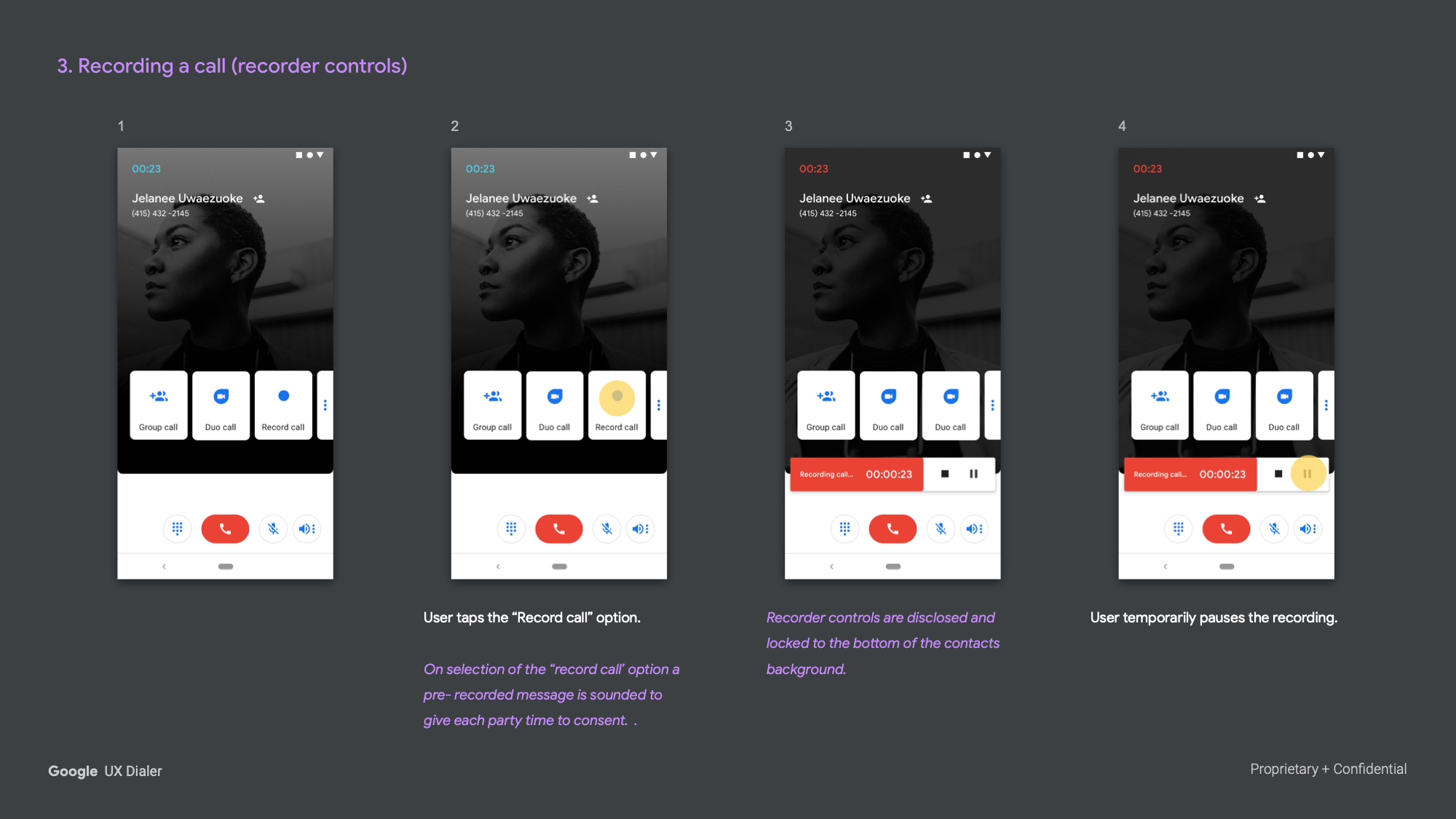
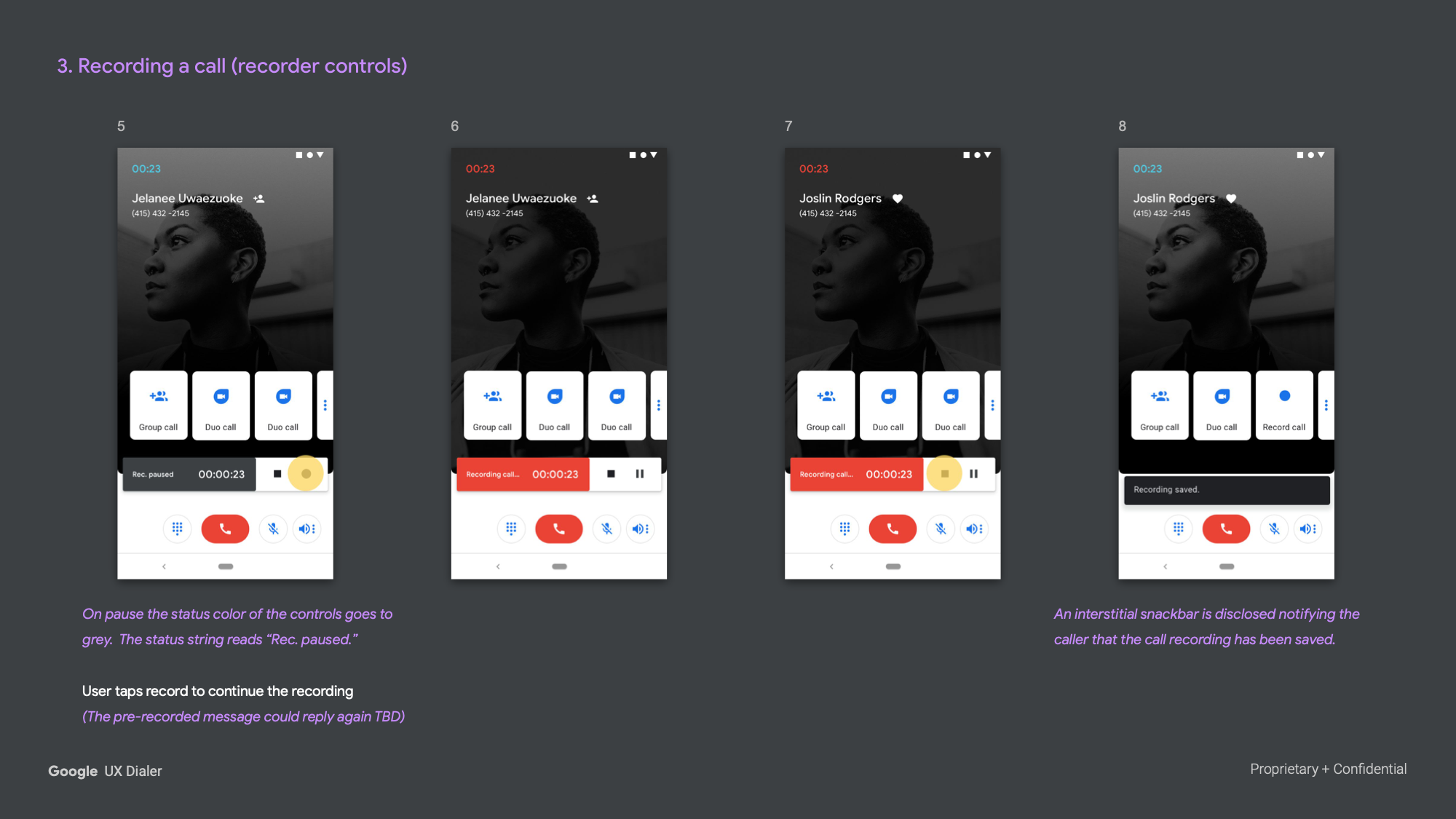
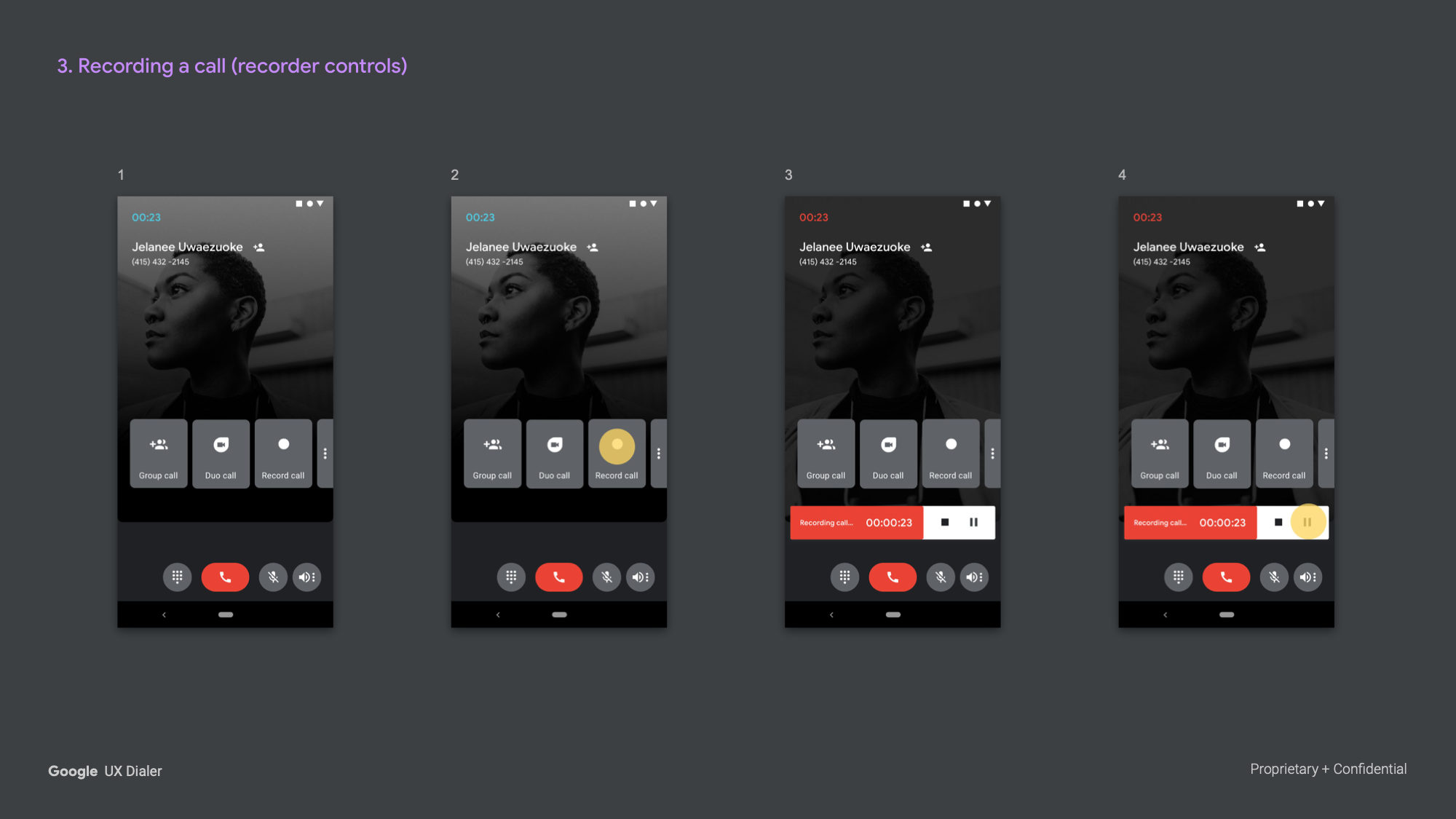
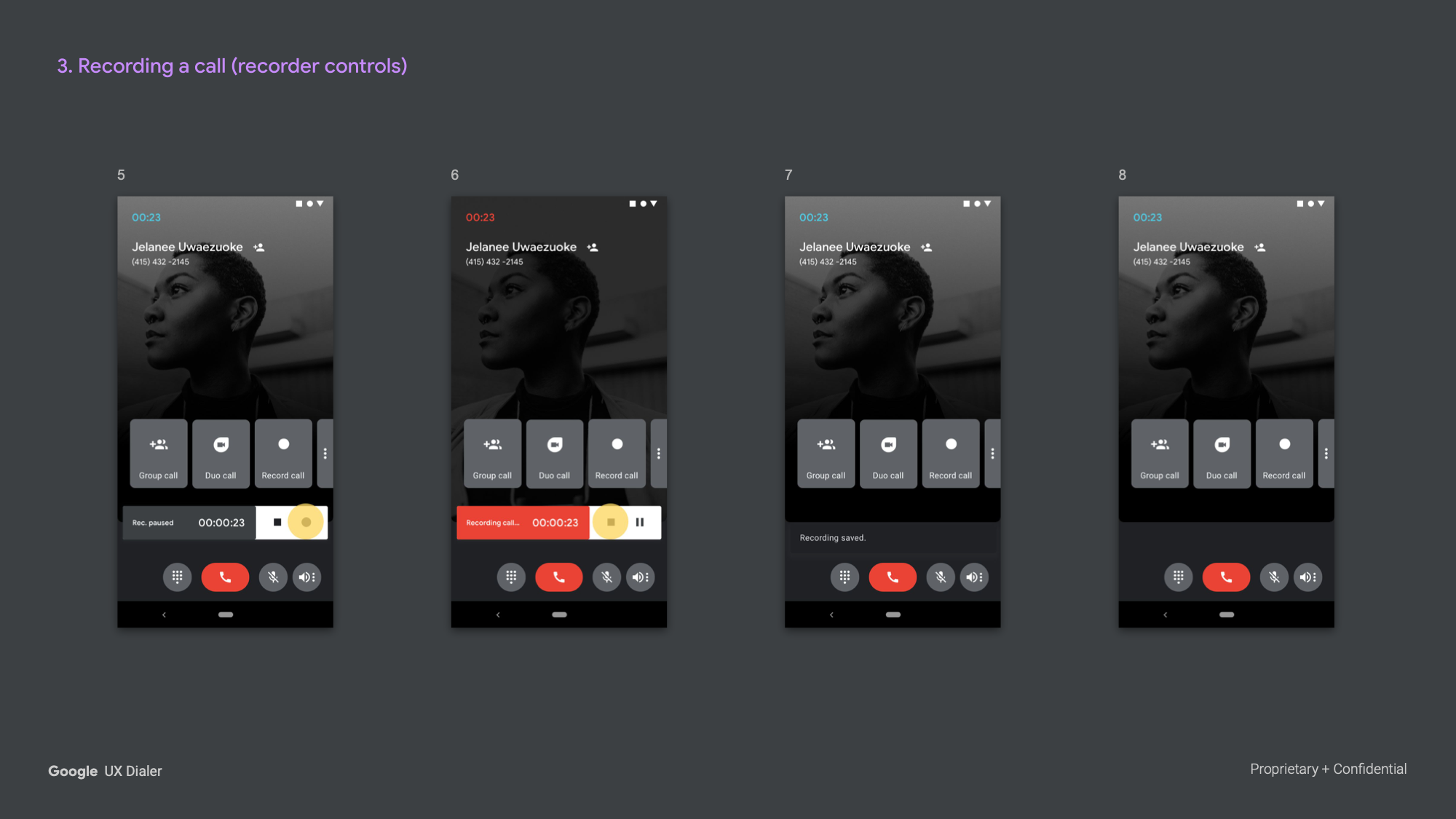
Three Approaches — Exploration 11 tested three recording interaction models in parallel: a simplified toggle, a chip-initiated variant, and a fully-featured recorder bar with stop and pause controls. Each model was designed to accommodate different user contexts and comfort levels with the feature.


Exploration 12 — Refined System (Jan 2019)
The twelfth exploration represented the most refined articulation of the system, carrying forward the bifurcated layout and contextual chip model while tightening the visual language and working through a more complete set of use cases.
Recording — Simplified Player
Tapping record triggered consent audio, shifted the button to a red "Stop recording" state, and added a persistent red pill badge in the status bar as ambient awareness. Stopping returned the UI to its base state via a snackbar — no modal, no interruption to the call.
Recording — Player Control
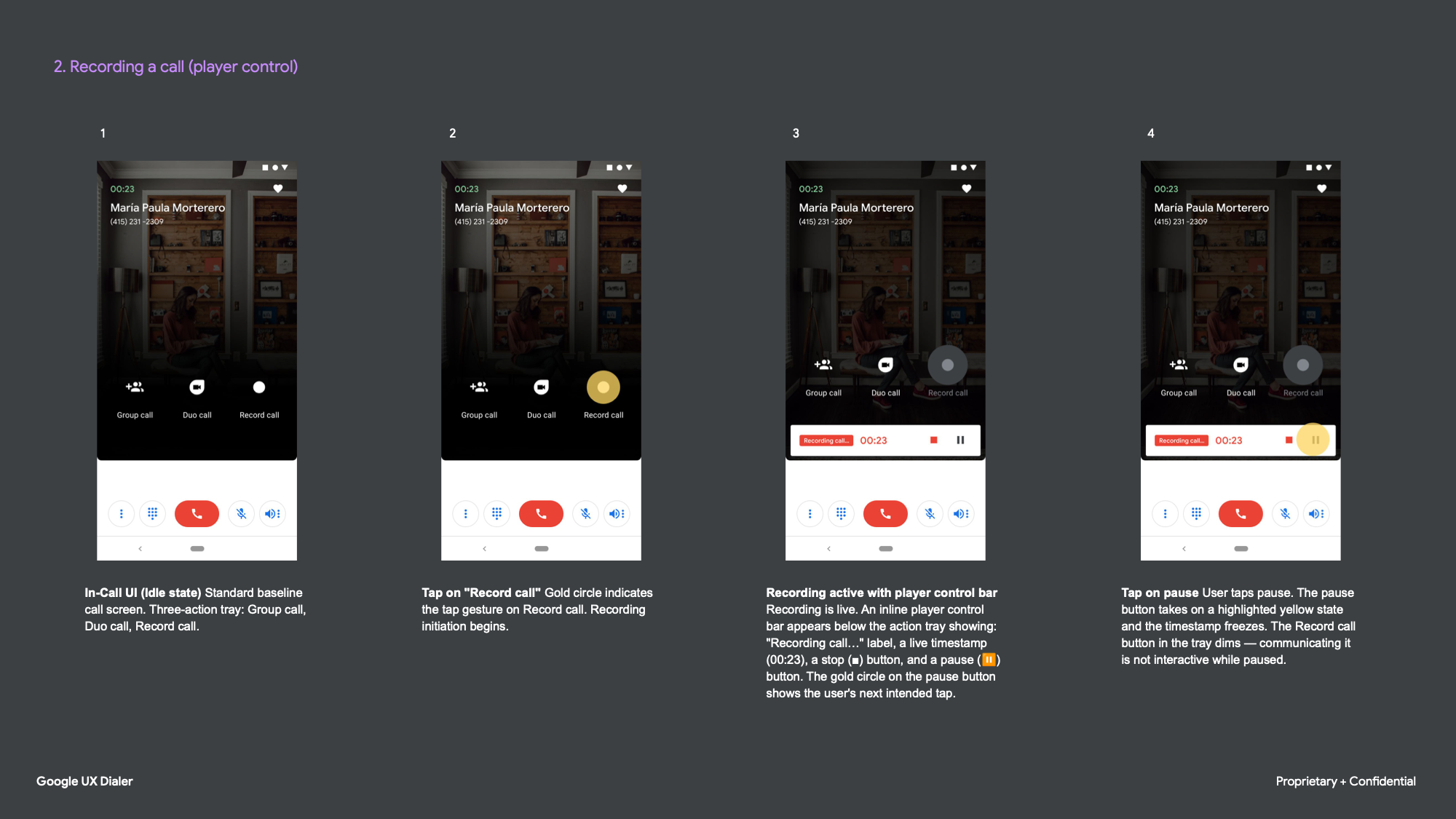
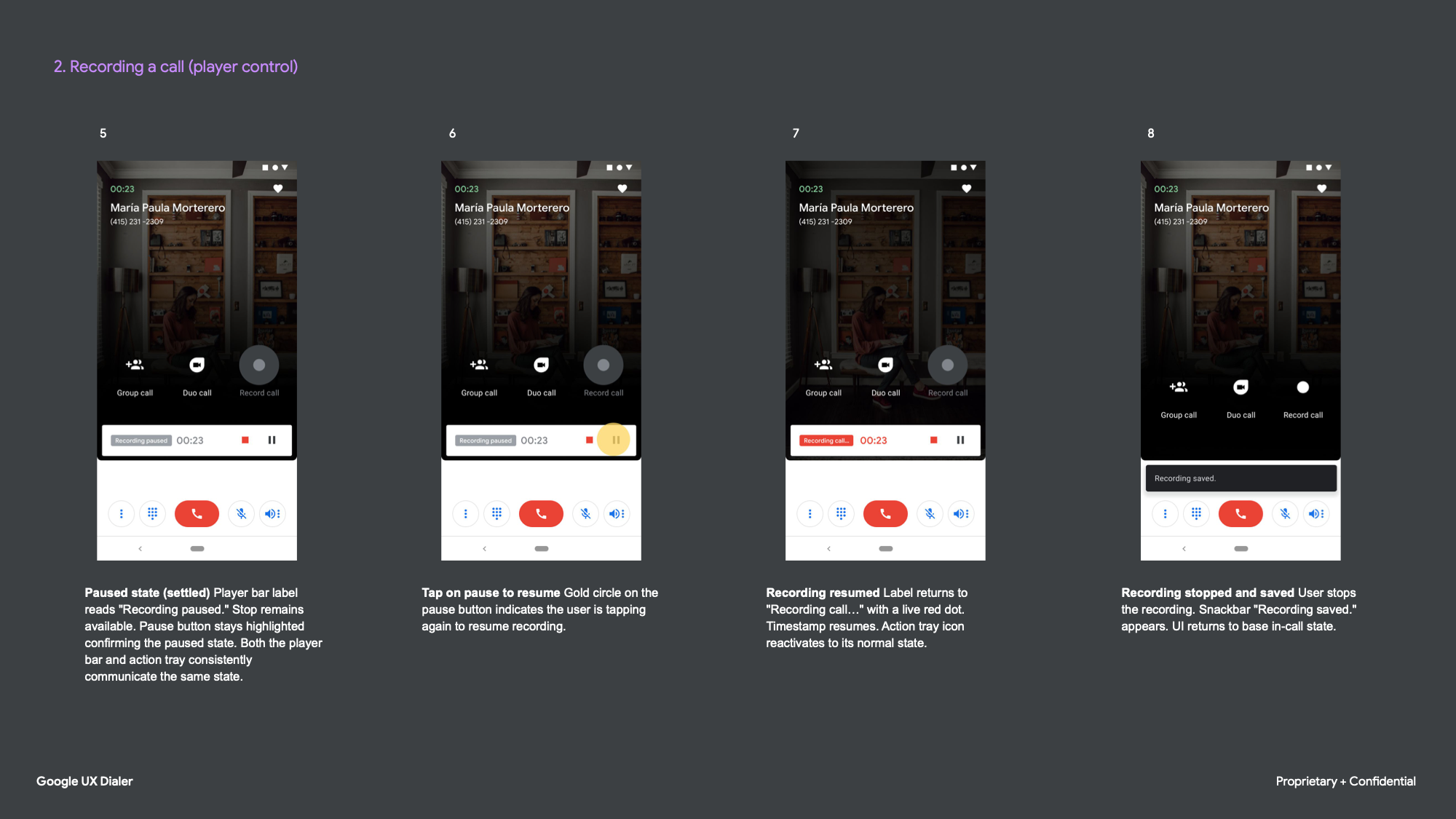
The player control model introduced an inline recording bar beneath the action tray, with stop and pause accessible without changing the tray state. Pausing froze the timestamp and dimmed the record button to communicate it was temporarily inactive — both the tray and the player bar maintaining consistent state throughout.
Remedying a Reservation Mistake
One of the more sophisticated use cases in the system. When calling Enterprise Rent-a-Car, IVR prompts were parsed and surfaced as tappable chips. During hold, a reservation card pulled in automatically — confirmation number, location, date, and address from email or calendar. With the card still visible, the user could open the overflow and act without losing sight of the details. The flow ended on a note-taking screen with smart text suggestions, capturing action items before the call context was lost.
Add a Caller (Group Call)
The group call flow was further refined, with the contact picker cleanly preserving the active call underneath. Once a second caller joined, the header and action tray updated dynamically — "Group Call (Maria, Ohta)" — with the tray shifting to "Add call" for further expansion.
Making a Payment
The payment flow remained entirely within the call overlay until the add-card step, designed to feel like a natural extension of the call rather than a departure from it.