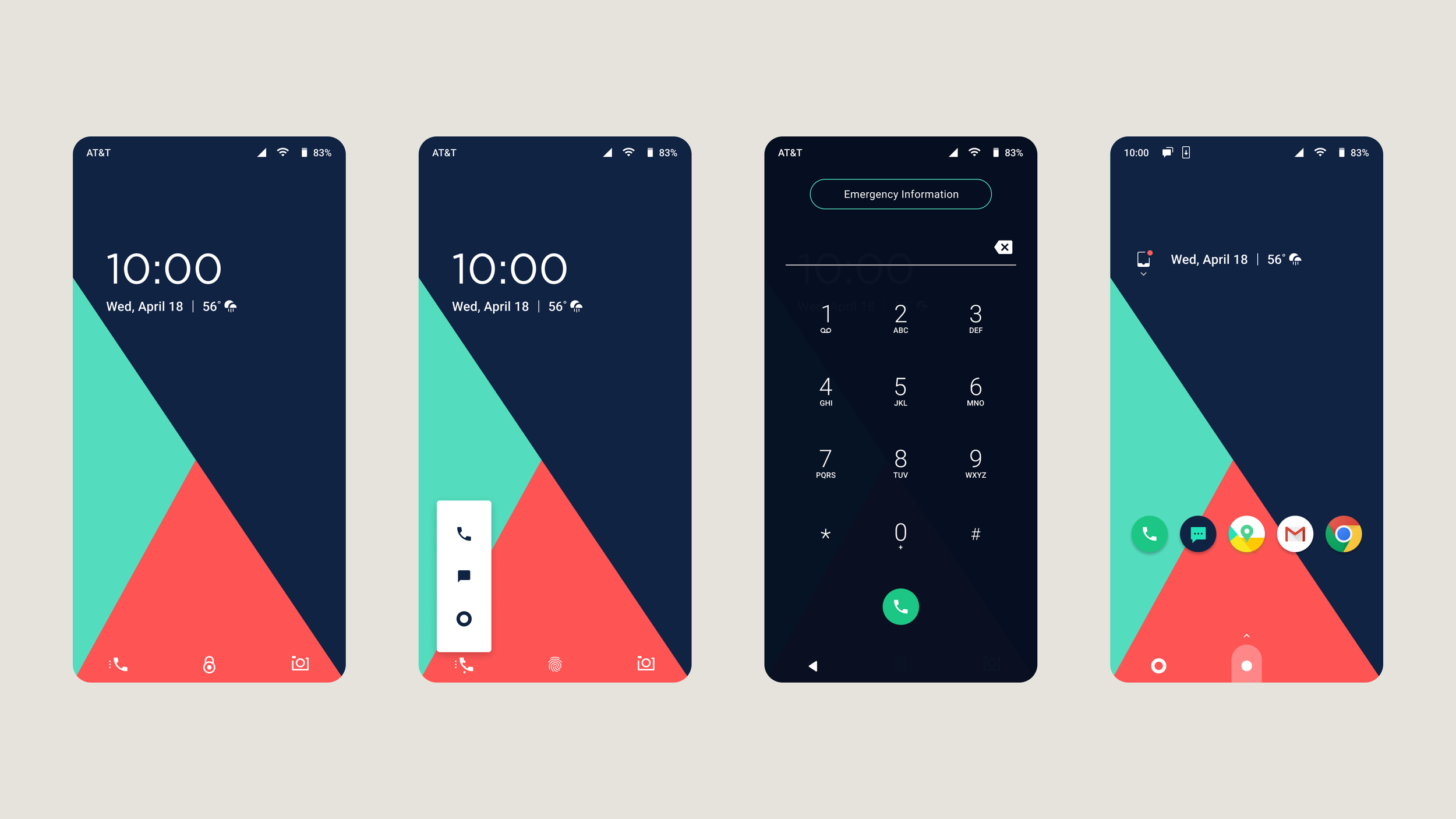
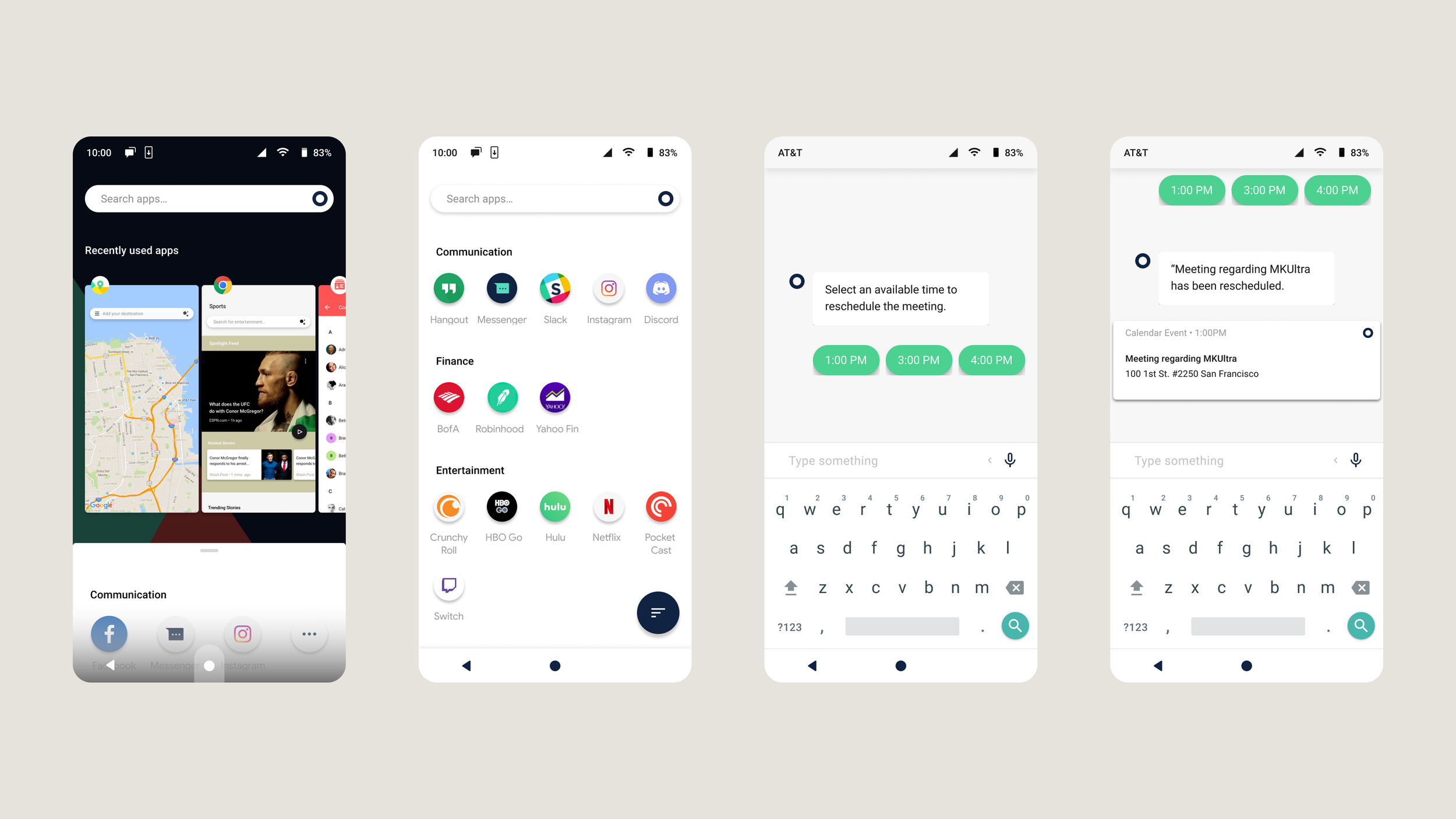
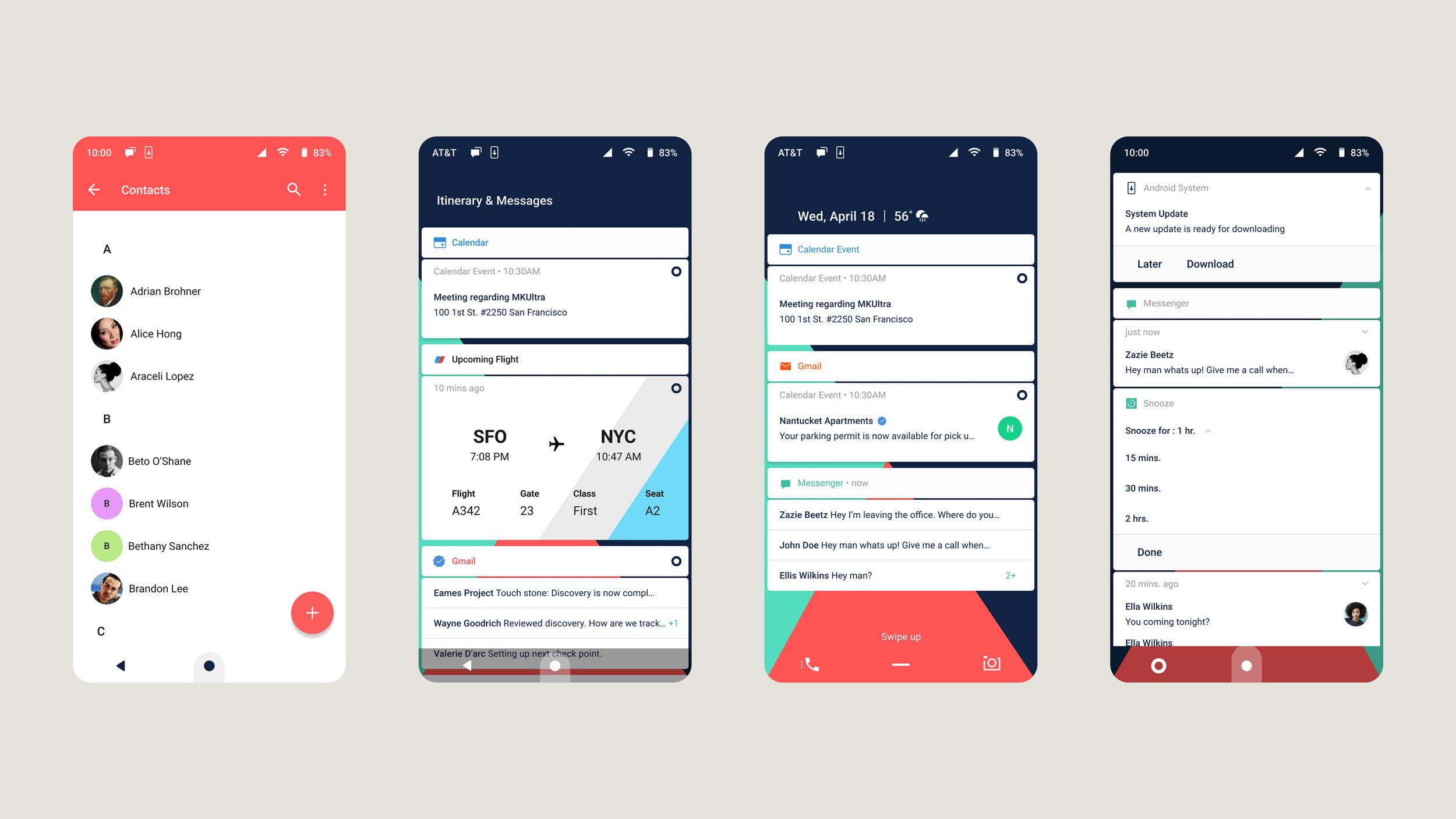
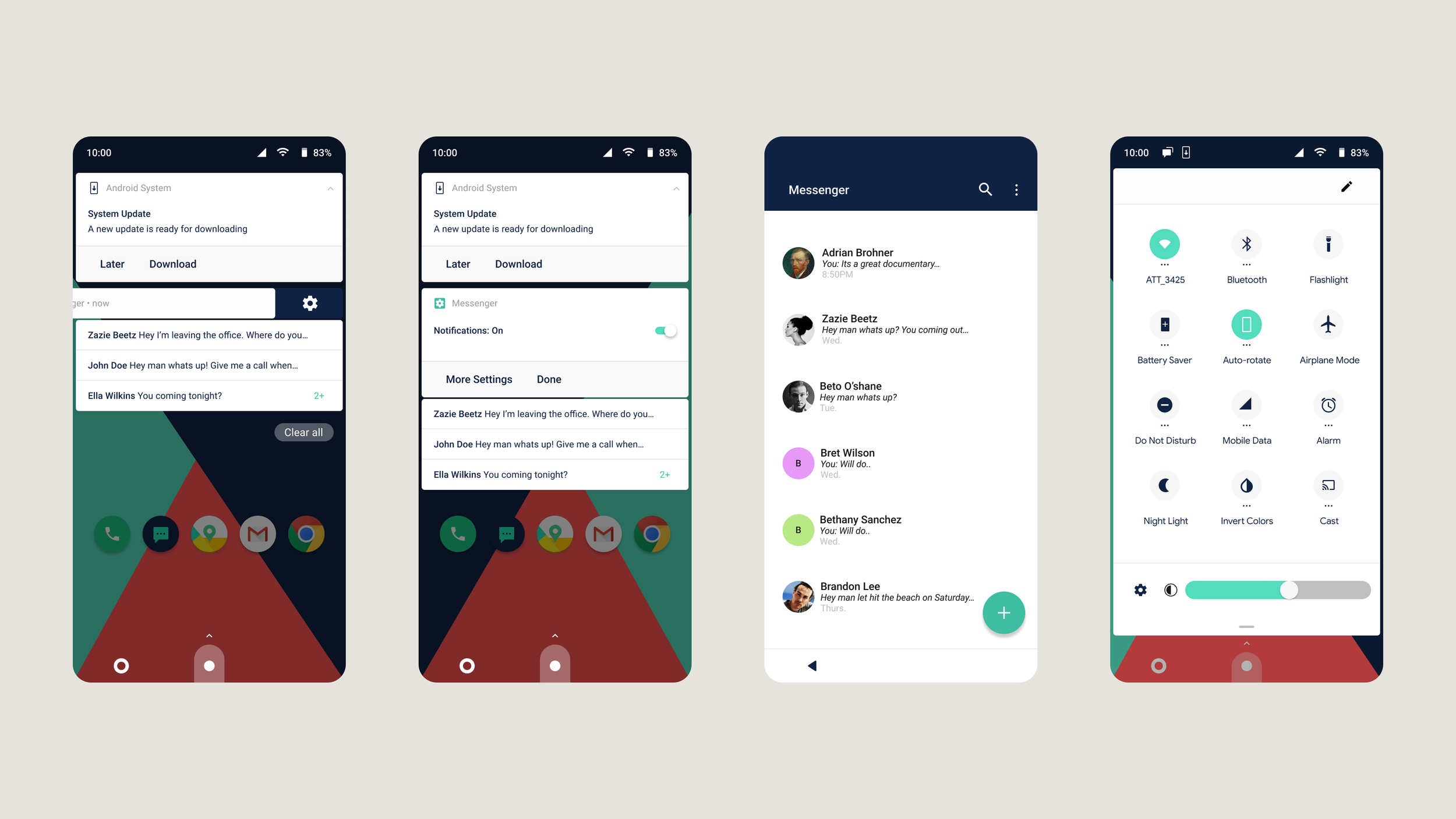
Building on the discovery phase, moves into design and prototyping — translating research insights into a launcher concept built around four critical features: notification shade, gesture-based navigation, an itinerary section, and the system bar.
Role: Senior UX Designer
Client: Huawei
Type: UX Research & Design
Year: 2017–2018
Tools: Sketch, Framer
Designing a Launcher for Testing
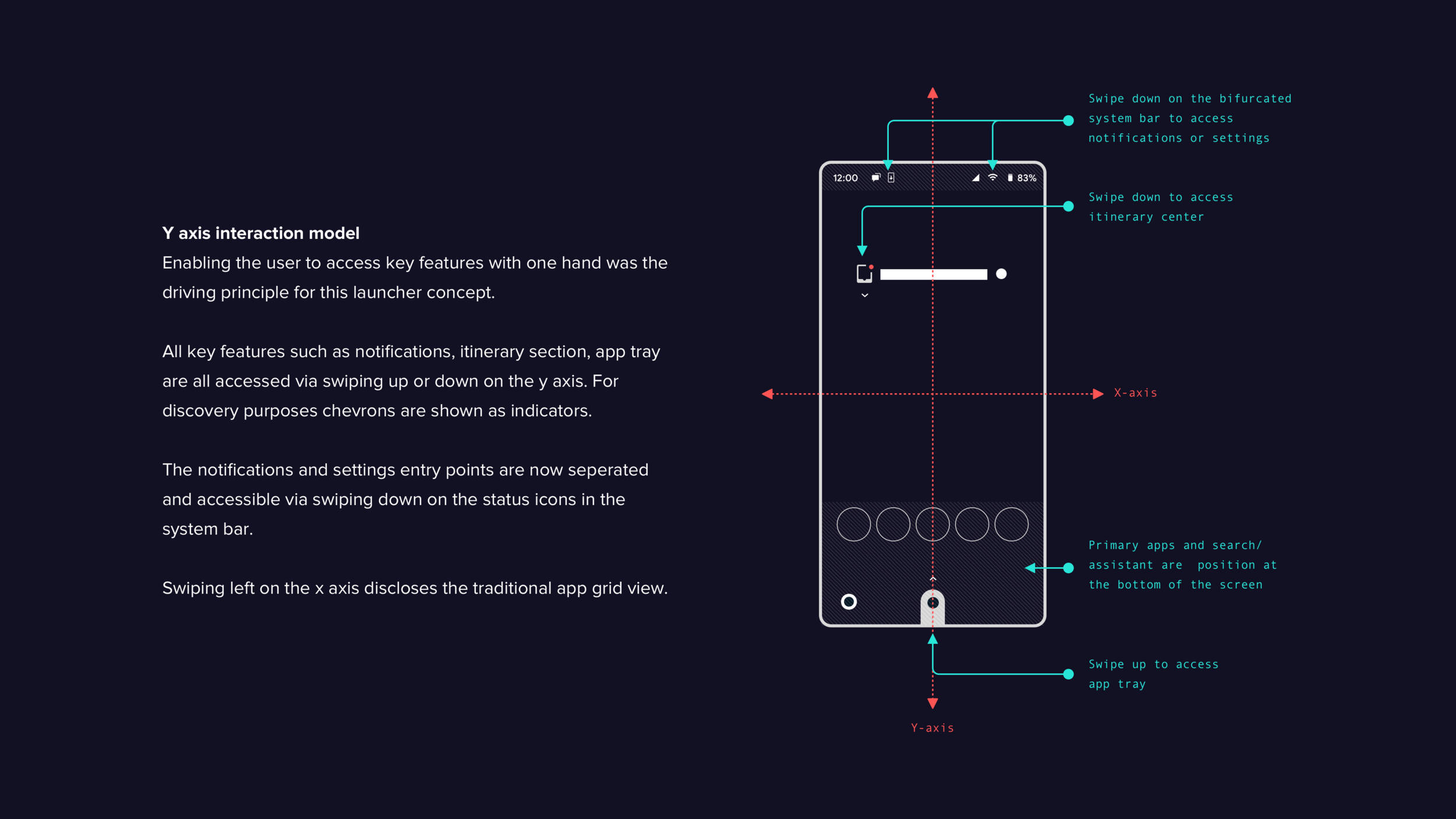
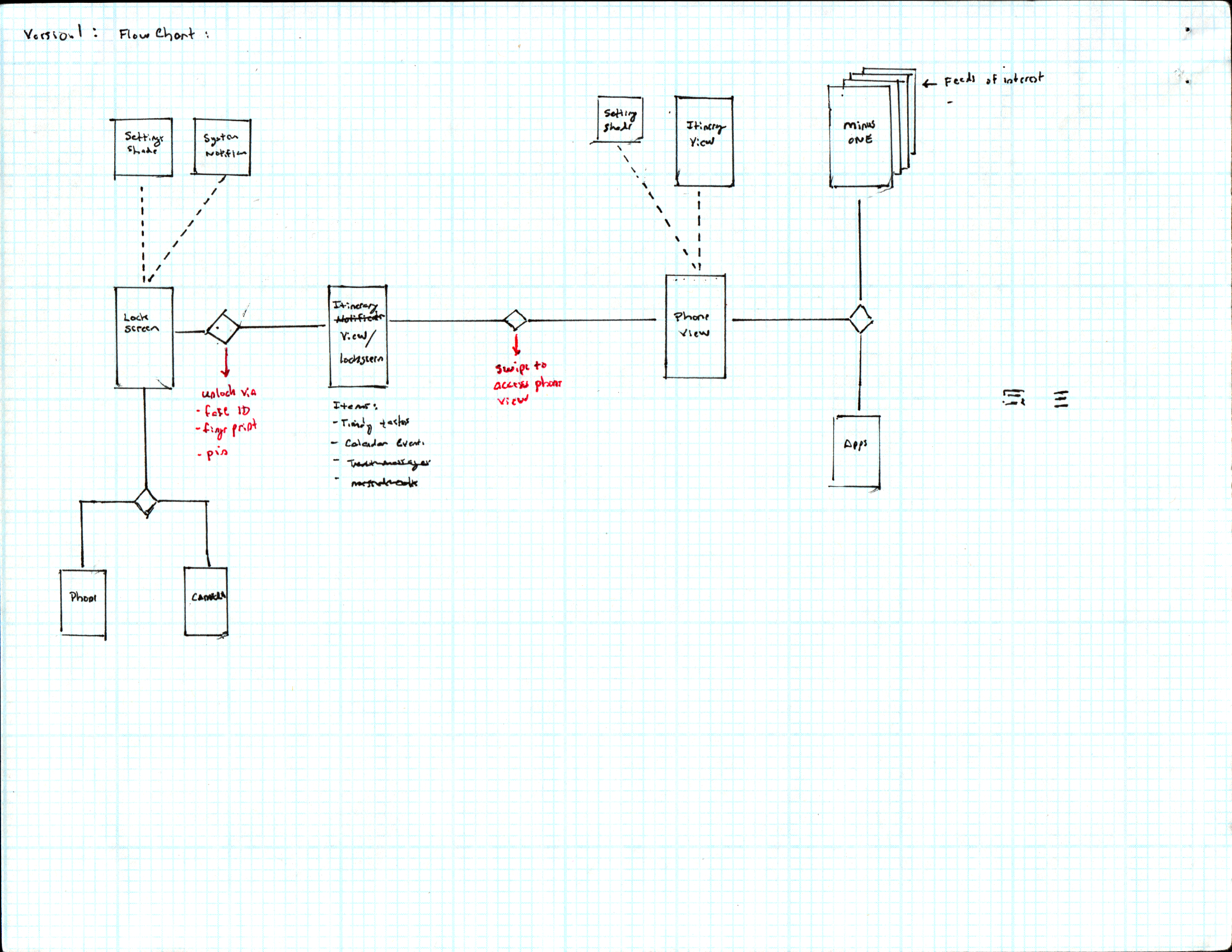
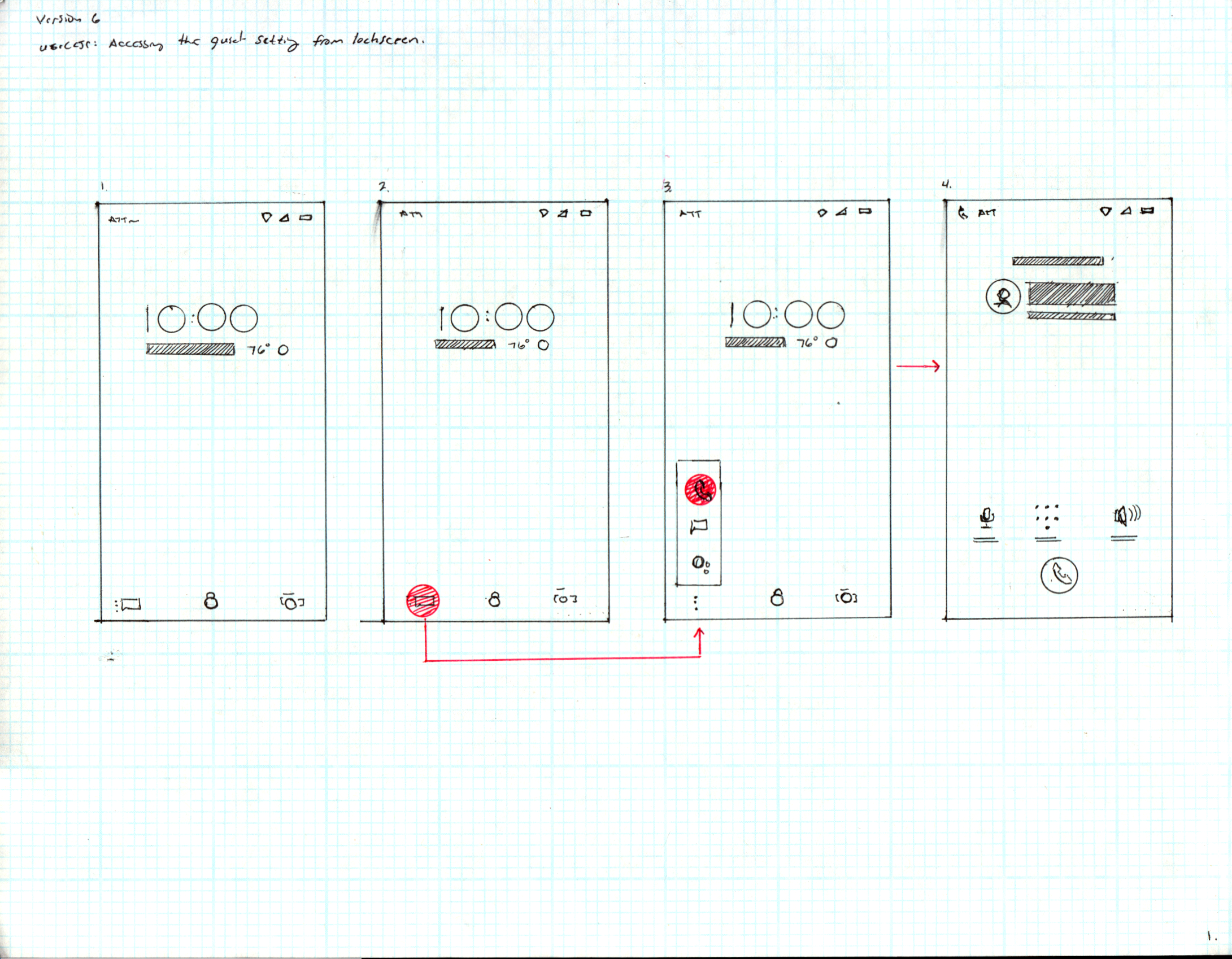
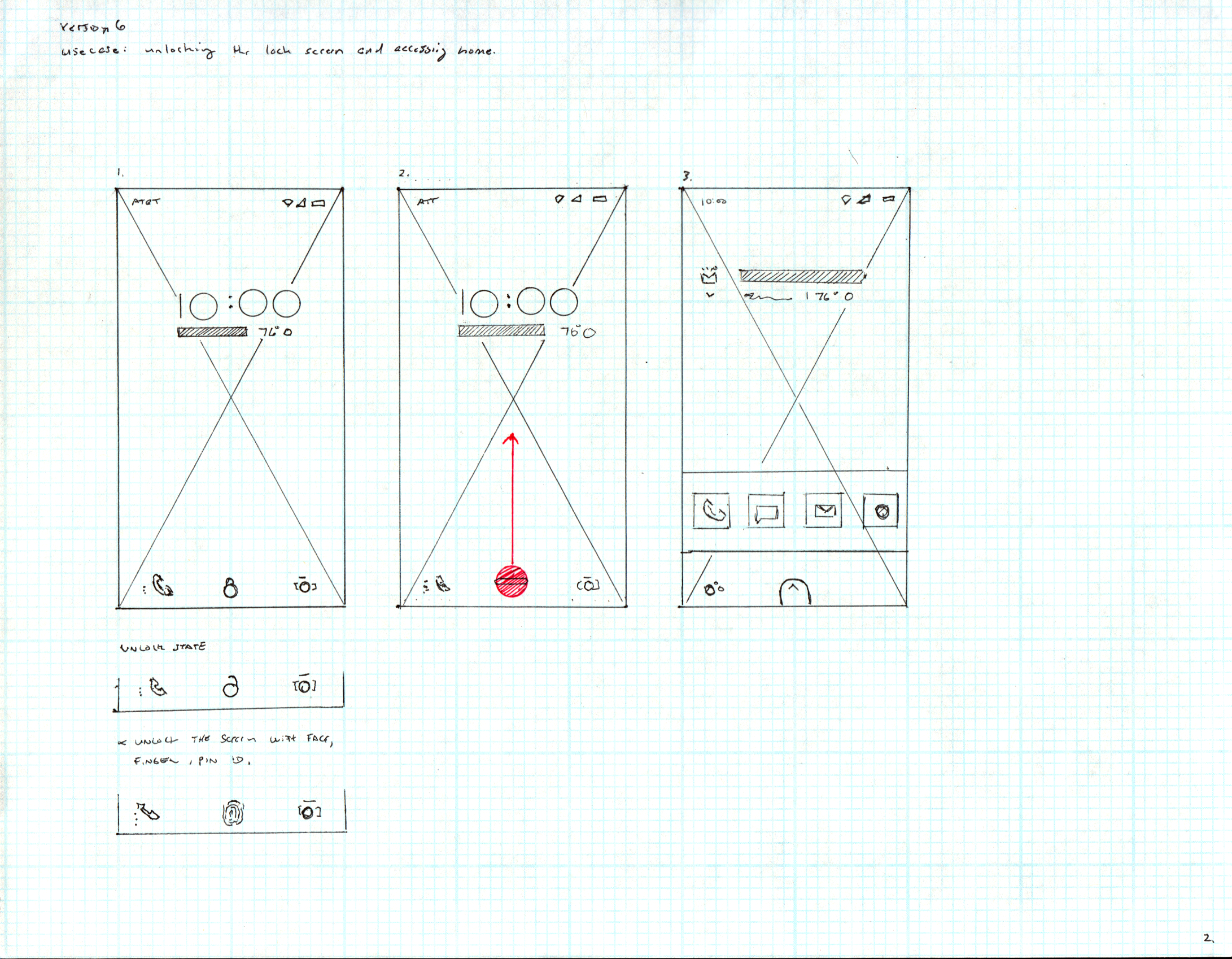
The design focused on four critical features: notification shade, gesture-based navigation, an itinerary section as an alternative to the minus-one screen, and the system bar. A lock screen concept was developed in parallel and submitted as part of the final deliverable, though it fell outside the core testing scope.
Two themes defined the design direction: productivity and control. Users wanted a launcher that helped them stay productive and feel in command of their phone — but constant notification triggering was eroding that sense of control, creating habituation rather than utility. The launcher design set out to address both.
Objectives of the Launcher Design
Replace the minus-one screen with an itinerary center that helps users understand and manage their schedule at a glance — redirecting notifications and events away from the standard notification feed to reduce habituation.
Streamline notifications to critical, timely events — system alerts and messages — cutting the noise that drives anxiety and habitual checking.
Align with standard Android design patterns to improve performance and resolve 80% of the usability issues surfaced in discovery.
Design for discoverability, recoverability, and clear feedback at every screen — reducing reliance on user recall and lowering friction throughout the experience.
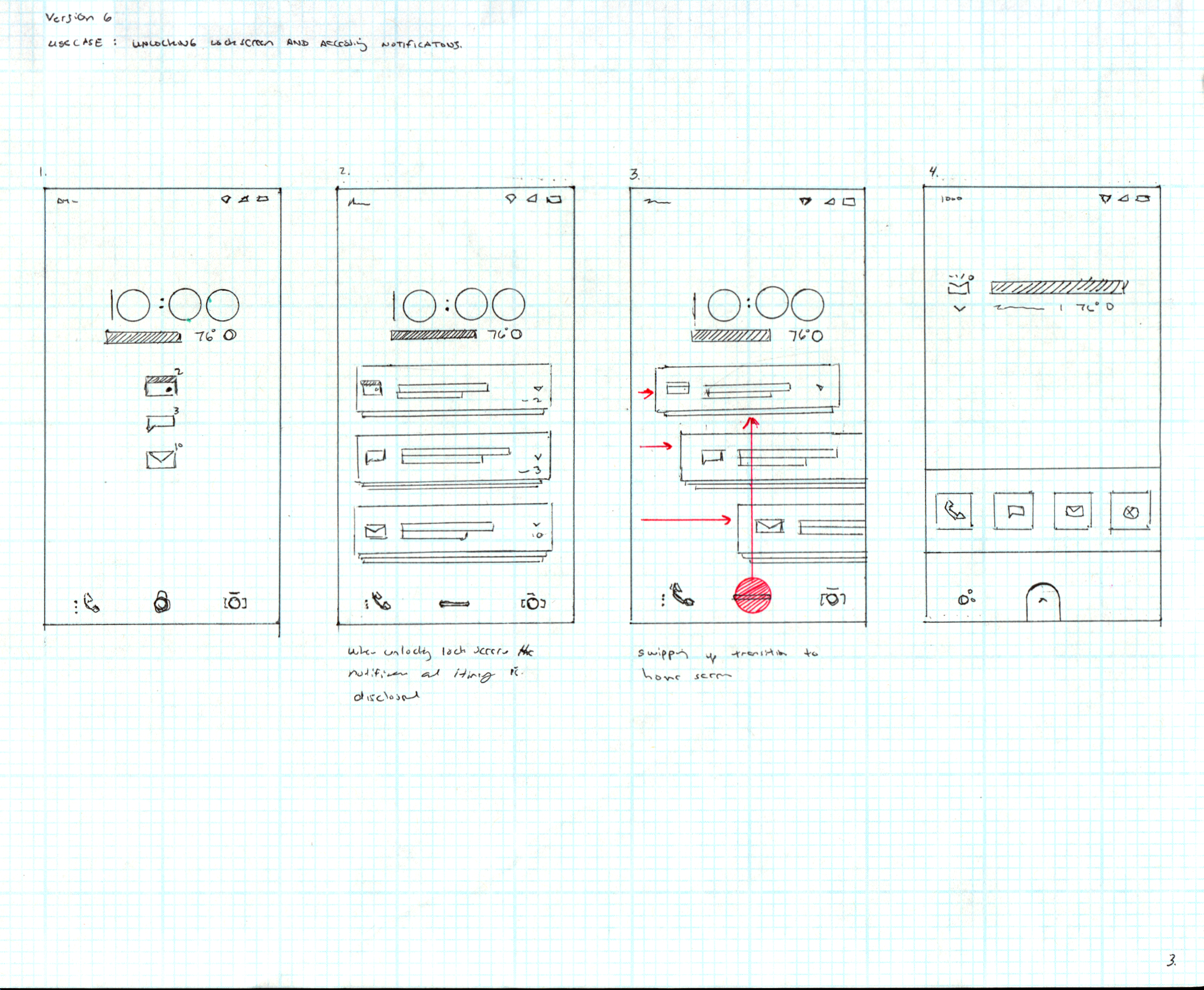
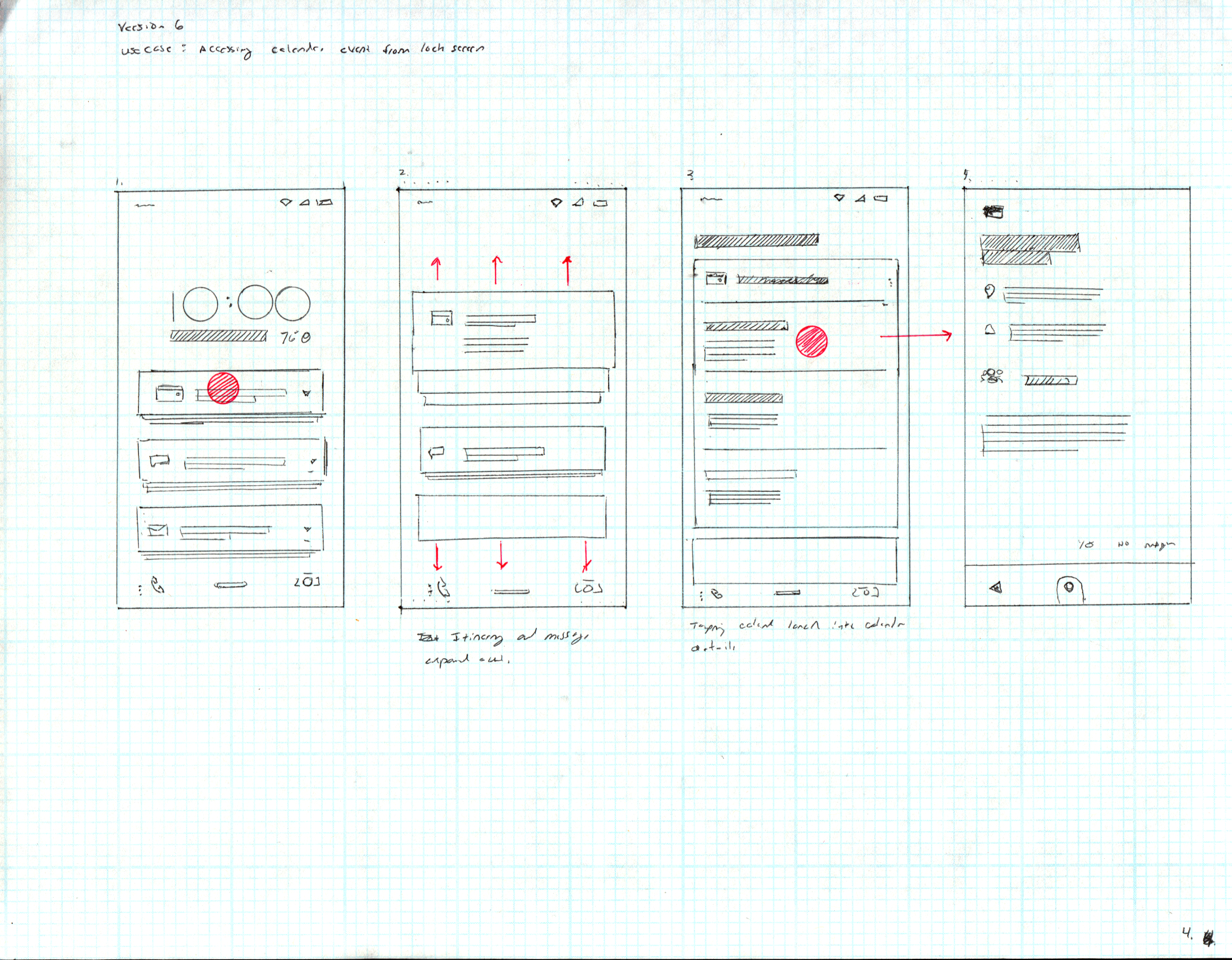
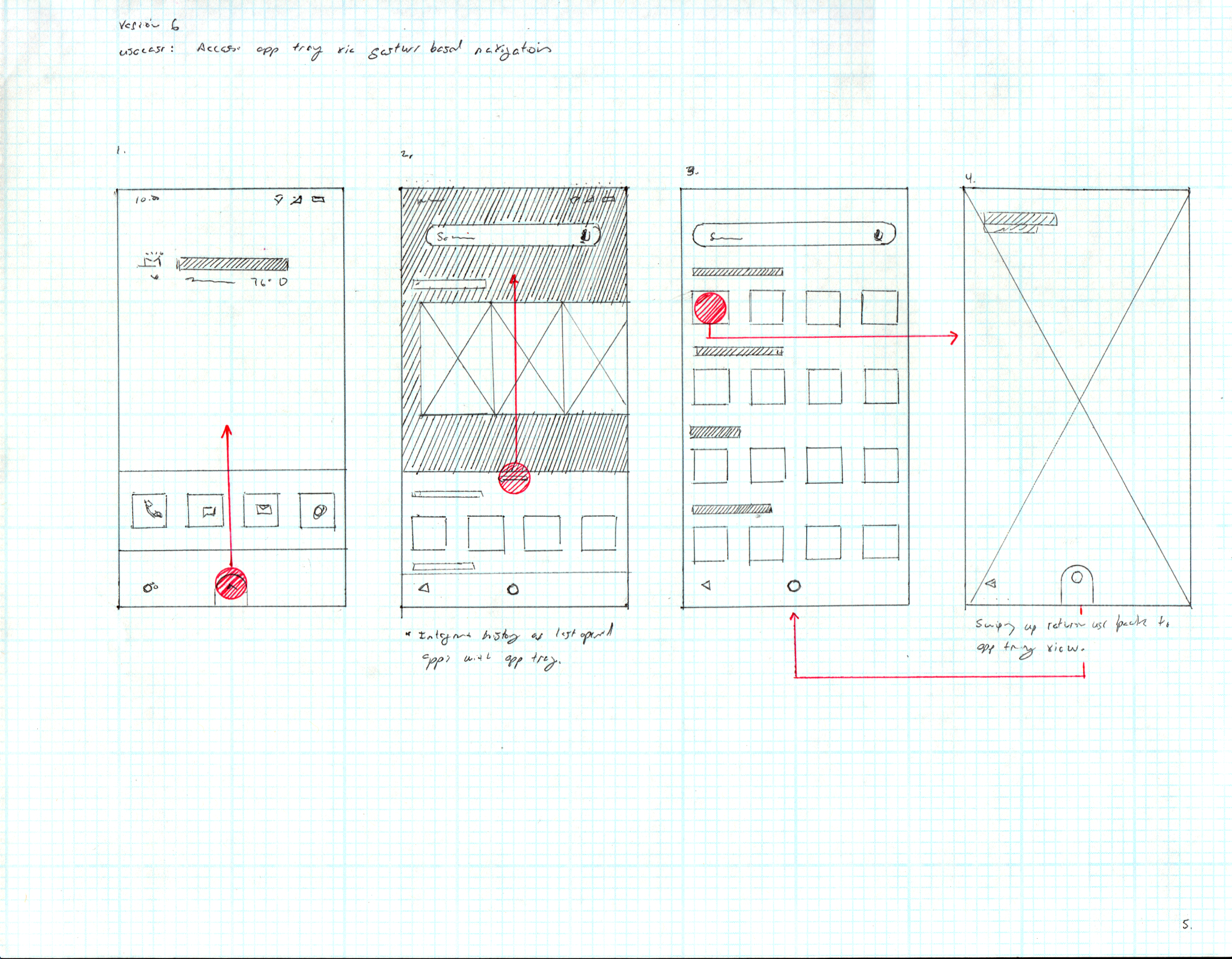
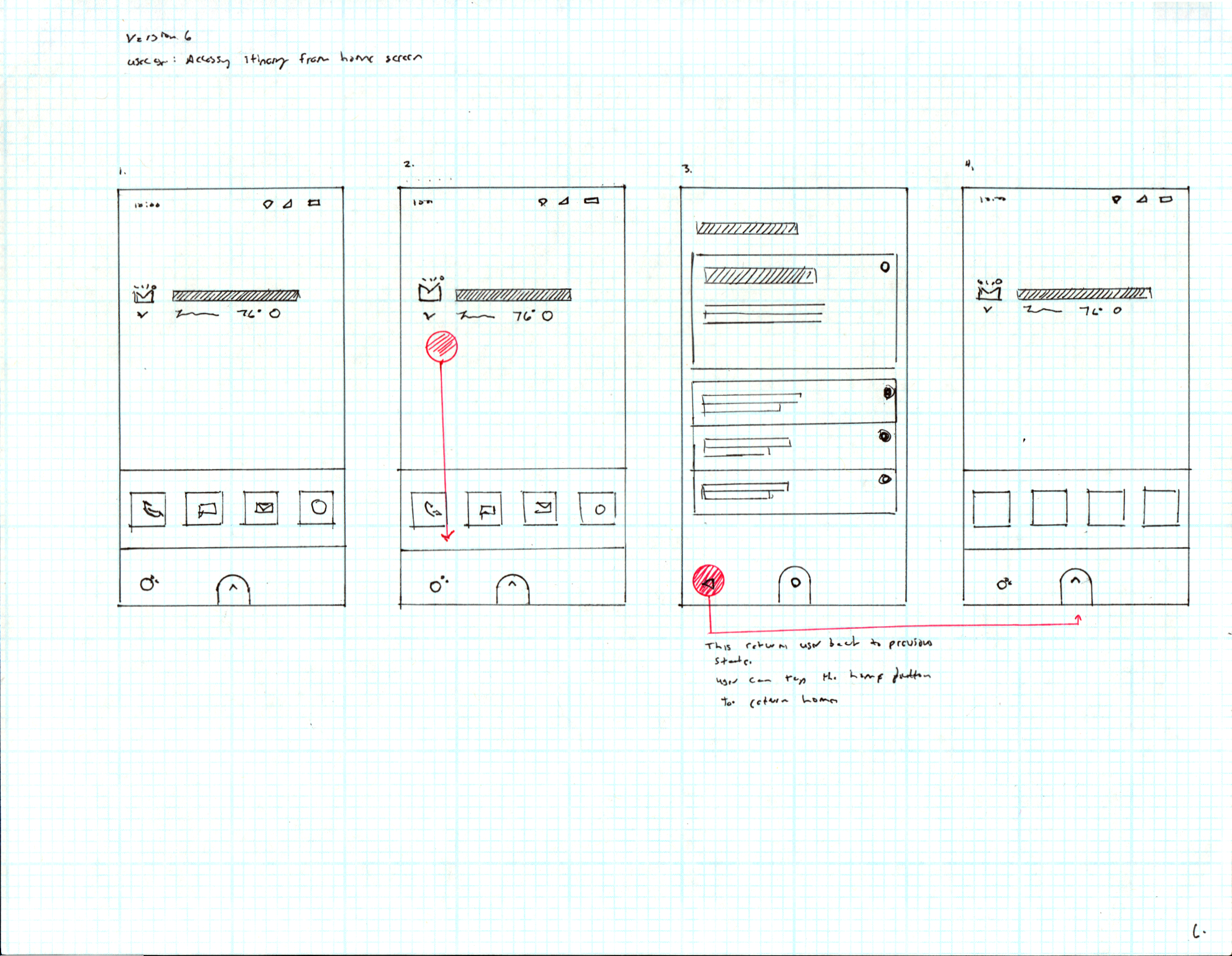
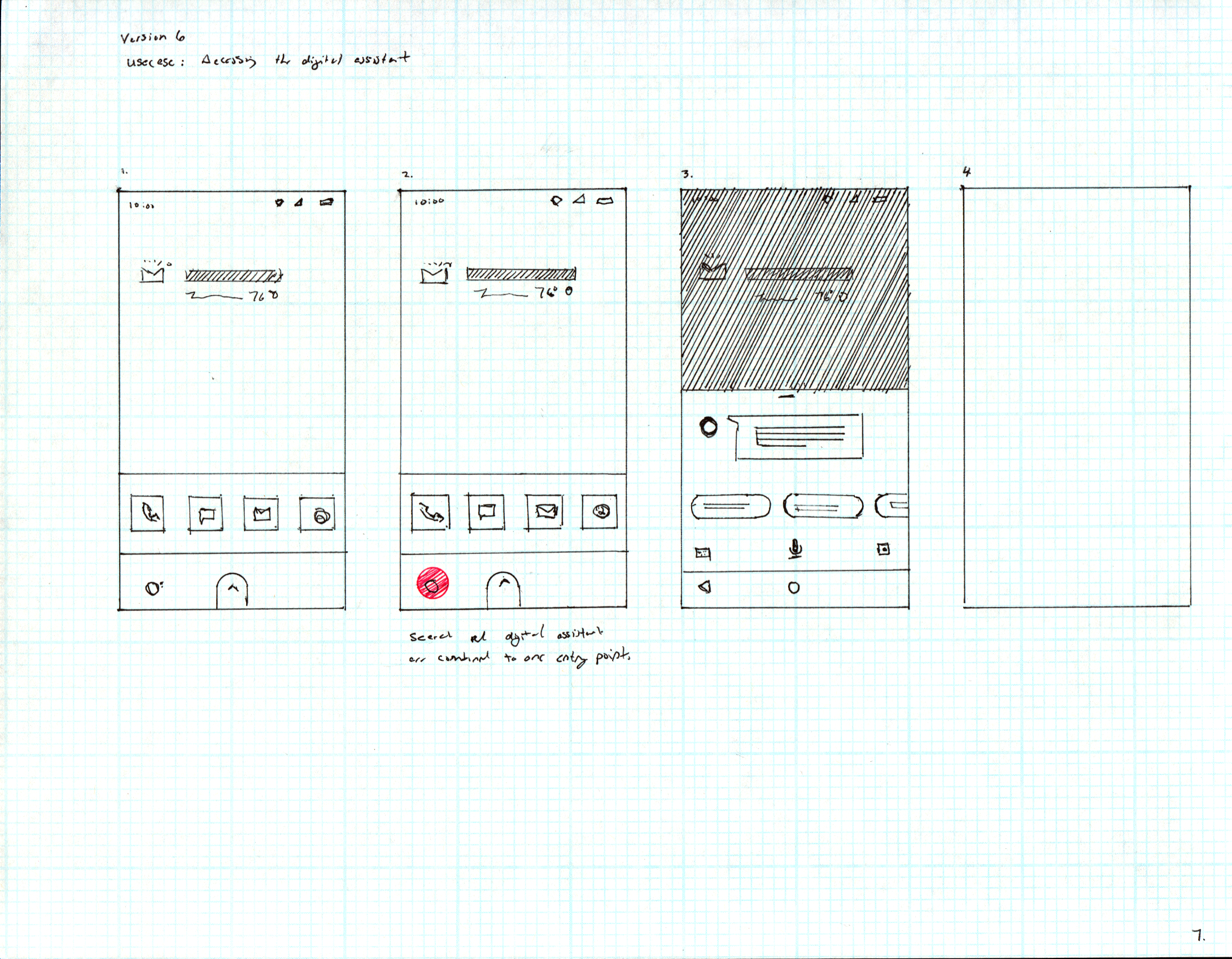
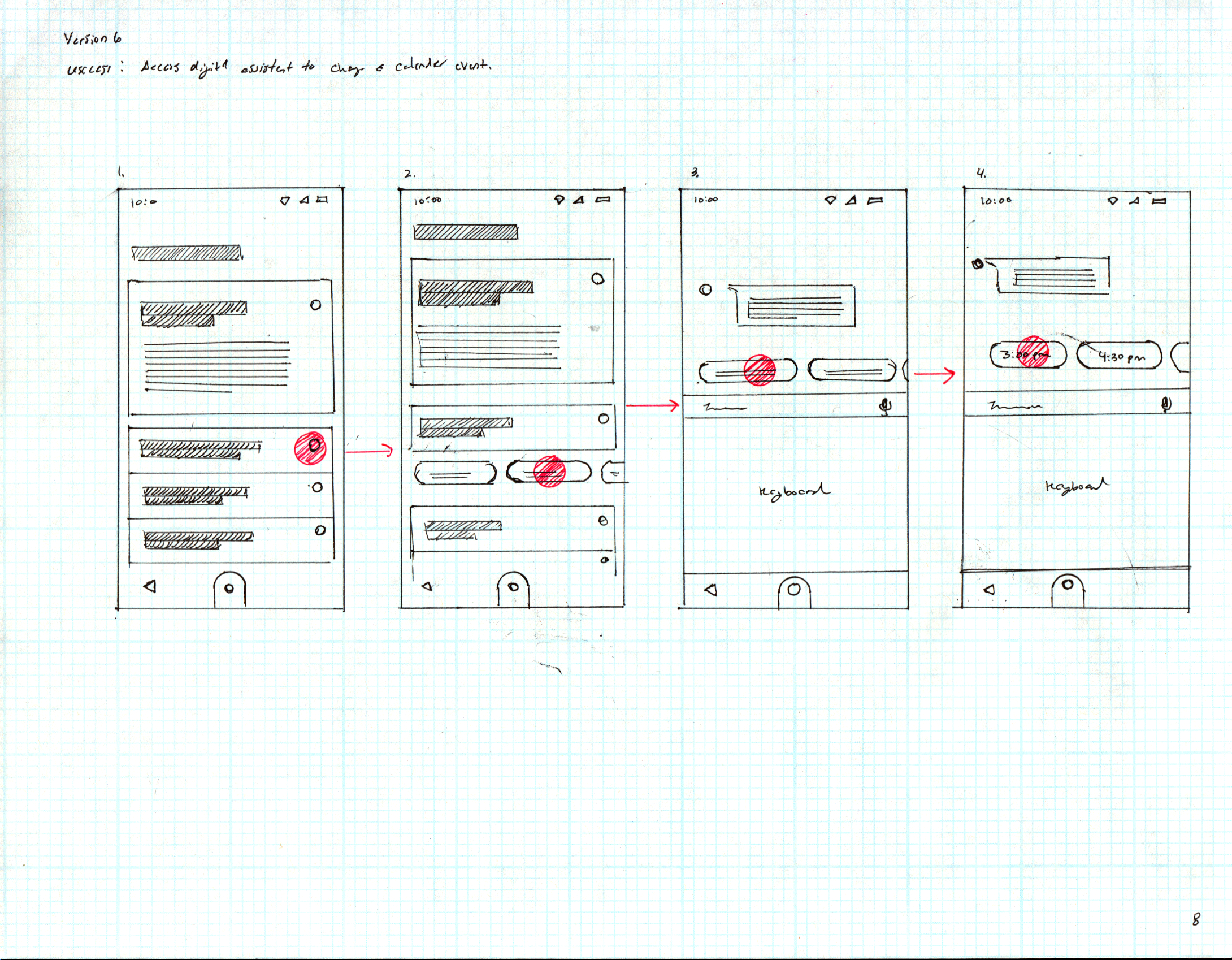
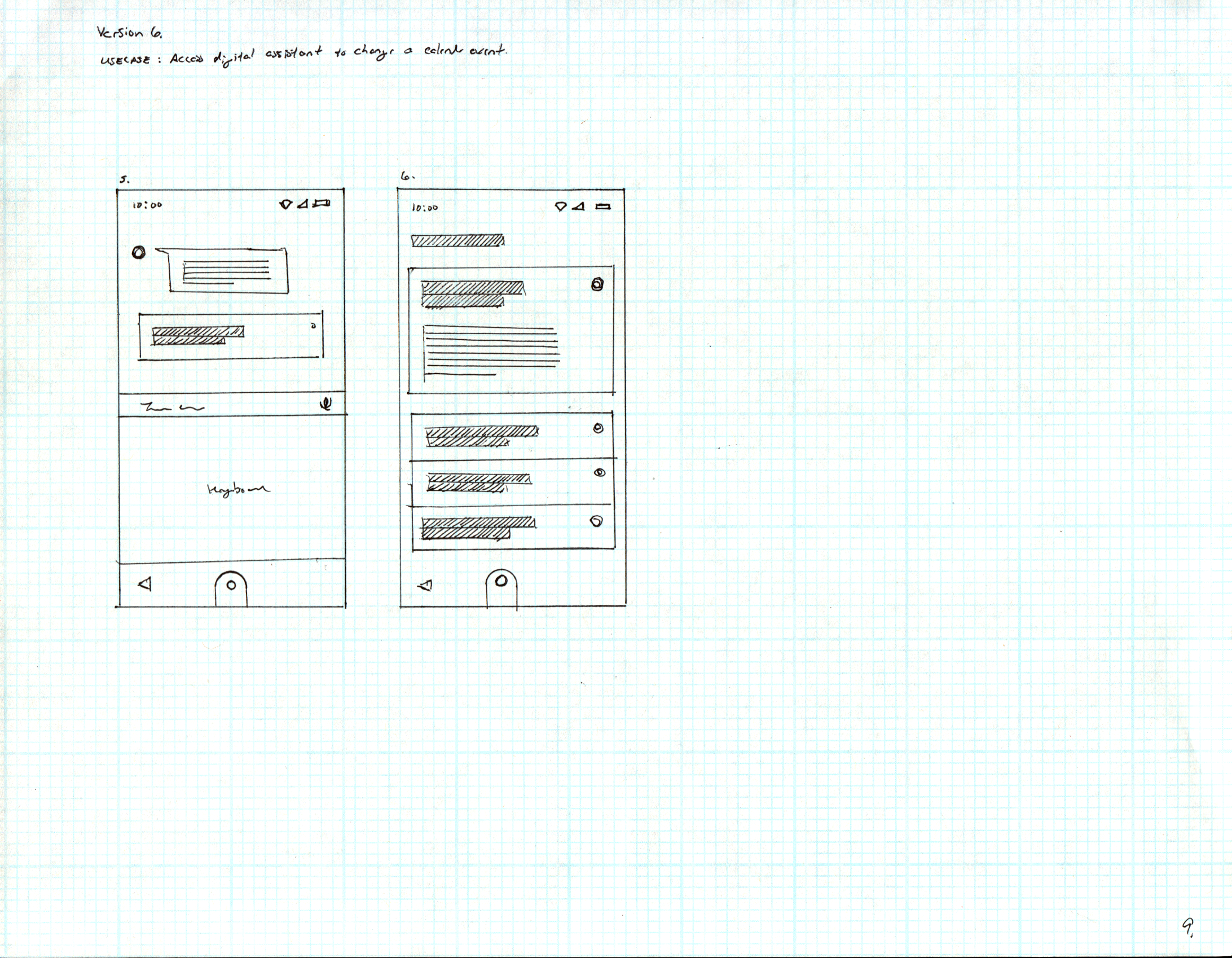
Framer JS Prototypes
Prototypes were built in Framer JS for user testing. Since Framer JS has since been deprecated, the embedded prototypes are no longer displayable — video clips from the original testing sessions are provided in their place.
Home Launcher Prototype
A Framer JS prototype was built to assess feature discoverability and the effectiveness of the overall interaction model. Before completing tasks, users shared their first impressions of the home screen and identified what features or actions they expected to find. Specific tasks were then assigned — accessing notifications, navigating key features — while qualitative feedback on the itinerary center concept was gathered throughout.
Digital Assistant Prototype
This prototype explored how users perceive and interact with an AI-powered digital assistant — with a focus on discoverability and reducing the intimidation factor. Users were asked to complete a task using the assistant while their behavior was observed and qualitative feedback recorded.
Testing revealed that while users found the assistant helpful, many felt intimidated by the technology. Recommendations included adding visual on-boarding cues to ease the initial setup experience, and keeping assistant responses clear and jargon-free — ensuring users could understand and act on the guidance provided.
Gesture-Based Navigation Prototype
This prototype evaluated the discoverability and usability of gesture-based navigation. Users completed specific tasks — accessing apps and returning to the app tray via a single swipe — while the efficiency of gross swiping gestures and the effectiveness of affordances like chevrons and classic iconography were observed. The goal was to capture qualitative feedback on the overall navigation experience and surface areas for improvement.
System Bar Prototype
The system bar prototype was built around four objectives:
Evaluate entry point discoverability for notifications and settings within the newly bifurcated system bar — measuring how quickly users find and access each.
Assess the app header UI component in the notification shade, and how effectively it reduces information density and improves scan-ability.
Measure the discoverability of swipe-to-mute at both the app level and the individual notification level.
Evaluate whether the redesigned settings shade layout is more intuitive than the previous version.
Eames Launcher Screens
The screens below represent the final launcher designs used in the Framer JS prototypes. Multiple directions were explored throughout the project before converging on this system, developed in Sketch.